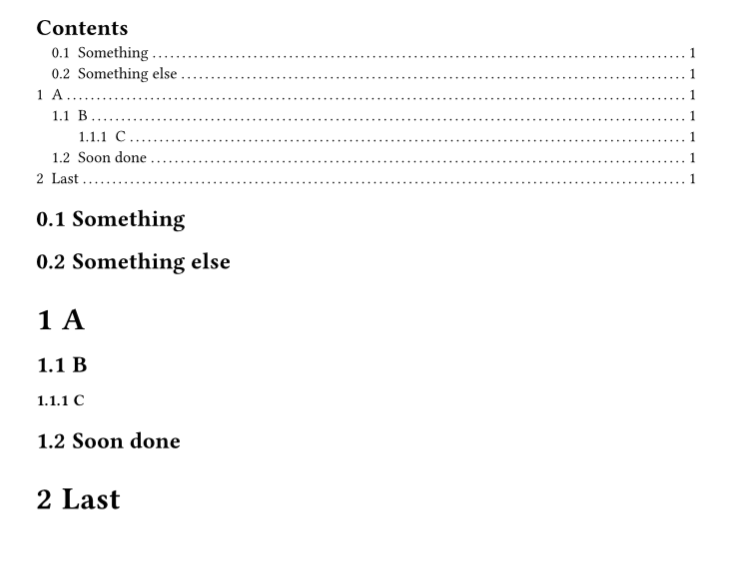
(Second attempt - just a little hacky)
Here’s a way to match with regex and hide the matching headings. In this case it’s using a regex match on the t4t.get.text result which I think is probably the best way to do it - much easier than using the native show regex(..) kind of matching - both methods have their drawbacks too.
#import "@preview/t4t:0.4.3"

#show: doc => context {
  // find matching headings
  let matching-headings = query(heading).filter(elt => regex("foo") in t4t.get.text(elt.body))
  let heading-fields = matching-headings.map(elt => (level: elt.level, body: elt.body))
  // get a selector for those headings
  let heading-selector = <_matches_nothing>
  if heading-fields.len() > 0 {
    heading-selector = selector.or(..heading-fields.map(f => heading.where(..f)))
  }
  // hide them - and exclude them from outline and numbering
  show heading-selector: none
  show heading-selector: set heading(outlined: false, numbering: none)
  doc
}

#set heading(numbering: "1.1")
#outline()
== Something
== foo
== Something else
= A
== B
=== C
= foo
== foobar
== footerism
== Soon done
= Last
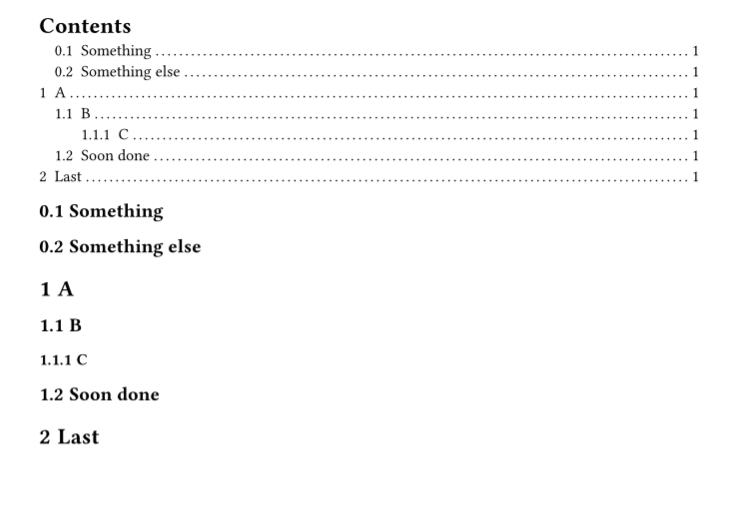
(Below: First attempt - Very Hacky)
Here is a hacky way to do it, but the warning above applies: we end up with un-typsty solutions that have drawbacks and don’t compose at all with other functionality (templates, packages).
We can’t replace a heading element truly. Good solutions use show-set to change an existing heading’s presentation. But here I think we need to replace the heading and “forget about the old one” to properly make it work with the outline as well.
To do this it’s essentially doing
- Make headings unoutlined and unnumbered by default. (So that we can forget about headings we don’t want)
- Check if the heading body matches the regex
- If so, convert it to a new heading that is outlined and numbered.
Below I’ve checked that this works out with numbering and outlining in total. However it is known that it breaks at least these features:
- Heading labelling and referencing
- (more to come)
Code and output
// Use heading.outlined = false/true as a marker
// and this makes sure that the extra headings we create are not displayed
// Some severe drawbacks of this: headings must be non-numbered and non-outlined
// by default. Because the original headings will be "abandoned and hidden", not removed.

// required defaults
#set heading(outlined: false, numbering: none)
// then the rest will be numbered and outlined.
#let numbering = "1.1"
#let outlined-exceptions = ([Contents], [Bibliography])

#show heading: head => {
  // First: early return if already good
  if head.outlined or outlined-exceptions.contains(head.body) {
    return head
  }
  let matches-pattern = state("matches-pattern")
  {
    // HACK: Place hidden copy of the heading title to test it vs the regex
    matches-pattern.update(false)
    show regex("foo"): it => it + matches-pattern.update(true)
    place(hide(head.body))
  }
  context {
    if matches-pattern.get() {
      // forget about this heading
    } else {
      let (..fields, body) = head.fields()
      heading(..fields, outlined: true, numbering: numbering, body)
    }
  }
}


#outline()
== Something
== foobar
== Something else
= A
== B
=== C
= foo
== foobar
== footerism
== Soon done
= Last