I am writing a template where I want to apply a specific style to the most basic outline (#outline()). I can’t seem to get this to work. I don’t want any other types of outlines selected.
My assumption was that the most basic outline has target: heading and I filtered on it as such, but my rule doesn’t want to apply.
It stumps me as the rule does work for outlines with any other target.
Some typst code to demonstrate:
#show outline: o => {
  o
  "====\n"
  repr(o)
  "\n====\n"
}

#show outline.where(target: heading): oh => {
  oh
  "\nSelected!"
}

#show outline.where(target: figure.where(kind: image)): oi => {
  oi
  "\nSelected!"
}

#outline()
#outline(title: "Images", target: figure.where(kind: image))

= First chapter

= Second chapter
This snippet outputs the following:
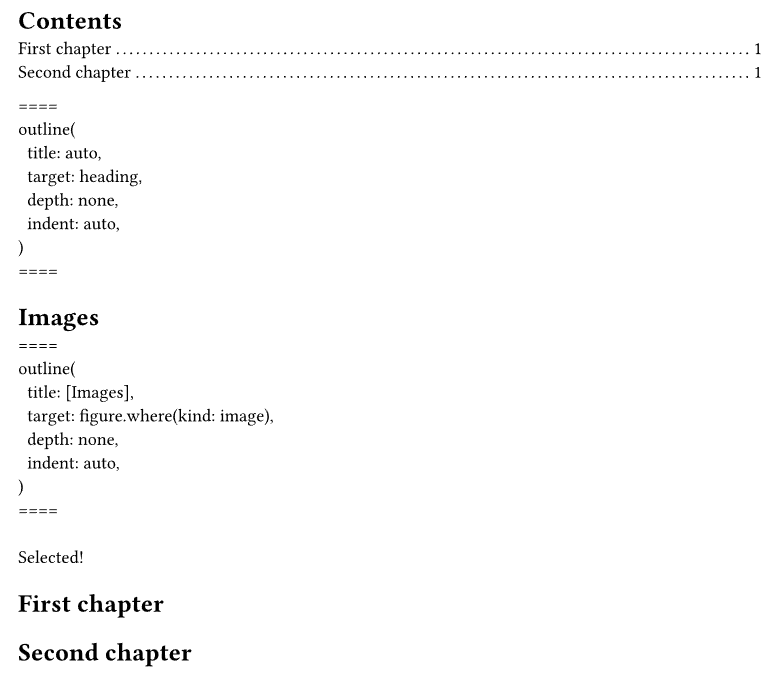
I don’t get why the standard #outline() doesn’t get Selected! appended to it? Its target is heading, right?
What’s different about it than the outline with figures as a target in my example? How do I make this work?