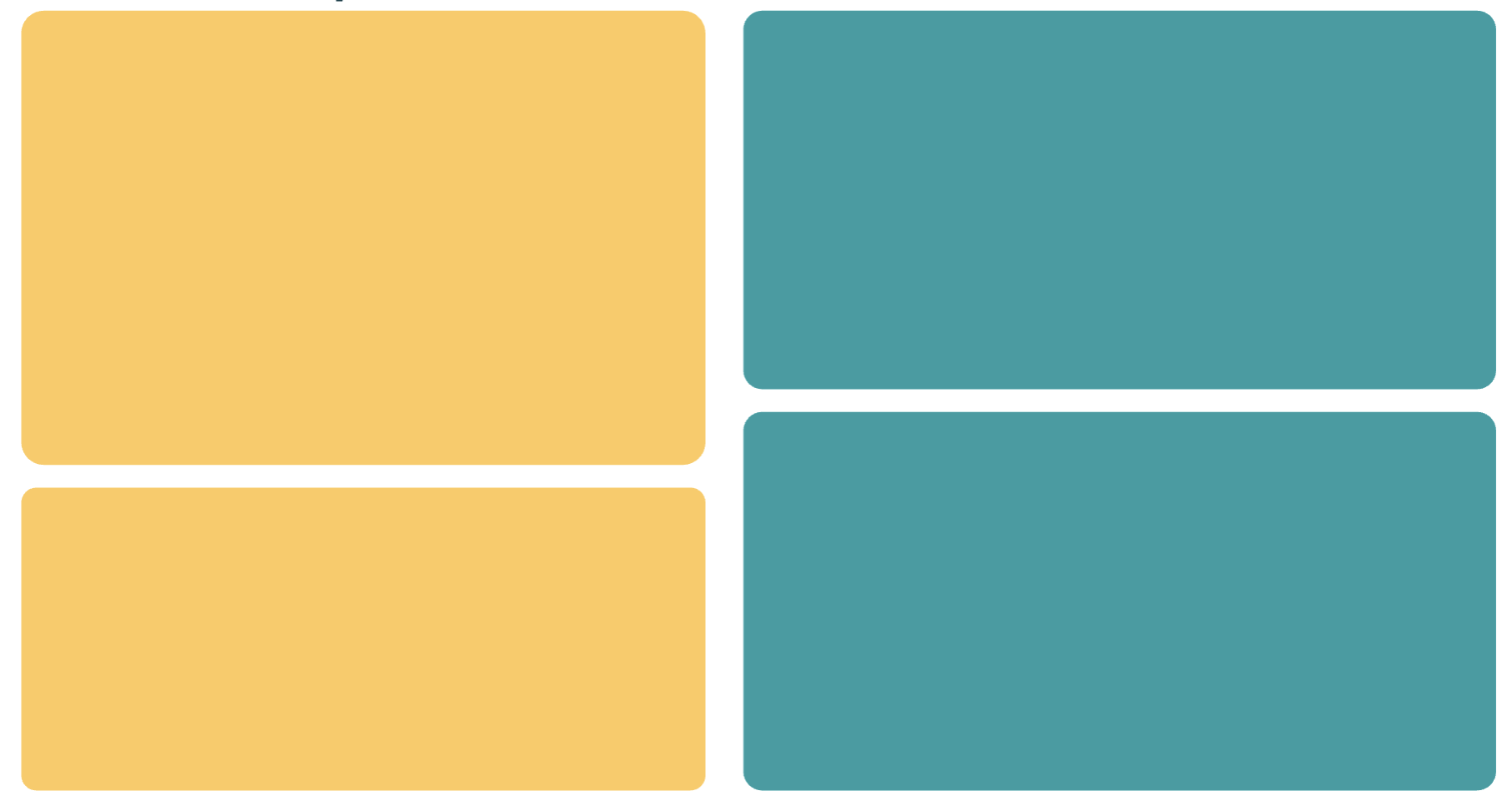
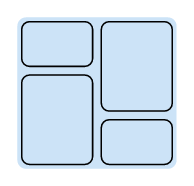
I’m trying to create the following grid layout:
Right now I have the following code that works exactly as expected, but I wonder if there was a way to make it simpler:
#grid(
    columns: (45%, 55%),
    rows: (45%, 45%),
    column-gutter: 1cm,
    row-gutter: 0.6cm,
    rect(radius: 5%, height: 120%, width: 100%, fill: yellow),
    rect(radius: 5%, height: 100%, width: 90%, fill: light),
    [#align(bottom, rect(radius: 5%, height: 80%, width: 100%, fill: yellow))],
    [#align(bottom, rect(radius: 5%, height: 100%, width: 90%, fill: light))],
)
Right now if I want to change something in the layout I have to change many things to keep things consistent, which is a pain.
I would probably use nested grids here, have you tried that? You have the outer grid for the two columns and then each column uses an inner grid where you can set the rows individually.
Here is an example with nested grids and (roughly) the same heights and widths of your example. I would recommend using fractional sizes over percentages to automatically handle the space that is lost because of the gutters.
#set rect(radius: 5%, height: 100%, width: 100%)

#grid(
  columns: (0.9fr, 1.1fr),
  column-gutter: 1cm,
  grid(
    rows: (1.2fr, 1fr),
    row-gutter: 0.6cm,
    rect(fill: yellow),
    rect(fill: yellow),
  ),
  grid(
    rows: (1fr, 1.2fr),
    row-gutter: 0.6cm,
    rect(fill: blue.lighten(50%)),
    rect(fill: blue.lighten(50%)),
  )
)
gezepi
January 2, 2026, 12:35pm
3
Here’s a way to do this stack()multi-stack():
#set rect(radius: .5em)

#let multi-stack(col-gutter: 1em, row-gutter: 1em, data: (([],),)) = {
  let gen-rows(rows) = {
    stack(
      dir: ttb,
      v(row-gutter / 2),
      ..rows
        .intersperse(v(row-gutter)),
      v(row-gutter / 2),
    )
  }

  stack(
    dir: ltr,
    h(col-gutter / 2),
    ..data
      .map(gen-rows)
      .intersperse(h(col-gutter)),
    h(col-gutter / 2),
  )
}

#rect(
  fill: blue.lighten(80%),
  inset: 0em,

  multi-stack(
    col-gutter: 0.25em,
    row-gutter: 0.25em,
    data: (
      (
        rect(height: 1cm),
        rect(height: 2cm),
      ),
      (
        rect(height: 2cm),
        rect(height: 1cm),
      ),
    )
  )
)
There’s a rect around calling the function to better show the gutters.
I meant to simply suggest using stack() as an option but got a little carried away ¯\_ (ツ)_/¯.
Andrew
January 2, 2026, 3:11pm
4
I think biceps – Typst Universe can do this, but I used a grid in a table approach in kantan – Typst Universe .
Thanks for the answers! I think the stack option is the one I like the most, even though it does not lead to the shortest code.