Hello everyone. I need to adjust the margins in the table of contents. They should look the same as they currently look in simple headlines. As far as I understand, I need to add the hanging-indent from the header parameters to the table of contents.
Also, please indicate the place in the documentation (or other source) where you got this information from.
Here is my code. The headings look correct, but the table of contents doesn’t:
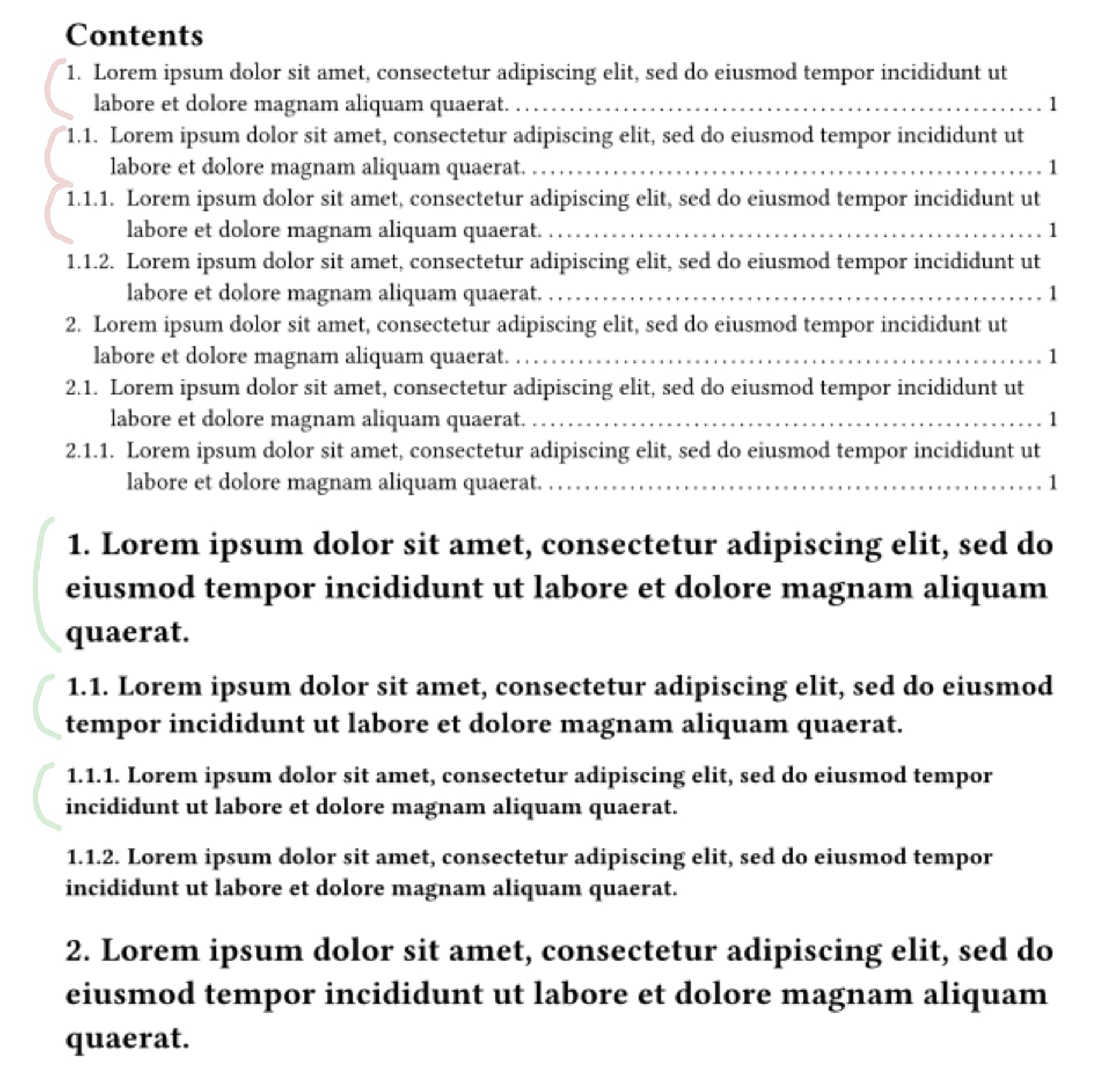
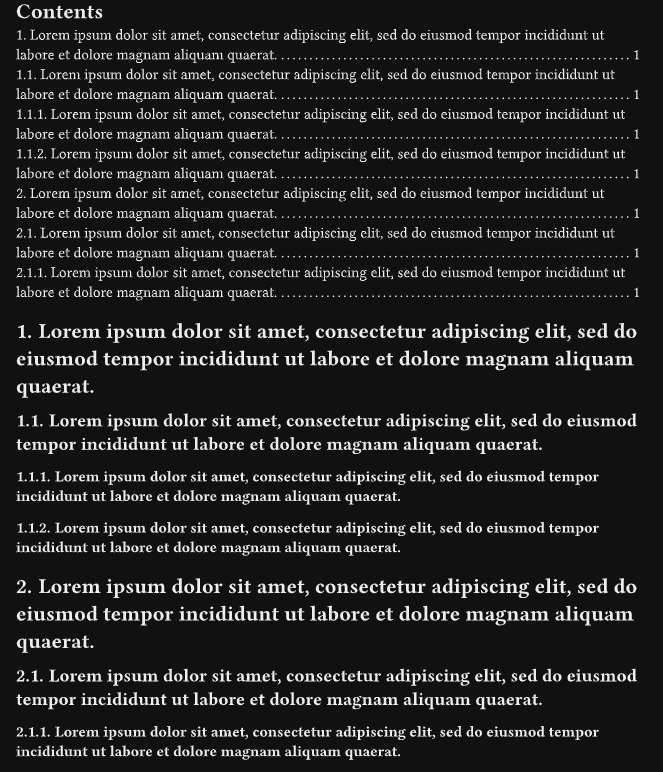
This code will generate the headings I need (for long headings, the correct indentation. Highlighted in green). How can I repeat this formatting in the table of contents? (highlighted in red).
Do you have a picture of what you want? I’m not quite sure what you’re hoping to achieve.
You mention margins so I’ll start there. Each page can only have one set of margins (changing them will create a new page). But you add some padding on the left and right side of the table of contents by placing it in a block with an inset:
The title of your post being vague, it is unlikely it will attract many responses as setting up an outline is a very basic task. I suggest you rephrase it by editing your post. Perhaps something line How to style an outline to ensure entries are similar to the headings or similar.
The issue here is not about the margins, but the hanging-indent: 0mm that you have applied to the heading.
For some reason, here on the Typst forum at least, the term hanging indent seems to have ended up back-to-front. In the OPs example, it is the Outline that has the hanging indents, not the headings.
For hanging indentation all but the first line of a paragraph is indented. (Wikipedia)