mahmah
August 3, 2026, 7:26am
1
Hi,
#set page(numbering: "1")
#counter(page).update(1)
How can I make the text gray? Thanks!
gezepi
August 3, 2026, 8:23am
2
Hi mahmah, welcome to the forum.
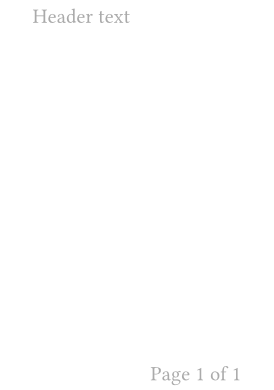
To get a lot of customization in headers and footers, specify them with #set page().
#set page("a8")
#set page(
  header: context {
    set text(fill: gray)
    //Put header here
    [Header text]
  },
  footer: context {
    set text(fill: gray)
    align(right)[Page #counter(page).display("1 of 1", both: true)]
  }
)
Documentation for this:
If you only want the numbers to be gray, try this:
#set page(numbering: (current, _)=>text(fill: gray)[#current])
or if you want to show total page number:
#set page(numbering: (current, total)=>text(fill: gray)[#current / #total])
Arbitrary content can be placed in header or footer too:
#set page(
  header: [
  // your content
  #set text(fill: red) // you can put anything here
  Foo bar baz.
  ],
  header: [
  // your content
  #set text(fill: blue) // you can put anything here
  #lorem(10)
  ]