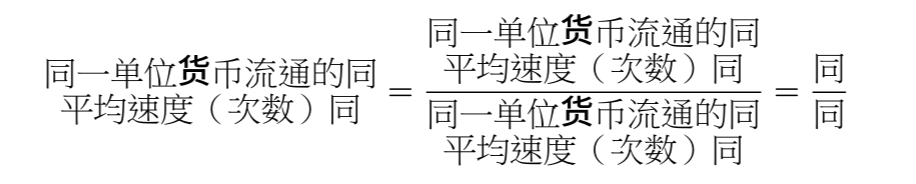
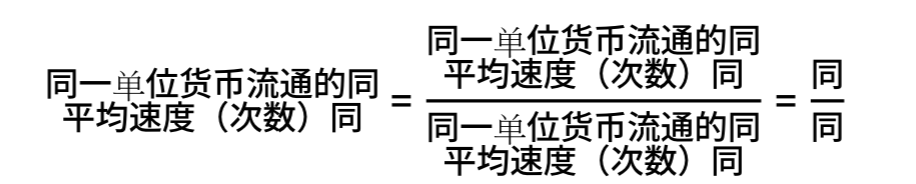
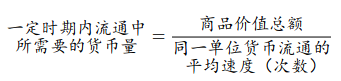
And here is the formula with the Chinese terms translated into English:
$ std.stack(dir: #ttb, spacing: #0.3em, "the required quantity of money", "in circulation over a given period")
= frac(
  "total commodity value",
  std.stack(dir: #ttb, spacing: #0.3em, "the average velocity of circulation", "of the same monetary unit (times)")
) $
However, the values for top, bottom, gutter are very much dependent on the font you use, the above is with the typst default. If you use a different font, you will have to fiddle with these until it looks right. (Note that the space between lines is top + gutter + bottom, you can also use negative values if neccesary.) (I have used frac("同", "同") to compare the vertical alignment.)
I tested “\n” and “\”.This does not work; the two lines of text overlap one another, and increasing the line spacing(leading) does not improve the result significantly.
And manually placing #par() or std.par() inside math does not have the indended effect, it leads to subsequent lines hanging below, instead of centering the block of text
(compare the alignment with the =)
As far as i can tell, stack, grid (and thus also table) are the only containers which don’t align the baseline like this.
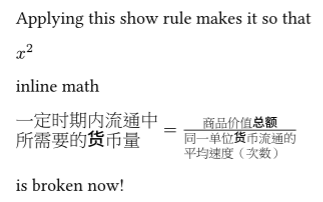
Perhaps it’s much easier to use content blocks #[…] in math. You can tweak every spacing with box.baseline (new in typst v0.15) and v. You can even set par(leading: …) for each part separately.
#set page(height: auto, width: auto, margin: 1em)

#show math.equation: set text(
  weight: "regular", // The default weight in math is 450, a bit thicker than regular (400)
  font: (
    "New Computer Modern Math",
    "Noto Serif CJK SC",
  ),
)

$
  #box(baseline: -25%)[一定时期内流通中\ 所需要的货币量]
  = frac(
    #text[商品价值总额],
    #box[
      #v(0.25em)
      同一单位货币流通的\ 平均速度(次数)
    ]
  )
$