Can my package be uploaded automatically after committing with GitHub Actions?
They are many options now and I list them in the Package development section of Best of Typst (TCDM).
To be honest, none of them satisfies me. I have uploaded three packages to Typst Universe and am planning to submit the fourth. All these packages use different approachs and even different versions of some packages were uploaded in different ways. I have tried a self-invented script, the script in typst-community/typst-package-template, several variants of these scripts, typship, …
All these methods require you to manage GitHub permissions and tokens properly. Even if the workflow finished successfully, you may still have to wait and edit the PR description manually.
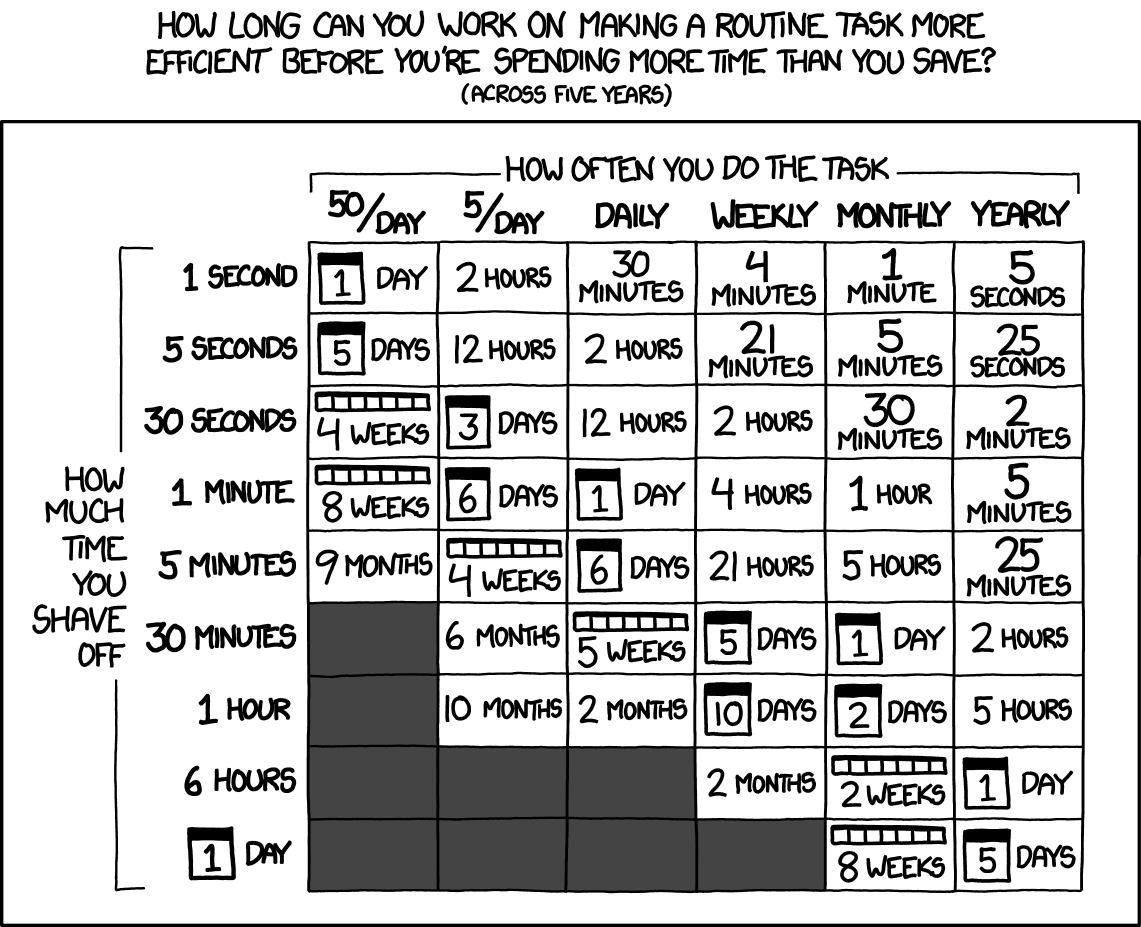
Is It Worth the Time?
A GitHub Action will typically save you 3 minutes each time. If you will upload 10 versions of the package, then spending more than 30 minutes debugging the workflow is a waste of time.
If this is your case, I suggest following the official instruction at packages/docs/tips.md at main · typst/packages · GitHub and running git sparse-checkout locally.
waste of time
That’s subjective. If you enjoy the working automation, it still can be worth it.
I don’t think this is accurate, I think I save significantly more time than that. Among the steps I don’t have to perform are
- filtering out files that don’t belong into the packages PR
- creating a branch on the packages repo
- copying files to the correct directory in the packages repo
- testing that the files I copied actually work as expected, i.e. catching errors due to doing this manually
- committing and pushing these files
- checking package publishing instructions along the way to refresh on these steps.
Maybe I’m inefficient, but I save more than three minutes here. Plus, I don’t experience the uncertainty from potentially messing up the routine task.
The tools can be improved, I don’t like these shell scripts either and utpm and typship are not quite replacements, but I think they’re more useful than you give them credit for.
BTW the point is not just a numbers thing, it’s more a convenience. When everything is CI-automated people can concentrate on building the template, not jumping hooks by doing unrelated stuff like running CLI commands for publishing etc. again and again manually.
And if you have a template (which several, also tools) seem to exist, it can, in the best case, be a case of copy and paste at least for running some linting/checks etc. Maybe configure some tokens and they you can also publish your packages (in theory).