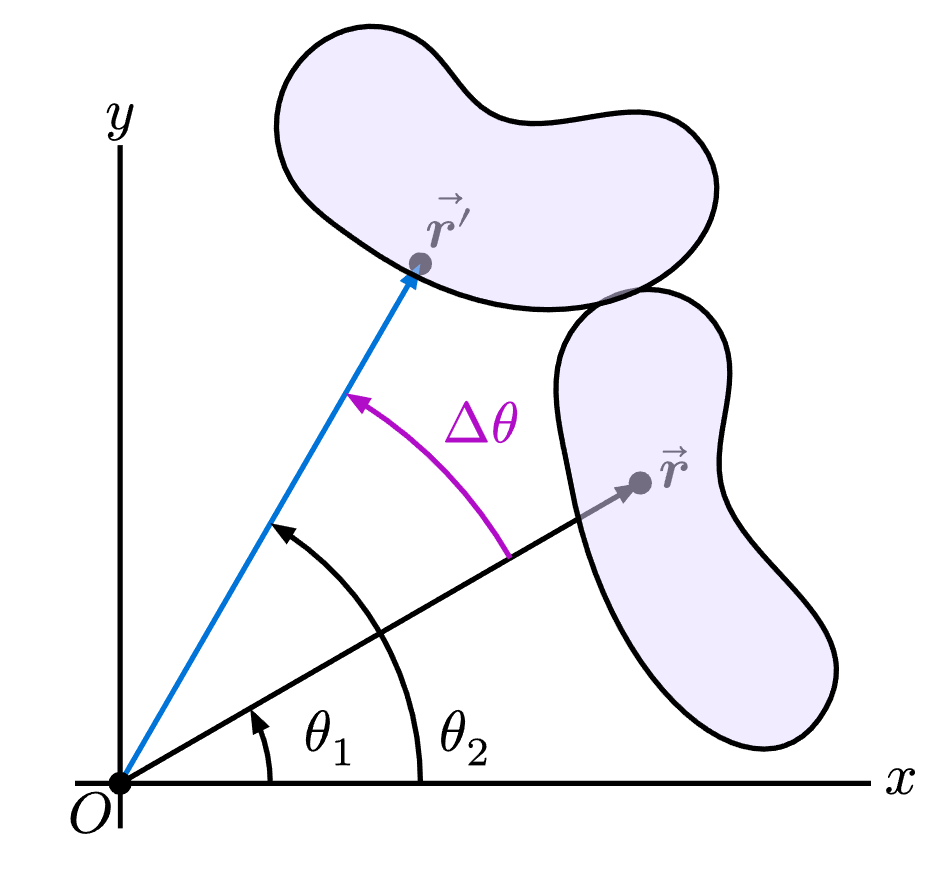
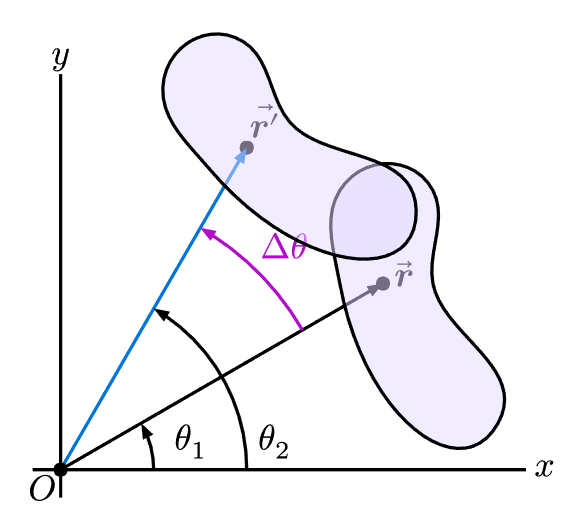
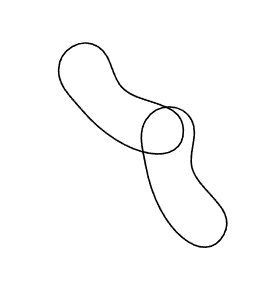
I’m recreating diagrams from old textbooks, and I would like to rotate an oblong shape. Below is a hobby curve with 5 coordinate points. I applied a counterclockwise rotation to each point; however, the output doesn’t match the original, see provided image.
Math:
I’m applying the rotation matrix where the angle is pi/6 to each point:
[cos(pi/6) - sin(pi/6)]
[cos(pi/6) sin(pi/6)]
This might be a rounding issue, but I’m not sure if anyone has already attempted this?
Your rotation matrix is wrong. The diagonal elements both need to have cosine, whereas the off-diagonal elements must have sine. A quick way to check this is to plug in the angle zero. In that case your rotation matrix should be equal to the identity matrix.
I would also recommend you to define a transformation function here to make your code more readable and easier to modify.
#let transform(point, angle) = {
  let x, y = point
  (..., ...) // Apply your transformation matrix here
}
This also works great! I didn’t mark it as the solution because I wanted to use my math reasoning, but this is a great implementation of the same thing tysm!
#import "@preview/cetz:0.5.2"

#let rotate-2d(graph, angle) = {
  cetz.draw.rotate(angle)
  // or `cetz.draw.transform(cetz.matrix.transform-rotate-z(angle))`
  graph
  // Note: rotate back, so that graph outside this func
  //   won't be rotated.
  cetz.draw.rotate(-angle)
}

#cetz.canvas({

  let curve = cetz.draw.hobby(
    (3, 3),
    (3, 2),
    (4.7, 0.5),
    (4, 2),
    (4, 3),
    close: true)
  curve
  rotate-2d(curve, calc.pi / 6)
})