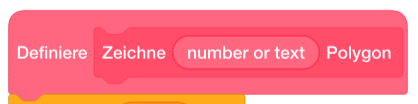
That’s incredibly awesome! I imagine in the end you went with Scratch blocks specifically, because they fit together without leaving white spaces unlike the ones in Blockly? I haven’t taken the time to fully explore this yet, so before diving into it, I’m curious:
- how the blocks behave without any children, not even any of the condition pills, did you solve this with white placeholder shapes, something like I did?
- what’s the mechanism behind notch overlapping the child, or if it’s part of the child, how does it recognise the parent’s colour? Or is it just completely different shape for when it includes a child and when it doesn’t? Edit: nevermind, I think I see now that you indeed used only
curvewhich is then properly aligned instead ofcurveattached to a block element.
I noticed also some of the blocks get quite tall, is that to be expected?
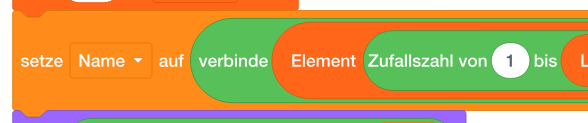
If I get the time, if you’re open to this I might also help out on improving the blocks by:
-
exactly matching the ones from Scratch like you mentioned. I see you already found the correct font. Optionally the exact loop icon could be used instead of the symbol.
-
improving the spacing on larger blocks by using 0.14.0’s character-level justification.
-
converting to English-first, then add translations on top of that if you’re comfortable. There has to be a Scratch translation file available somewhere, which would add to why Scratch blocks might be preferred over Blockly in a case like this. I found: