Hello,
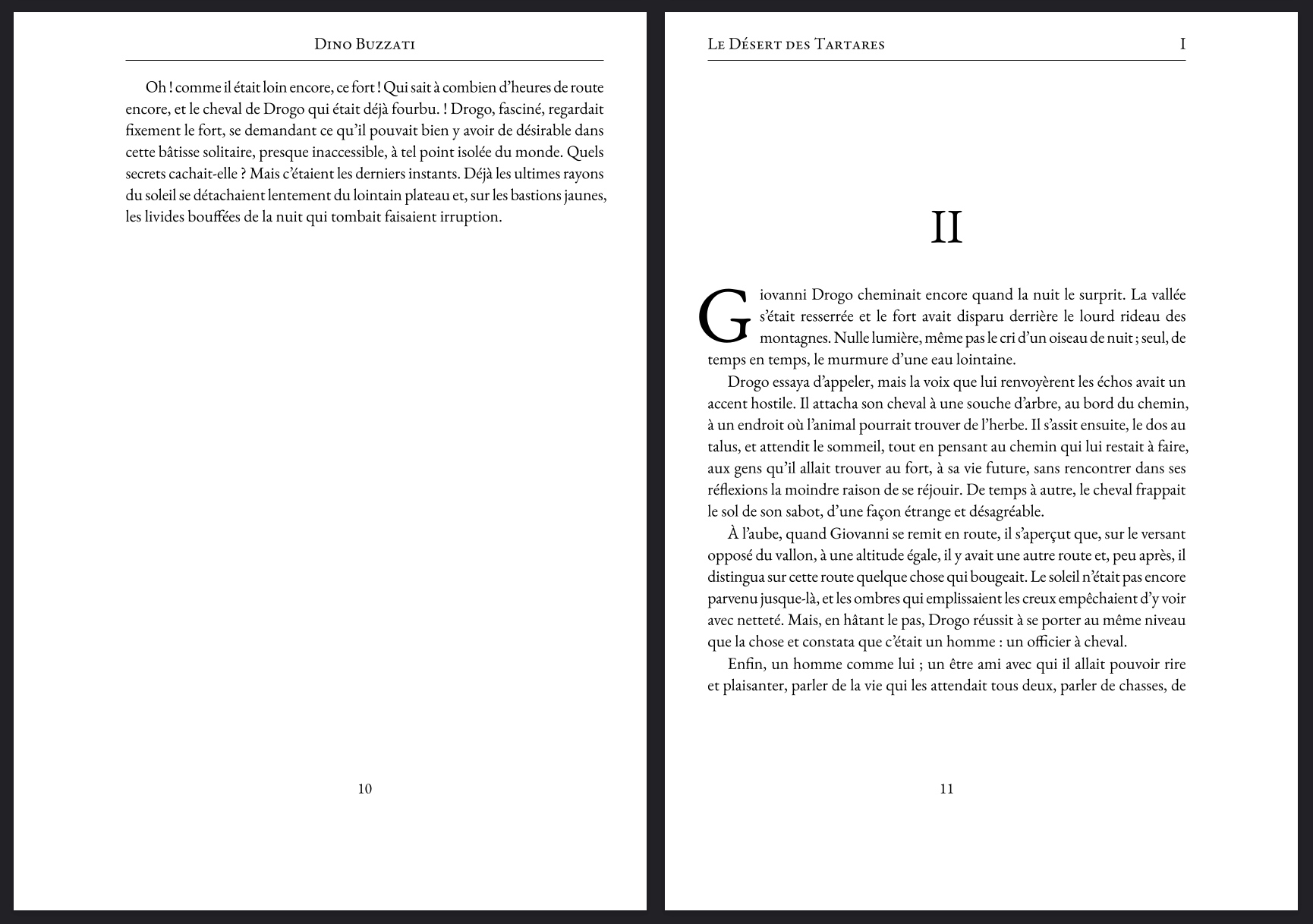
I’m getting my feet wet with hydra typesetting a novel, and I cannot wrap my head around the fact that my header displays in starting pages (cf. image below) despite skip-starting being true by default (I also tried to enforce it).
First, obviously, the header should not appear in the odd page.
Secondly, the chapter number (heading level 1) is still the previous one (though I’m pretty sure this one is on me and I’m doing something wrong haha).
So, if I am understanding things right, only the book title should appear on the odd page (for now, I’m planning on making it disappear on starting pages too - I’m still starting to understand how things work).
Since my workflow relies on a main file that import chapter files through #include, I’m thinking that maybe mess things up ? Is it something you know of ?
Hello @qntnlq, would it be possible for you to produce a Minimum Working Example (MWE) that shows the issue? Something that we can compile and work from in order to best help you.
Hello @vmartel08 ,
Not super minimal (for reasons above my knowledge, the issue disappeared for the first chapter when I deleted every inclusion but the first, so I included two chapters), but there you go. The problem can be seen at page 9. DdT-volume_test-demo.typ (2.4 KB) DdT-ch01.typ (10.6 KB) DdT-ch02.typ (20.8 KB)
This was indeed my problem ! Thank you very much for your reply ! Did not catch that part of the doc and when straight to the rest…
Now that this is out of the way, do you by any chance know how I can display custom text in the header with hydra (or if this is not possible with the plugin) ? I’m looking to display the header as shown in my first message, but when it is not a heading page.
I feel like I have to work with hydra’s selectors but I cannot get it to work.
EDIT: Maybe it would be better to try to find a condition where there is a level 1 heading in my if ?