Introducing Typsastra: a complex-script-first desktop editor for Typst

Hi everyone! I’m introducing Typsastra, an open-source, local-first desktop writing environment for Typst.

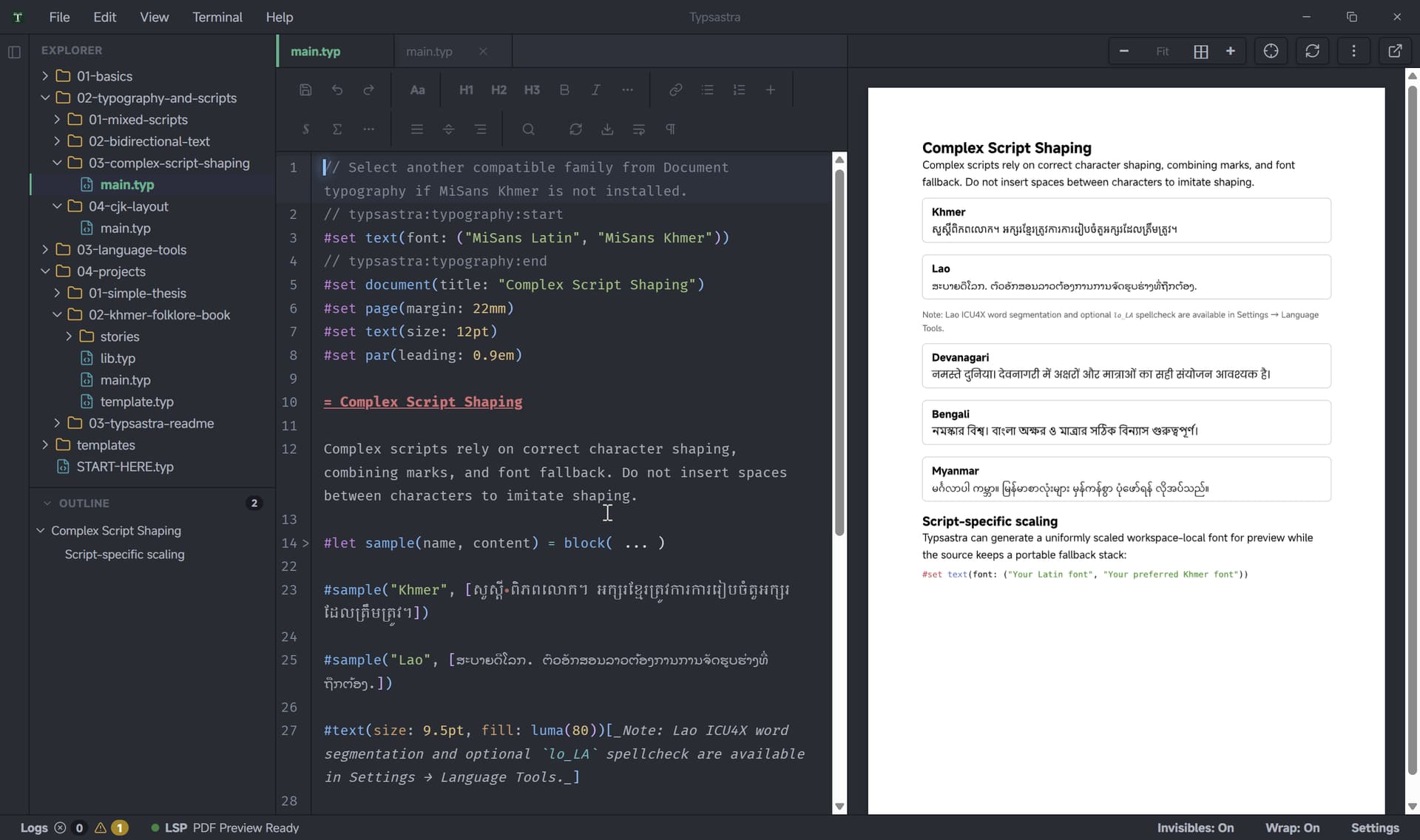
Typsastra is designed for research papers, theses, books, technical documentation, and other long-form multilingual projects. Its main focus is making complex-script authoring a core editor concern, not only ensuring that text renders, but also handling cursor movement, deletion, segmentation, spellchecking, completion, and mixed-script text correctly.
What makes Typsastra different?

Complex-script-first editing

Khmer is currently the reference language with deep support, including script-aware cursor and deletion behavior, deterministic word segmentation, spellchecking, and word completion.

Lao currently has enhanced support through language-specific segmentation and an optional dictionary. The language-provider architecture is designed so contributors can add support for more languages without modifying the generic editor integration or existing Khmer behavior.
Long-document and project workflows

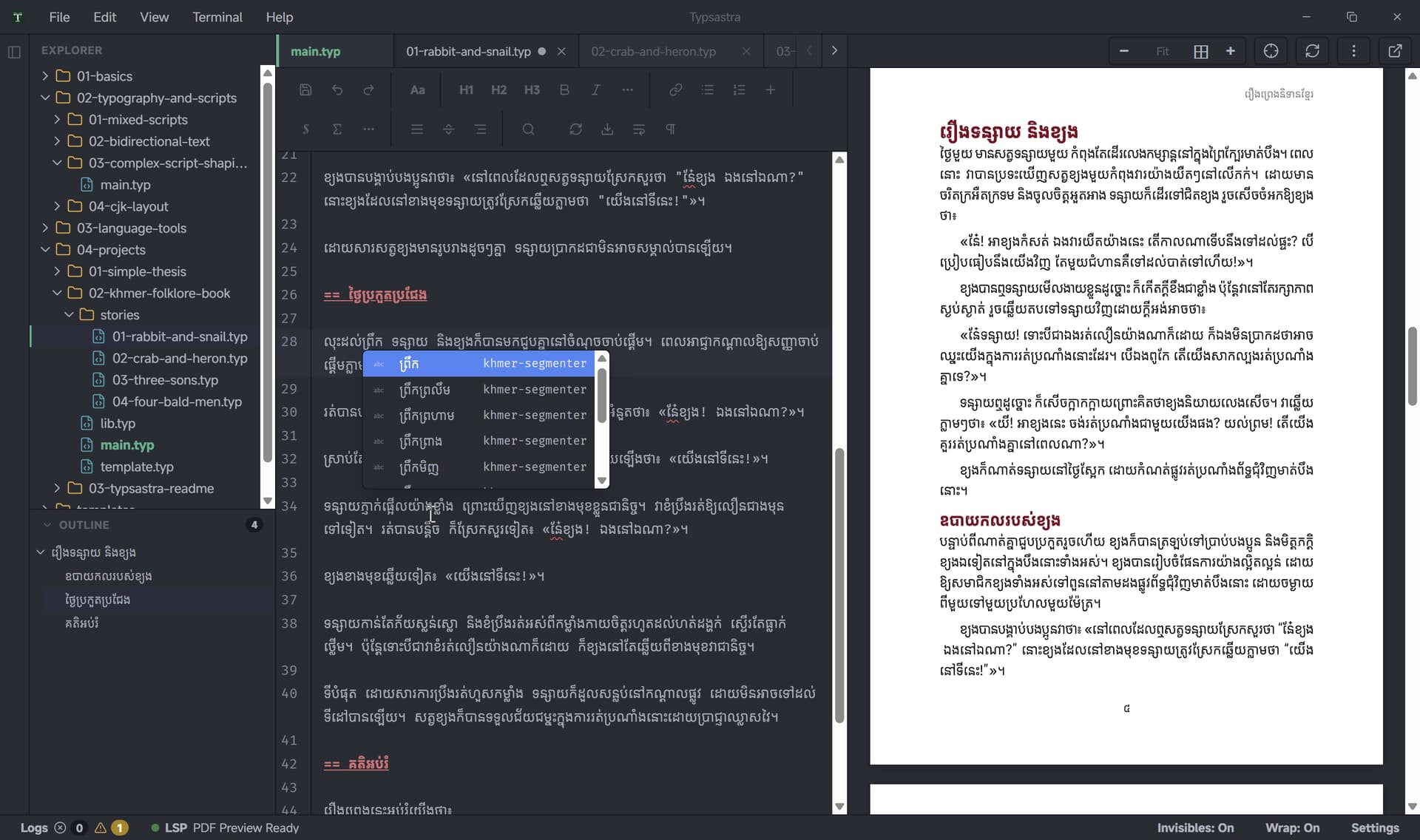
Typsastra treats a document as a project rather than an isolated file. It supports:

  • a configured main Typst document;
  • included chapters and imported files;
  • bibliographies, figures, templates, and other project assets;
  • full-document preview while editing included files;
  • standalone preview when needed;
  • virtualized PDF rendering for large documents;
  • source-to-preview navigation.

Managed Typst tooling

Typsastra manages Tinymist for compilation, diagnostics, preview, and source synchronization. A separate Typst installation is normally not required.

Your documents remain ordinary Typst source files and are not locked into a proprietary format.

Current status

Typsastra is currently beta software, with v0.4.1 as the latest public release.

Windows and Linux are the most actively tested platforms. The macOS build is currently experimental.

The v0.4.x releases will focus mainly on bug fixes, performance improvements, and smaller additions. Planned later work includes bidirectional/RTL editing, broader language support, bibliography and figure workflows, document builders, templates, and additional long-document tooling.

Links

Typsastra is released under the MIT License.

I would especially appreciate feedback from:

  • people writing multilingual or complex-script documents;
  • authors working with large, multi-file Typst projects;
  • native speakers interested in contributing language support;
  • Windows, Linux, or macOS users willing to test the beta.

Which languages or writing-system behaviors are currently difficult to use in your Typst workflow? I’d also be interested in feedback on the project model, preview workflow, installation experience, and documentation.

Thank you!

8 Likes

What is the advantage to VSCode & Tinymist?

Hi @Matze,

VS Code + Tinymist is great for general Typst editing, but VS Code editor still treats complex scripts mostly as ordinary text. Typsastra adds script-aware cursor movement, deletion, segmentation, spellchecking, and suggestions for languages like Khmer, and it is also optimized for smooth, memory-efficient previewing of long documents.

Typsastra keeps the full main.typ project context, so cross-references work across included files, and inverse sync can open the correct source file automatically when you click content from another chapter in the preview.

Félicitations !
Ça m’interesse vraiment. j’utilise les caractères ɔ, ɛ, ɲ et ŋ pour le bambara et le jula (Afrique de l’Ouest). C’est caractères sont-ils disponibles ?

Hi @Barouk,

Yes, those characters are standard Unicode and should display correctly as long as the selected Latin font includes them. Typsastra does not currently have a separate Bambara or Jula font-fallback profile, but because they use the Latin script, they should use the configured Latin font. Language-specific spellchecking and typing assistance are not available yet.

Typsastra is designed to be inclusive of all languages. If there is a niche feature or language-specific need that would improve support for Bambara, Jula, or another language, please open a GitHub issue. I will do my best to implement it while preserving the consistency and integrity of the overall ecosystem.

1 Like

J’ai installé et je suis en train d’utiliser. C’est assez facile (raccourcis disponibles dans la barre d’outils, prévisualisation, etc.). Je ne connais pas grand chose en informatique pour proposer des améliorations.

  1. Est-ce possible de créer une barre de défilement dans la zone de saisie ? Lorsque la ligne est longue, il faut soit utiliser le curseur en le déplaçant soit utiliser “Toogle Word Wrap”. Pour la zone de prévisualisation, pas de soucis car on peut adapter à la taille de fenêtre (Félicitations pour ça, c’est la première fois que je vois ça dans un éditeur).
  2. Est-ce possible d’ajouter des raccourcis de symboles mathématiques ? (lettres grecques, vecteur, valeur absolue, matrice, …).
  3. Ajout de “header” (il y a déjà “footer”), numérotation de page.
  4. Ajout de raccourcis pour “block, #stack, #grid, box, #rect” ; pour les espacements verticales et horizontales (#v(xpt), #h(xpt)) et pour le retour à la ligne " \ "?
    Bref, ce sont mes préférences, elles peuvent ne pas être pertinentes. Merci !

Is it useful for books in several languages? In the sense for the translators to work.

Thank you for trying Typsastra and for sharing your feedback. You do not need a technical background to suggest improvements. Comments from real users are very helpful.

When word wrap is turned off, Typsastra already shows a horizontal scrollbar for long lines. I may need to make that behavior a little easier to notice.

Your other suggestions are useful too. The roadmap already includes more research-writing tools, such as builders for equations, matrices, tables, figures, and captions. Shortcuts for Greek letters, vectors, absolute values, headers, page numbers, block, stack, grid, box, rect, spacing commands, and line breaks could also work well in the toolbar or command palette without making the interface too crowded.

I am also glad the adaptive preview is useful. Smooth and memory-efficient previewing of long documents is one of Typsastra’s main goals.

1 Like

Hi @Ausias

Yes, Typsastra can be useful for multilingual books and translation projects. You can organize the book into separate files or folders while keeping one main document for the full preview, cross-references, and navigation.

A quick update: Typsastra v0.5.0 is now available.

This is a substantial beta release focused on multilingual writing, long-document preview performance, portable workspaces, and improving Typsastra as a complete desktop application.

Some highlights:

  • Spellcheck now follows Typst language scopes such as #set text(lang: ...) and #text(lang: ...)[...], so multilingual sections can use the correct language provider independently.
  • Document typography now supports an explicit primary script and font, embedded-script fallbacks, compatible font suggestions, and portable Typst font stacks.
  • The PDF preview now uses hardware-accelerated rendering, motion-aware scheduling, two render lanes, destination prediction, and bounded page ownership. Scrolling, scrollbar jumps, forward sync, and navigation in documents with hundreds or thousands of pages should feel much more responsive.
  • Large restored tabs are loaded lazily, and expensive outline, language-scope, and font-detection work is deferred while typing.
  • Workspace configuration is now stored under .typsastra using portable relative paths.
  • Recent-project search, new light and dark Typsastra themes, overlay scrollbars, accessibility improvements, native macOS window controls, and Linux compatibility options were added.

A couple of important changes:

  • Project archives now use schema version 2 and no longer include font files. Recipients need to install the required fonts separately.
  • Reveal Cursor in Preview is now Alt+Enter on Windows and Linux, and Option+Enter on macOS.

Typsastra is still beta software, so feedback and reproducible test projects are very welcome, especially for multilingual documents, complex scripts, large source files, and long PDFs.

Thank you to everyone who has tested the previous release and shared suggestions.

1 Like

What is

block(...)

exactly? @Sovichea Your complex-script-shaping/main.typ did not import any package or module?

That’s what my typst v0.15.1 says:

error: expected expression
   ┌─ typsastra.typ:10:33
   │
10 │ #let sample(name, content) = block( ... )
   │                                       ^

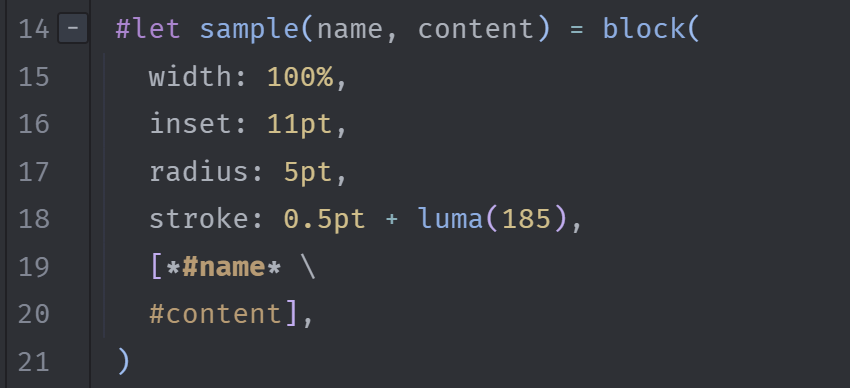
Hi @Maxwell, In Typsastra block(...) indicate code folding. Clicking the + sign in the gutter will unfold the complete code for you.


From your error message, it shows that you typed in ... as the argument for block function. Normally, if you copy directly from Typsastra editor, it should copy the unfolded contents for you.

1 Like

Hello everyone,

I am happy to share Typsastra v0.6.0, a new beta release of the complex-script-first desktop editor for Typst.

Typsastra started with a focus on correct editing for complex writing systems. It later expanded into a virtualized PDF preview designed for long documents. Version 0.6.0 adds the third core part of that direction: responsive authoring for image-heavy documents.

Draft Preview

The main addition is Draft Preview. It replaces supported images in Typsastra’s private rendering copy with lightweight placeholders that preserve the document layout.

You can hover over a placeholder to see a cached thumbnail. Your original source and image files are not modified, and Normal Preview and exported PDFs still use the full-quality images.

This is intended for books, manuals, reports, theses, and technical documentation containing many screenshots or high-resolution images.

Image optimization guidance

Typsastra can now identify raster images whose decoded resolution is unusually large compared with the size at which they appear in the document.

It reports these images through the editor and preview toolbar and suggests when downscaling or re-encoding may help. It does not modify the files automatically.

Other improvements

Version 0.6.0 also includes:

  • a unified Document Typography interface for fonts and language tools;
  • improved private-font workflows;
  • manual forward sync with Alt+Enter;
  • inverse sync to the correct source location;
  • clickable internal and external references in the PDF preview;
  • improved outline navigation;
  • docked and separate preview windows that retain Draft Preview and source-navigation behaviour;
  • hardware-accelerated, virtualized PDF rendering for long documents.

The three main principles I plan to keep developing are:

  1. correct complex-script editing;
  2. responsive previewing of long documents;
  3. Draft Preview for image-heavy documents.

I may add productivity tools along the way, but they should strengthen these workflows rather than turn Typsastra into a generic IDE.

Typsastra remains beta software. Windows and Linux are the most actively tested platforms, while the macOS build remains experimental and unsigned.

Feedback and reproducible test projects are very welcome, especially for multilingual, long, or image-heavy Typst documents.

For a quick look at the new features, check out the video demos in the GitHub README. They show Draft Preview, long-document navigation, source synchronization, and other v0.6.0 improvements in action:

https://github.com/Sovichea/typsastra

Download the latest release here:

2 Likes

Raspberry Pi User here. For those not familiar this is a small, arm64 linux-based computer. Mine is the RPi 5, with 4GB of RAM and 16GB of swap file.

I run two operating systems - Trixie (Debian 13) and Ubuntu.

I didn't read the notes properly, and found I had to install `libghc-gi-gdk3-dev , libjavascriptcoregtk-4.1-dev, libsoup-3.0-dev` and `libwebkit2gtk-4.1-dev` on Ubuntu before it would compile.

I then found I had to install `libghc-gi-gdk-dev` on Trixie instead of the `gdk3` version on Trixie.

Please ignore the above notes

I then read INSTALL.md in docs and re-did the compilations on a clean install of Trixie, after running the extra installations it mentions there. I installed Rust and Bun, then the script sudo apt install pkg-config libglib2.0-dev libwebkit2gtk-4.1-dev \ build-essential curl wget file libxdo-dev libssl-dev \ libayatana-appindicator3-dev librsvg2-dev unzip, then followed the compile the release build instructions.

I have now been able to compile and install, using the .deb installer on both Ubuntu and Trixie.

Overall, I am quite impressed. It uses less memory than VSCode/Codium using tinymist. My test is to see how many chapters of “Origin of Species” I can compile before it all hangs. VSCode/Codium hangs after about 7 chapters, but Typsastra could do all 15, albeit a bit slowly.

I feel that, on a 4GB RPi 5, you could work with a book up to about 200 pages before it became too slow. You also need a large (8~16 GB) swap file or partition before trying such a large job.

Let me begin by saying I have the utmost respect for Raspberry Pi users, especially those not running the latest biggest baddest version.

If I read the above correctly, you compiled Typsastra from source code on your Pi. Very cool indeed, and a testament to the utility of open source projects like Typsastra.

A few years ago I had to compile some source code for a project and had to use your trick of increasing the SWAP file. Sure the build process slowed down a lot but it finished eventually without erroring out.

Thanks for sharing your experience.