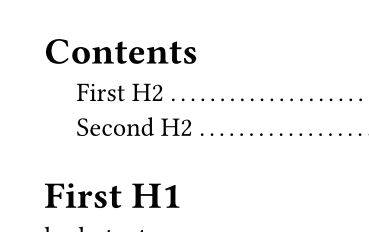
I have several show rules that all use the same query. Each Show rule calls set with a different function. I want to consolidate these into a single Show rule per query.
Here’s the current pattern:
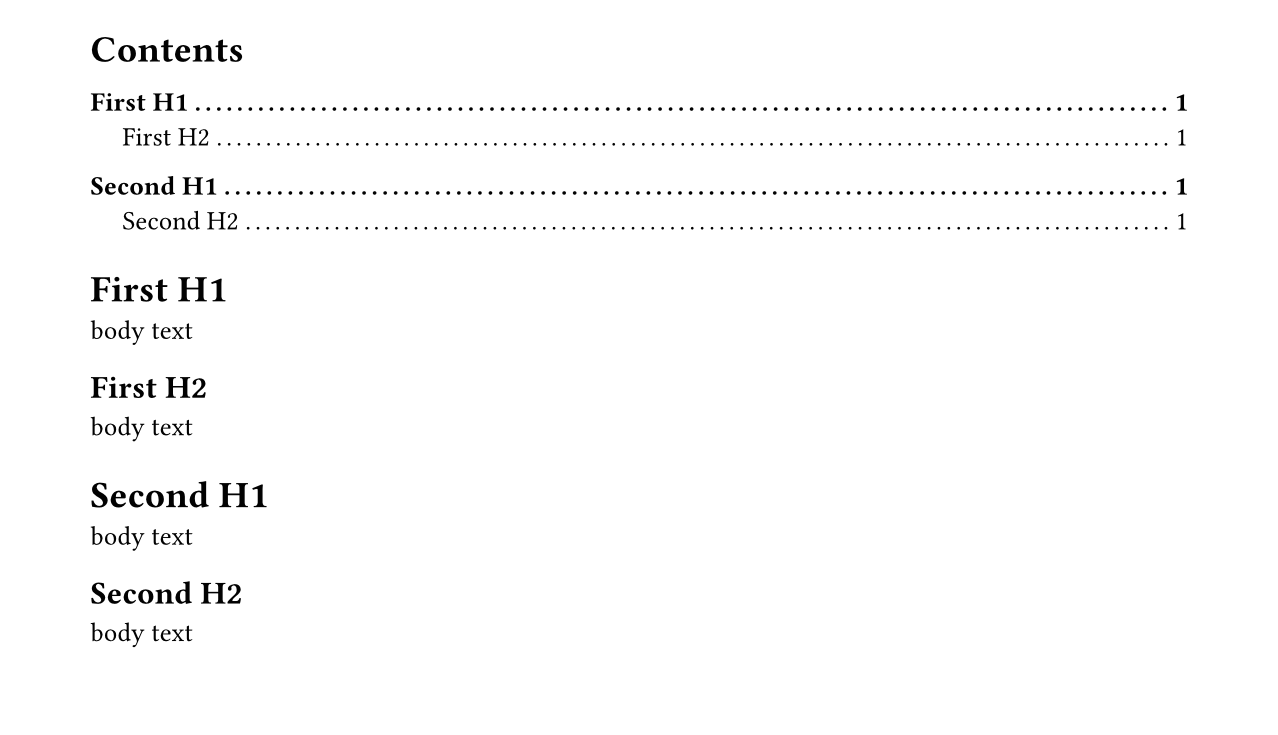
#show outline.entry.where(level: 1): set text(weight: "bold")
#show outline.entry.where(level: 1): set block(above: 1.2em)

#outline()

= First H1
body text
== First H2
body text
= Second H1
body text
== Second H2
body text
Thanks! Your Github write up about square brackets was helpful too. I frequently find myself struggling to choose the right block syntax, especially because it’s often implicit.
Use show-set rules where possible.
Is there a principled reason why multiple show-set rules are better than a single undefined function?
Seems like the kind of thing the compiler might have Opinions about, but that’s way beyond me at the moment.
Also lol @ the typst docs being written in markdown! I’ve been thinking that Typst could be a neat choice for static web publishing, but between the problems I’ve had with HTML output and the fact that Typst itself uses markdown for this, I suppose I’ll abandon that idea.
You can search for multiple posts about SSG with Typst on this forum. The main problem why official docs are not in Typst is that Typst cannot produce multipage HTML output. And the HTML in general is not yet perfect.
You can also created an unnamed function without creating a binding by specifying a parameter list followed by => and the function body. If your function has just one parameter, the parentheses around the parameter list are optional. Unnamed functions are mainly useful for show rules, but also for settable properties that take functions like the page function’s footer property.
#[
  #show heading: set text(red)
  #show heading: set text(blue)

  = Blue heading
]

#[
  #show heading: it => { set text(red); it }
  #show heading: it => { set text(blue); it }

  = Red heading
]
You can understand the second example as translating to { set text(blue); { set text(red); [= Red heading] } }: earlier rules are applied first, but for this kind of rule that means it is innermost and therefore wins. show-set rules are smarter, allowing later rules overriding earlier ones.
Yeah, there are plans to migrate to Typst, but it’s blocked until all the features are there. As Andrew said, there are a few users of Typst for HTML already (including me), but it’s sensible to hold back a bit.
ohhh that’s very interesting. Had to look at that for a minute. I tweaked your example a bit to see if I understood:
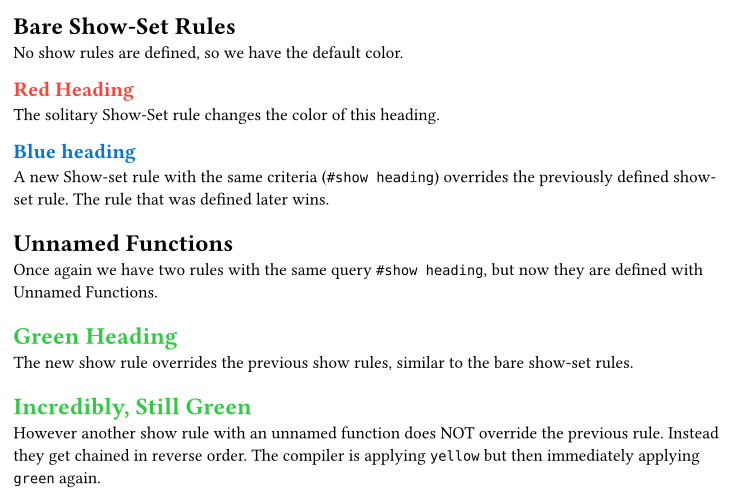
= Bare Show-Set Rules
No show rules are defined, so we have the default color.

#show heading: set text(red)
== Red Heading
The solitary Show-Set rule changes the color of this heading.

#show heading: set text(blue)
== Blue heading
A new Show-set rule with the same criteria (`#show heading`) overrides the previously defined show-set rule. The rule that was defined later wins.

#show heading: set text(black)
= Unnamed Functions
Once again we have two rules with the same query `#show heading`, but now they are defined with Unnamed Functions.

#show heading: it => { set text(green); it }
= Green Heading
The new show rule overrides the previous show rules, similar to the bare show-set rules.

#show heading: it => { set text(yellow); it }
= Incredibly, Still Green
However another show rule with an unnamed function does NOT override the previous rule. Instead they get chained in reverse order. The compiler is applying `yellow` but then immediately applying `green` again.
For a single element it is a no-op, for multiple elements it creates a new scope and a nested structure (can be seen with #show: panic), essentially a new sequence wrapper.