The provided example doesn’t look like a real use case, and has several issues. The biggest one, is that the left outer column is wider than the 3 on the right. Also, why use stack in grid?
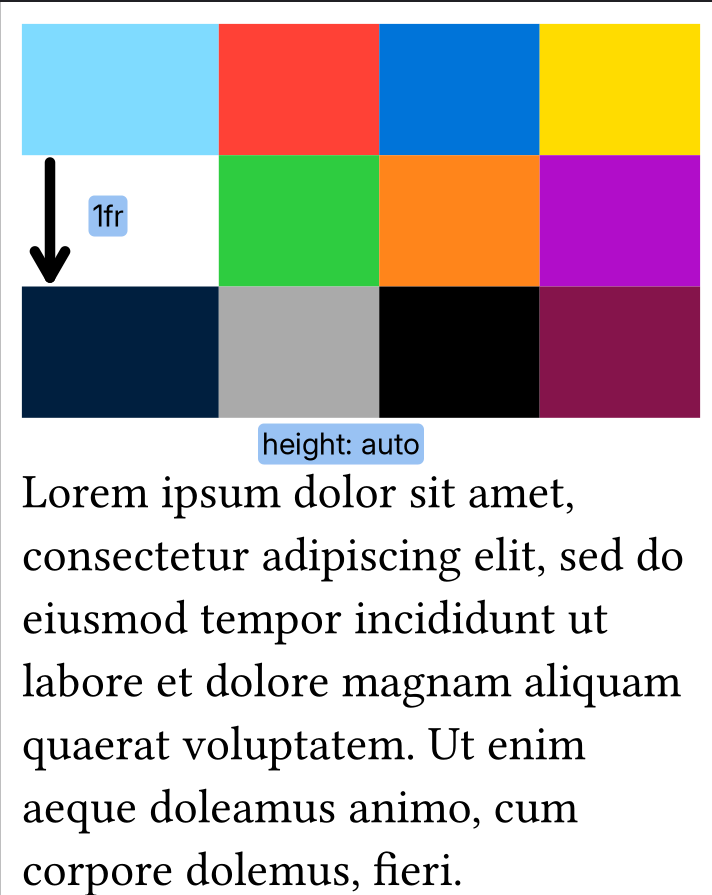
A better way would be to join the left manual column with 3 on the right row-wise:
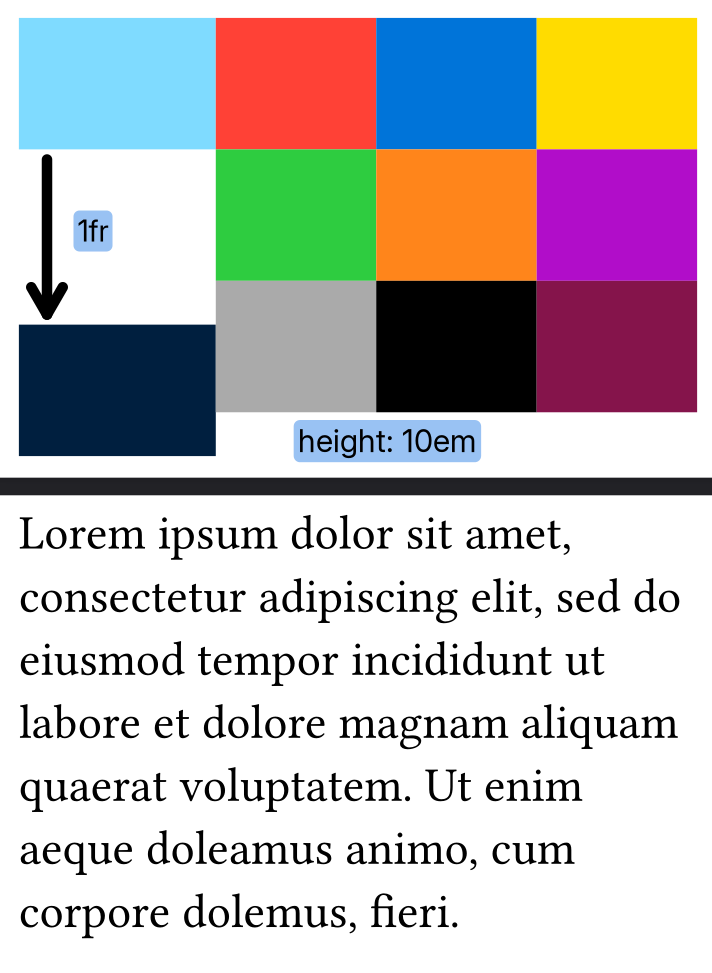
Because grid is a flexible container, you can’t get its final size without measuring it beforehand. There are some hacks with place and labeled metadata to then put something together, but that is very complex and hard to understand/work with. “Follow” doesn’t give a concrete explanation of what behavior is expected. You can do box(width: 1fr) to stretch it 1 line wide, or use h(1fr) between text to put them into opposite corners. That is possible and common practice in some use cases.
your content is thing(). this comes in two forms: thing() is what you want to display, thing(measure: true) is the same, but with the stuff that would increase the measured size removed.
The actual logic is then in the layout(...) call: you measure (within the dimensions you actually have available) the thing, then put that think in a block that only has that height available; the 1fr will then only fill that block.
you may need to reset block margins, inset, etc. if you have customized them; otherwise your measurements would not match what you measured.
Hi @Allan, I see you liked the responses you got; if you feel one of them has sufficiently answered your question, be sure to give it a checkmark . This will help others find the solution in the future. The answer you choose should usually be the response that you found most correct/helpful/comprehensive for the question you asked. If something is missing, please let us know what so we can resolve your issue. Thanks!
Hi, yeah I was interrupted in between. I’m not a native speaker so I’m a bit slower when replying. I’ve tested both solutions and they work. Thanks for your help

 . This will help others find the solution in the future. The answer you choose should usually be the response that you found most correct/helpful/comprehensive for the question you asked. If something is missing, please let us know what so we can resolve your issue. Thanks!