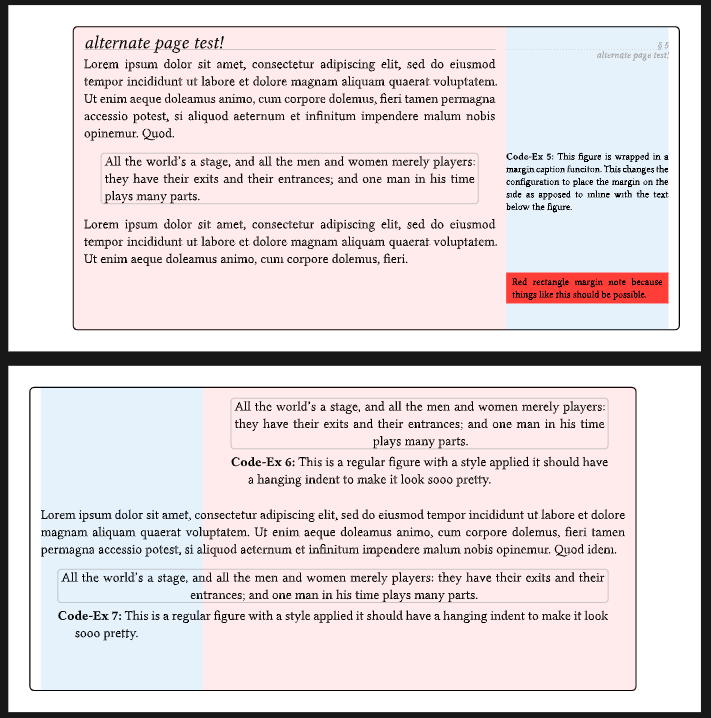
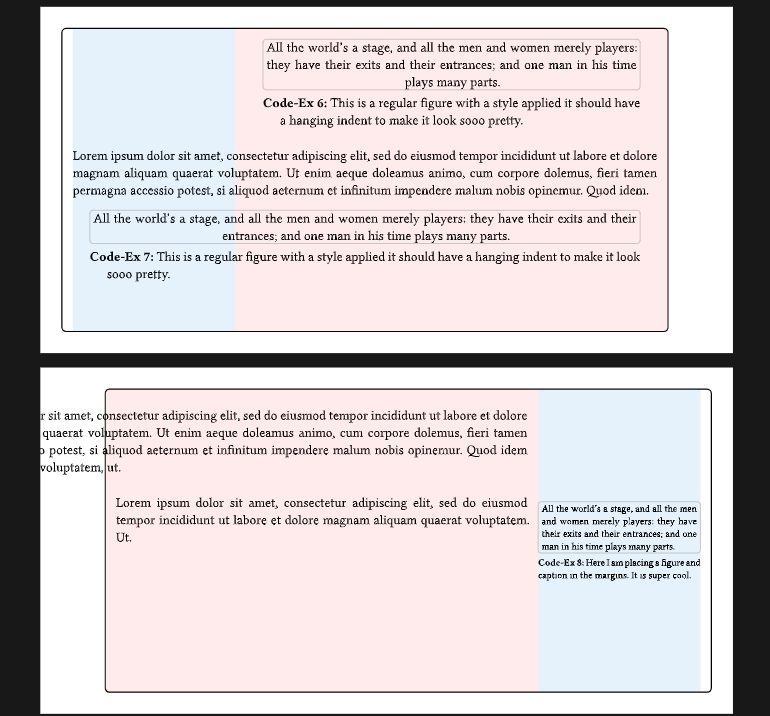
So I have a margin style document and most things are working quite well. However, I want to be able to use the full-width for various things. I attached a sample of the document,
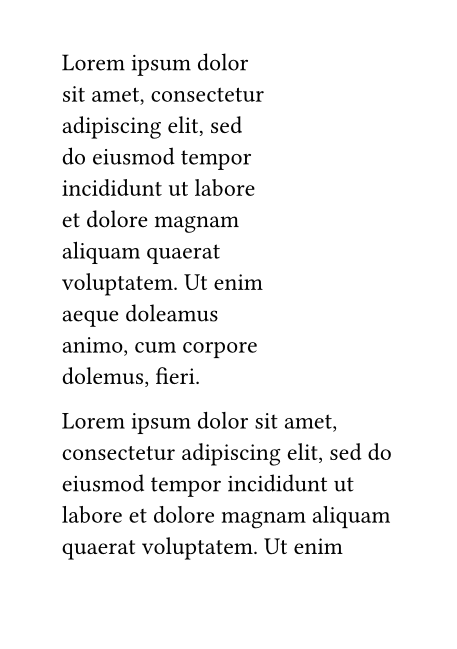
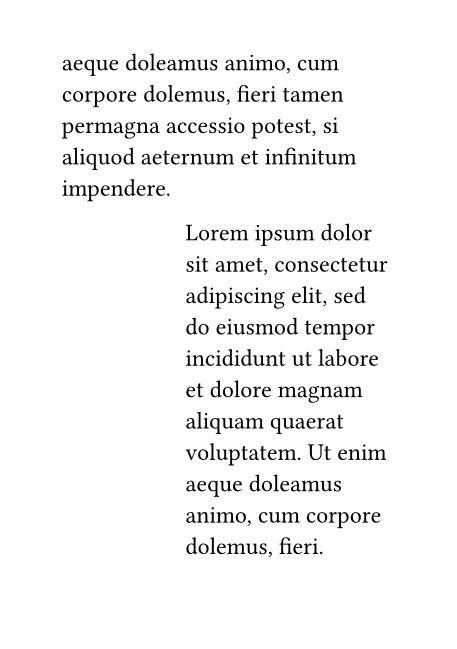
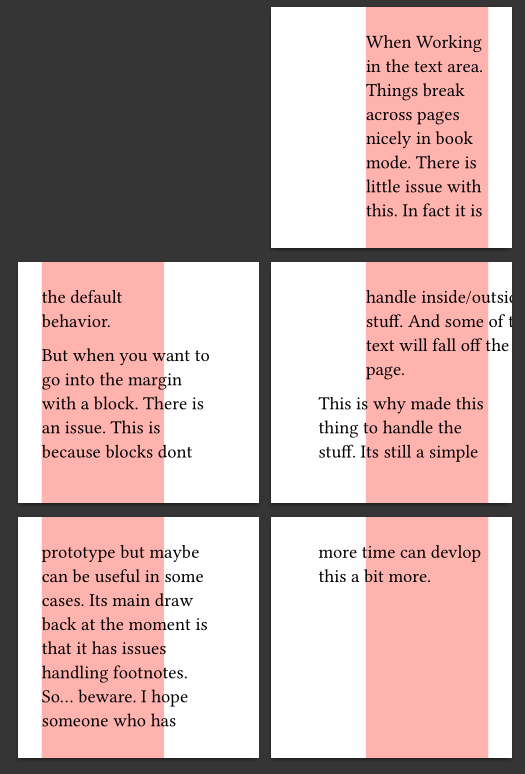
To use the full width as text area I have a function which adds a block to the text area with an extended x range. This however places the text incorrectly when the full width text area is broken across pages.
For right now I think just making the block unbreakable is probably the best. But it would be nice if there was a show rule that would just work on each of the broken instances of a block.
I also noticed that the author of marginilla had a similar not in the manual:
Note: when using an asyymetric page layout with setup.book: true, wideblocks which span across
pagebreaks are messy, because there is no way for the wideblock to detect the pagebreak and adjust ist
position after it.
Which probably means there is not a practical way to handle this quite yet.
I had some slight success using Meander. Since it allows you to let content flow between separate containers, I thought that might be promising. This is what I came up with:
#set page(paper: "a7")  // small page for testing

#import "@preview/meander:0.4.4"
#set page(margin: (outside: 3cm, inside: 1cm))

#lorem(30)

// for reference: just reproducing the problem

// #[
//   #show: pad.with(right: -2cm)
//   #show: block.with(width: 100%, stroke: 1pt)
//
//   #lorem(40)
// ]

// the Meander attempt
#{
  show: pad.with(right: -2cm)
  meander.reflow({
    import meander: *

    container(height: 2.7cm)  // I didn't manage avoiding the hard-coded height
    content[#lorem(40)]  // the content that flows between pages
    opt.overflow.custom(tt => {
      show: move.with(dx: -2cm)  // move the overflow on the second page according to the inside/outside difference
      tt.styled
    })
  })
}

#lorem(30)
The problem is that my Meander code doesn’t and couldn’t use block.with(width: 100%, stroke: 1pt) like I did in the reproduction. Meander (as far as I understand it) can’t look into the block and understand how to separate its content into two parts, so adding the block makes the whole content one big chunk.
Also, this works if there is a single pagebreak (using overflow); if the block spans two pagebreak, this approach also breaks down.
Nevertheless, maybe someone has an idea for how to get around that limitation, or someone else doesn’t need that styling.
It still needs some work though.
It might be a dead end as since it duplicates some of the layout stuff.
It doesn’t handle footnotes… statefullness. (anything that would suffer from duplication).
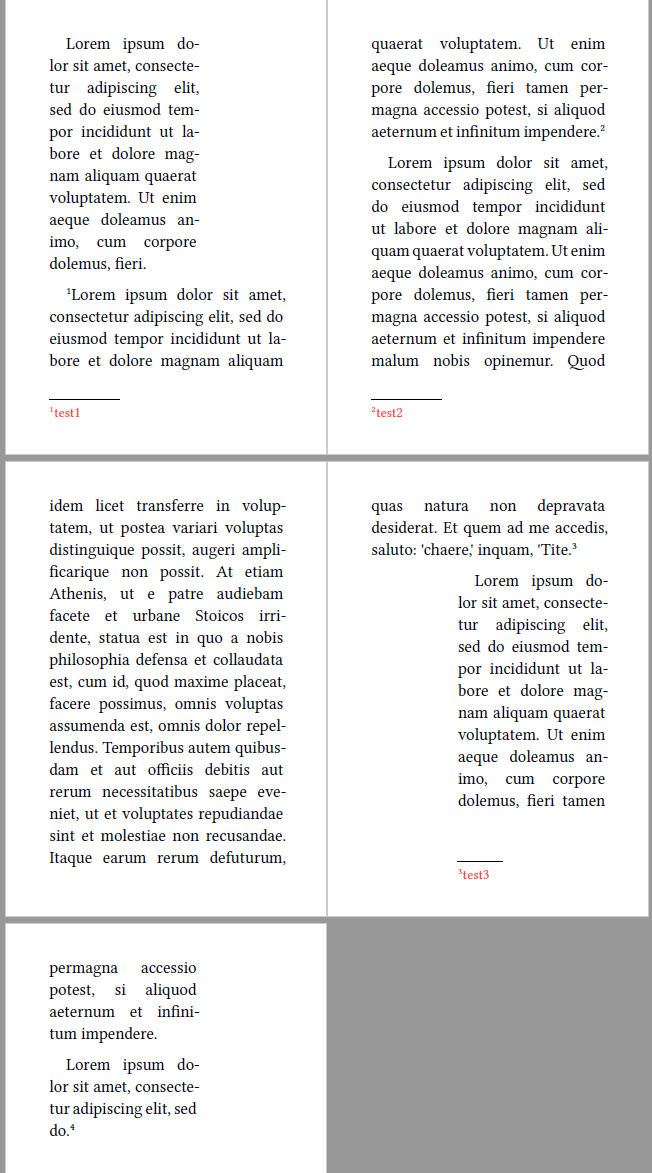
I have encountered similar problem and managed to made a package riffle – Typst Universe . It supports such reflow without copying any of the content.
#import "@preview/riffle:0.2.0": margin-reflow

#set page(paper: "a7")  // small page for testing
#set page(margin: (outside: 3cm, inside: 1cm))
#set footnote.entry(indent: 0em)
#show footnote.entry: set text(fill: red, size: 9pt)
#set par(first-line-indent: (amount: 1em, all: true), justify: true, linebreaks: "optimized")

#lorem(30)

// the riffle attempt
#let footnote-style = (fill: red, size: 9pt)
// The set footnote.entry properties are inherited.
// However, the show rule cannot be recovered by the function and must be passed as an additional argument.
#margin-reflow(margin: "symmetric", footnote-style: footnote-style, set-page-margin: false)[
  #footnote[test1]#lorem(40)#footnote[test2]

  #lorem(135)#footnote[test3]
]
#lorem(40)

#lorem(10)#footnote[test4]