#import "@preview/modpattern:0.1.0": modpattern

#let hatch(angle, width, height) = modpattern((width, height))[
  #move(dx: 50%, line(start: (0%, 100%), end: (100%, 0%)))
]

//Range of lengths to compare
#let rng = range(5, 40, step: 5)

//Function to display the pattern
#let demo(w, h) = rect(fill: hatch(10deg, w * 1pt, h * 1pt), width: 2cm, height: 2cm, stroke: 1pt)

//Create width, height pairs
#let combinations = for w in rng { for h in rng{ (w, h) } }.chunks(2)

//Create rows of all patterns and zip the height text into it
#let rows = rng.map(v => str(v) + [pt]).zip(combinations.map(combo => demo(..combo)).chunks(rng.len()))

#grid(
  align: center + horizon,
  columns: rng.len() + 1,

  [height#sym.arrow.r#linebreak()width#sym.arrow.b], ..rng.map(v => str(v) + [pt]),
  ..rows.flatten()
)
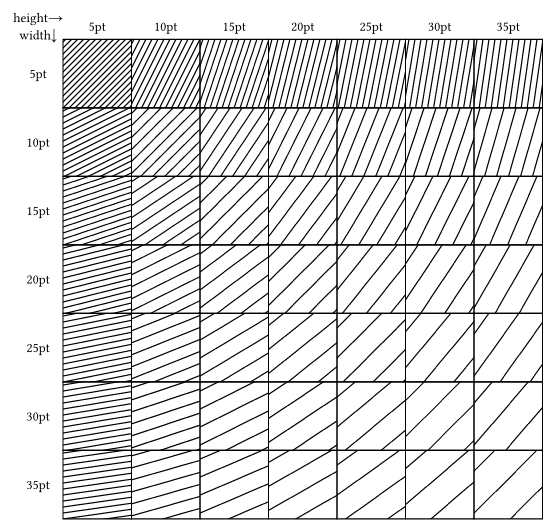
The obvious downside to this method is you don’t control the angle directly. It could be calculated, but I have not done that here. This might not actually be a downside for you, though.
OK so the grid doesn’t rotate… that constrains possible angles to those that produce feasible tiles. (angles close to 0 or 90 with large distance between hatch lines would require tiles with large height/width)
Yeah, I guess really what I’d prefer is clip region support in cetz.