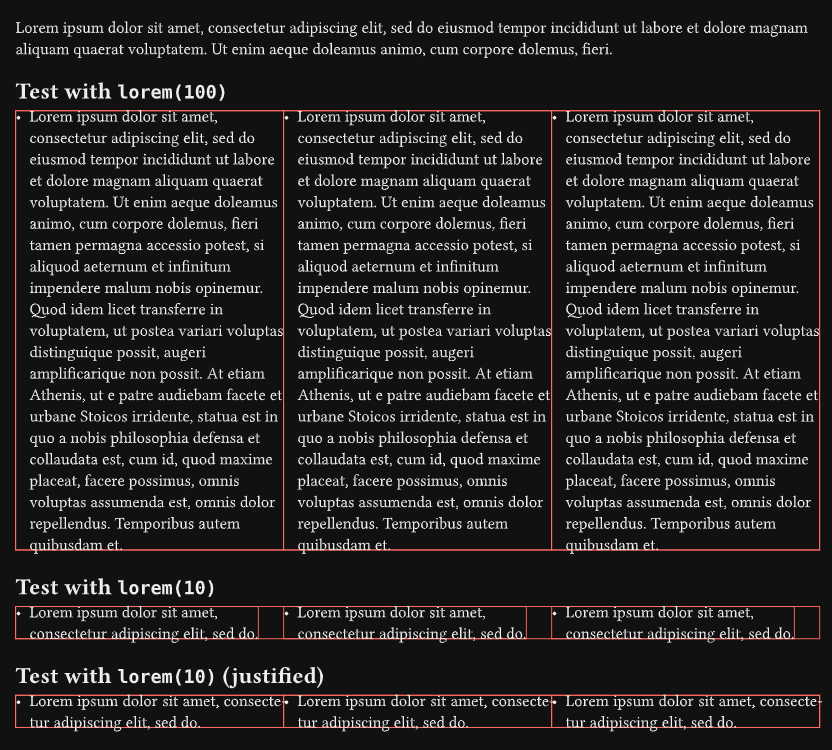
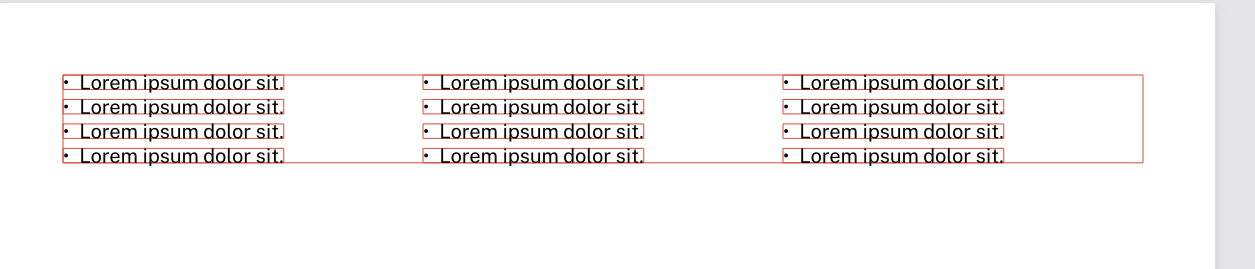
It seems your list items do not spread the whole length of the grid cells. You can see that by showing the cell borders.
It is hard to see without a MWE that compiles and some test content, but I suggest you try:
adding #set par(justify: true) so your content fills the entire width of the columns (it may be too short), although you may now need to increase column-gutter; or
filling in your columns with more content.
Removing the list would also sort out the issue, but that is not what you are trying to do.
I have played with this MWE:
#show grid: set block(stroke: red + 0.5pt) // Debug

//#set par(justify: true) // Try this

#set page(
  paper: "us-letter",
  margin: (x: 0.5in, y: 0.5in),
  numbering: "1",
)

#let items = 3 * (lorem(10),)
//#let items = 3 * (lorem(100),) // Try this

#lorem(30)

#grid(
  columns: (1fr, 1fr, 1fr), // Defines 3 equal-width columns
  row-gutter: 0.5em, // Space between rows
  ..items.map(list.item), // Map each item to a list item object
)
Unfortunately this doesn’t fix it for me. I think the main difference is that may items are less than a “line” long. The correct wrapping occurs when they are longer than a “line”. The “line” length being defined by the column width.
#set text(font: "Public Sans",
          size: 10pt)
#set page(paper:"us-letter",
          margin: (x: 0.5in, y: 0.5in),
          numbering: "1",)
#set par(justify: true,
          spacing: 0.5em)

#show grid: set block(stroke: red + 0.5pt)

#let items = 12*(lorem(4),)

#grid(
  columns: (1fr, 1fr, 1fr), // Defines 3 equal-width columns
  row-gutter: 0.5em, // Space between rows
  ..items.map(list.item), // Map each item to a list item object
)
What would be best here is the left most column is left justified, right most column is right justified, middle column get put in the middle of the two.
(1fr, 1fr, 1fr) means that each column will be the same size while taking the whole page width. You can keep that and add align: (left, center, right), or you can replace it with (1fr, 1fr, auto). I think both will do the same but maybe not in some special cases…