New to typst. How do I ncrease leading and turn off justification in index entries produced by in-dexter?
Hi there,
Welcome to the forum.
Before anything else, I would suggest reviewing your posts prior to submitting them to ensure a basic level of clarity and readability for other users.
Providing a minimal working example will significantly increase the likelihood of receiving helpful responses.
From your description, it appears that you may only need to adjust the leading and justification settings as you would for a standard paragraph. However, I do not personally use that package, so I may be mistaken.
Could you please share a sample of your code, along with the current output and the expected result? That would make it much easier to assist you.
1 Like
Sorry I mistyped my question since my fingers no longer quite work, and couldn’t see the mistyping in the small window provided since also visually challenged.
Anyway, here is my code:
#import “@preview/in-dexter:0.7.2”: *
#show : set text(size: 9pt)
#make-index(title: [Index],
outlined: false,
use-page-counter: true,
use-bang-grouping:true,
entry-casing: x => x),
]
This produces a two column index with justified columns (not clear how to upload the image to this forum) and too large a leading.
I want to get a ragged (unjustified) right column in the index, as customary, and decrease the leading. I tried the following:
#let ragged-surround(column-content) = {
set align(left)
set par(justify: false, hanging-indent: 1em)
column-content
}
then set
//surround:ragged-surround
in the make-index function, which does not work.
The usual way to set the paragraph leading does not seem to work, and I also tried
/#show index.entry: it => {
set block(spacing: 1em)
it
}/
Help appreciated.
Thank you for taking the time to clarify your question and specifying the code you are using.
The example you have provided does not make use of the body parameter. So your call to ragged-surround renders nothing.
From the package in-dexter sample-usage document:
The parameter body in the surround function is the content of the resulting index.
I would try something like :
#make-index(
  ...
  surround: body => ragged-surround(body),
  ...
)
You will find that enclosing your code in back ticks ``` helps both readability and enables easier copy/pasting for the users. If you try to copy and paste the code from your original post into your editor, it won’t compile as characters are not being displayed the same way. I suggest you edit your post to add the back ticks.
This is a full Minimum Working Example (MWE) that compiles and that other users (including you) can easily copy and paste:
MWE
#import "@preview/in-dexter:0.7.2": *
#set page(paper: "a7")
#set text(9pt)

#for i in "2Columns" {
  index(i)
}
#index(lorem(12))
#pagebreak()
#index(lorem(10))

#let ragged-surround(column-content) = {
  set align(left)
  set par(justify: false, hanging-indent: 1em)
  column-content
}

= Index
#columns(
  2,
  make-index(
    //title: [Index],
    //outlined: false,
    use-bang-grouping: true,
    use-page-counter: true,
    sort-order: upper,
    //entry-casing: x => x,
    /*  surround: body => {
      set par(first-line-indent: 0pt, spacing: 0.65em, hanging-indent: 1em)
      body
    },*/
    surround: body => ragged-surround(body),
  ),
)
You can just paste a screenshot and it will appear where your cursor is in the text. Or use the  upload button.
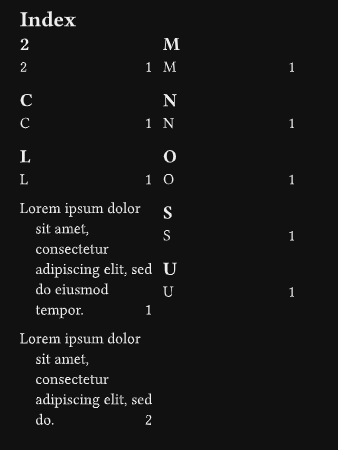
Please let us know if the solution works for you.
Thanks a lot! Worked! With some minor tweaks it produces the index in the snip below.
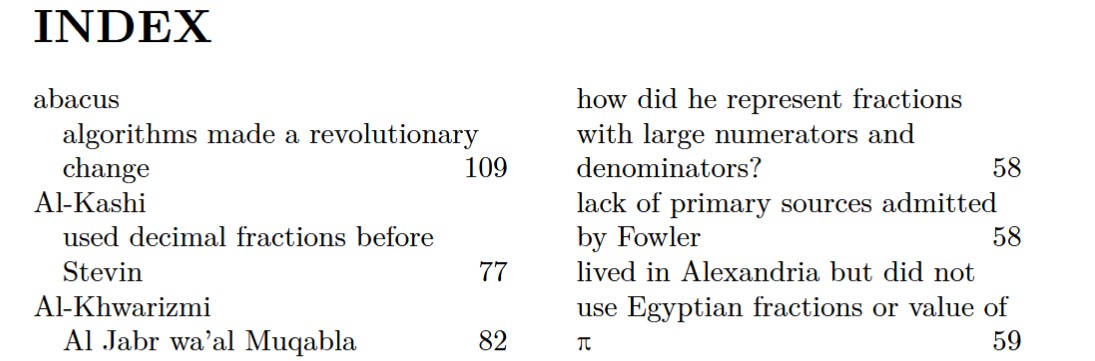
As you see the body is no longer justified, but the page number is still right aligned to the column edge. This is acceptable, but ideally I would like the index as in my book I typeset in LaTeX 20 years ago, where the page numbers are with the body separated by a comma.
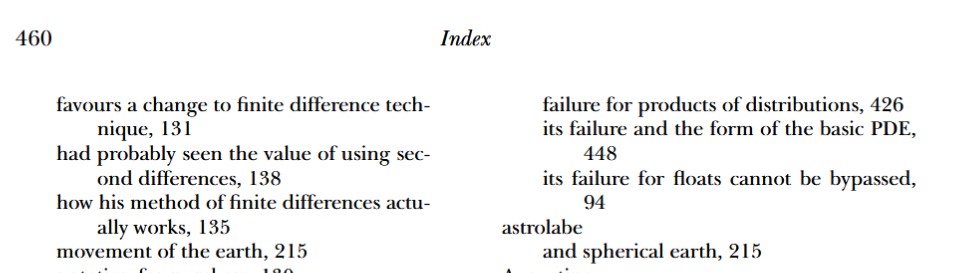
I tried adding the following to your mwe. It compiles but has no effect.
  let body = it.body
  let page = it.page

  // Format the entry: Body, comma, space, page number
  block(width: 100%[
    #body[, ]#page
  ])
}```Where exactly did you add those lines? See the docs but page is not intended to be used that way anyway.
By looking at in-dexter’s code, you can achieve what you want by either:
- modifying the package locally; or
- submitting a request to the package owner.
If you are willing to modify the package locally, the following code should achieve the desired result:
Replace line 361 with:
", " //box(width: 1fr) // Hardcoded inline page numbers
Edit: I forgot the extra comma.
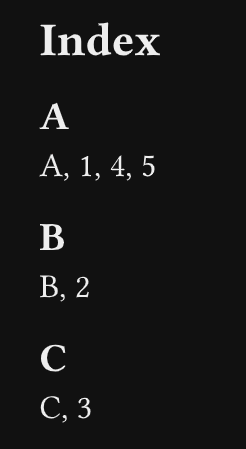
Wow! Tried it, works. See image below.
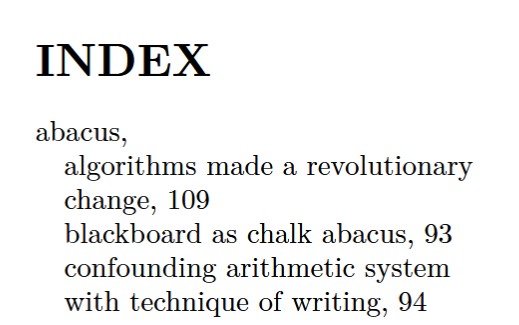
On last problem. if you look at the first and the third lines of the index (the sub-entries or child entries) they would be easier to read if there was a hanging indent for sub-entries.
The question has been asked before for an earlier version, but involves the same three lines of code. Any suggestions?
It is not exactly those lines. Remember the surround parameter from earlier? This is where you can just adjust the hanging-indent. Just make sure that the first-line-indent is also set to some relevant value.
Adapted from the default surround:
make-index(
  ...
  surround: body => {
    set par(
      first-line-indent: 0pt,
      spacing: 0.65em,
      hanging-indent: 2em) // Try this if you use only level 1 and 2
    body
  },
...
)
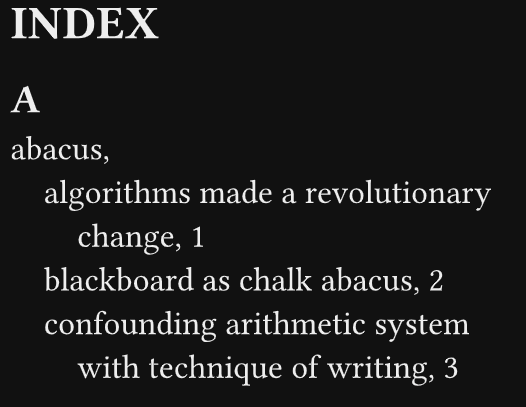
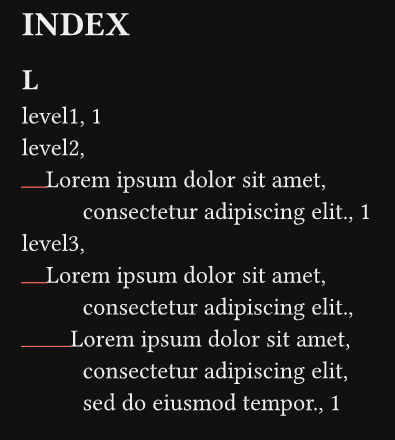
Note: Also be aware of the box(width: lvl * 1em) that is inserted in front of every entry, which creates a manual first line indent. This may interfere with the way the hanging indent is displayed depending of the nested level. If you use nested level 3, a value over 2em would produce a visible result.
MWE with 3 nested levels
#import "@preview/in-dexter:0.7.2": *
#set page(paper: "a7")

#index("level1")
// Nested level3
#index("level2", lorem(8))

#index("level3", lorem(8), lorem(12))

// Debug - show the manual `first line indent`
#set box(stroke: red + 0.5pt)

#make-index(
  title: "INDEX",
  inline-page-numbers: true, // Custom parameter
  entry-casing: x => x,
  use-bang-grouping: true,
  use-page-counter: true,
  sort-order: upper,
  surround: body => {
    set par(
      first-line-indent: 0em,
      spacing: 0.65em,
      hanging-indent: 2.5em,
    )
    body
  },
)
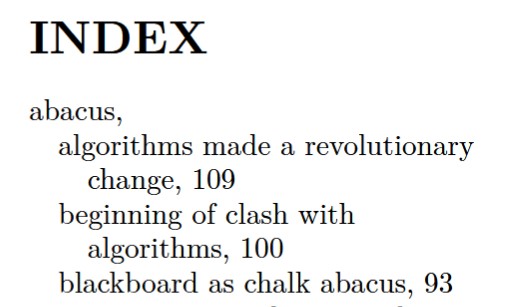
Yes, the 2em does it! I earlier tried a hanging indent of 1em in the surround function, and it seemed not to work.
Thanks for all your help. I will formally acknowledge it in the book.
That is because of the invisible box. See the note in my previous post. And the 2nd screenshot in the MWE.
You’re welcome.
Could you please mark the thread as completed  if you are happy with the solution?