Hi all,
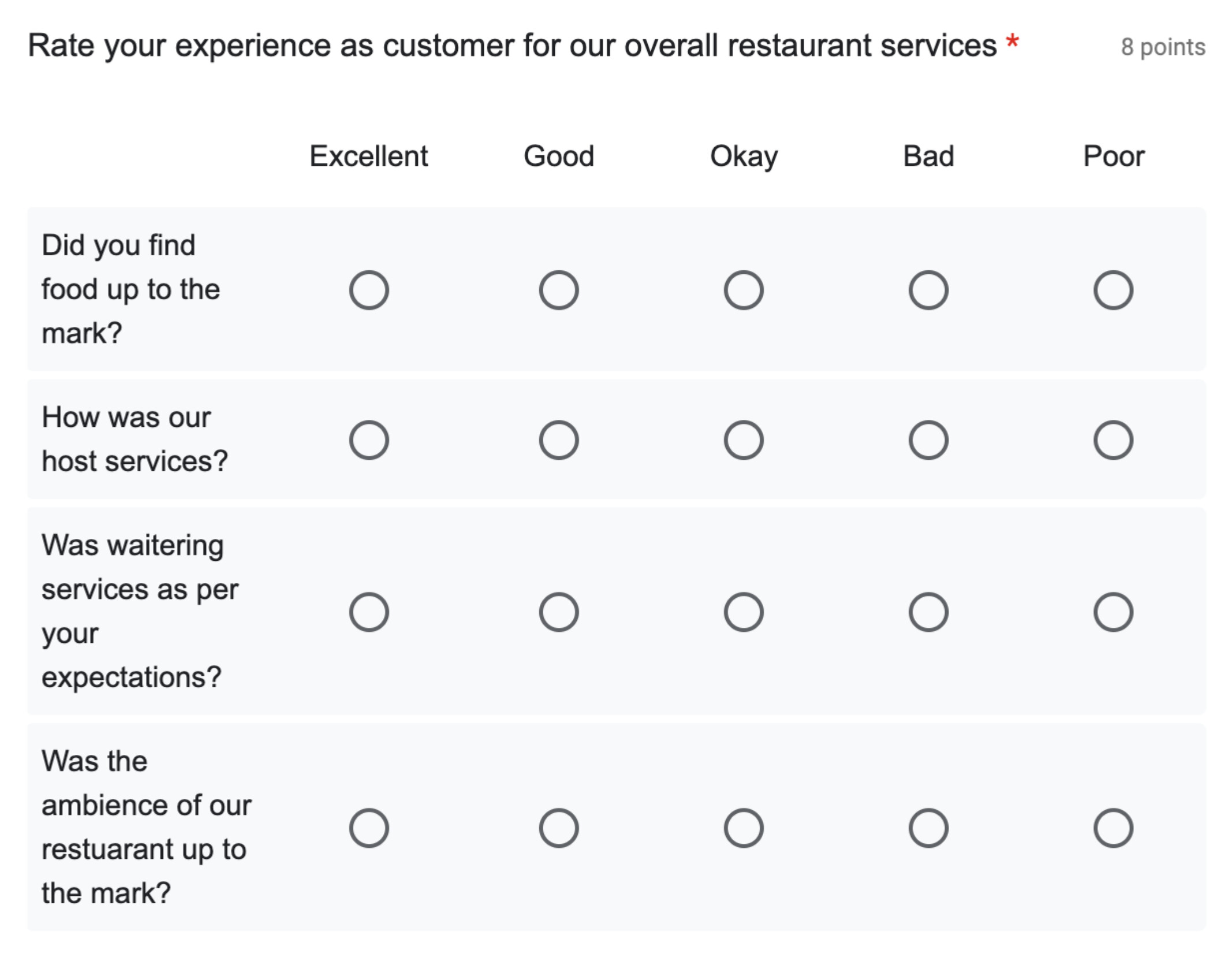
is anybody aware of templates or snippets that can be used to create (paper based) surveys / forms like this?
Hi, welcome!
You can implement this with table or grid. There’s a tutorial in Tables – Typst Documentation.
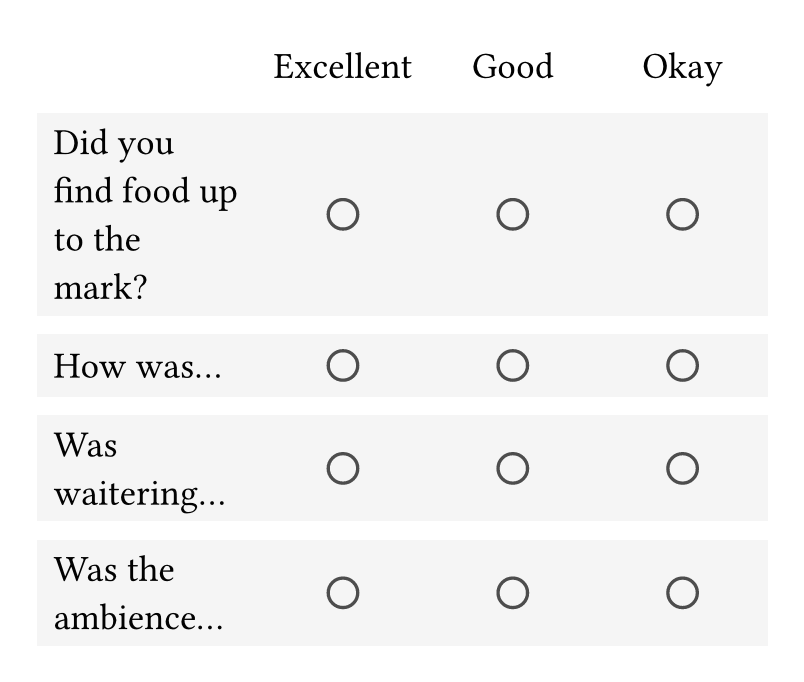
#set page(height: auto, width: 240pt, margin: 1em)

#let options = ([Excellent], [Good], [Okay])
#let questions = (
  [Did you find food up to the mark?],
  [How was...],
  [Was waitering...],
  [Was the ambience...],
)

#table(
  columns: (6em,) + (1fr,) * options.len(),
  stroke: none,
  fill: (x, y) => if y > 0 { luma(96%) },
  align: (x, y) => if x == 0 { horizon + left } else { horizon + center },
  row-gutter: 0.5em,

  table.header([], ..options),

  ..questions
    .map(q => (
      (q,) + (circle(radius: 0.4em, stroke: luma(30%)),) * options.len()
    ))
    .flatten()
)
I can provide further explanation if you need.
Not only did you provide a perfect answer, you also made it universal - fantastic!
I’ve done my first documents, but the programming bits, especially the
..questions
    .map(q => (
      (q,) + (circle(radius: 0.4em, stroke: luma(30%)),) * options.len()
    ))
    .flatten()
part, will need some explanation. ;)
THANK YOU!
Do you need help on ..map(…).flatten(), or (q,) + …, or both?
(q,) + …(q,) creats an array with a single element, q.(circle(radius: 0.4em, stroke: luma(30%)),) creats anther array with a single element, but this time the element is a circle.(circle(radius: 0.4em, stroke: luma(30%)),) * options.len() repeats that circle n times, where n is the length of options.(…) + (…) concats the two arrays...map(…).flatten()Hmm, I don’t know how to explain it clearly in English…
You can inspect the intermediate results by putting it directly in the document, like this:
#questions.map(q => (
  (q,) + (circle(radius: 0.4em, stroke: luma(30%)),) * options.len()
)).flatten()
Hi. Please follow guidelines for creating posts.
Since it’s more of a placement thing than a table, better to use grid.
Here’s an attempt at commenting each line.
..questions   //To the array of content...
  .map(       //Apply a function to each item in the array
    q => (    //Within the function, the item is called `q`
    (q,) + (  //Create an array with the item and add to it another array
      circle( //A circle with the given features
        radius: 0.4em,
        stroke: luma(30%)
      ),              //This comma puts the circle into an array too
    ) * options.len() //Multiply the array with the circle by the number of options
                      //`(circle, ) * 3` turns into `(circle, circle, circle)`
                      //Finally, the circle array gets added to the q array:
                      // `(q, ) + (circle, circle, circle)`
  )
).flatten()   //Removes any nesting within the array.  All elements are within a single array
It’s probably also useful to play with each component without all the other parts:
map:
#let array-to-modify = ("a", "b", "c")

#array-to-modify

#array-to-modify.map(letter => upper(letter))
Adding and multiplying arrays:
#let first-array = (1, 2)
#let second-array = (3, 4)
#{first-array + second-array}

#let array-with-one-item = (0, )
#{array-with-one-item * 3}
With the last example, watch what happens when you remove the comma from (0, ) so that it is (0).