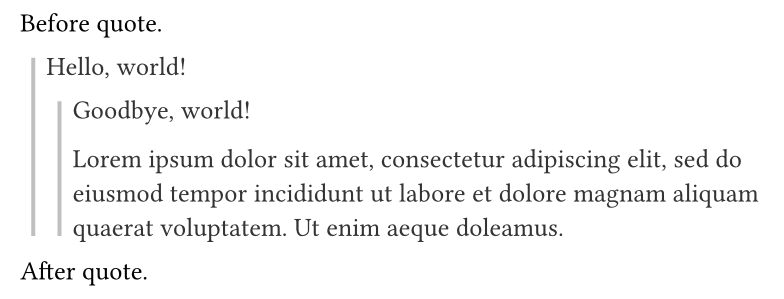
Because my document contains nested quotes, I have come to the conclusion that the most effective way to portray the complexity is simply making it look like Markdown (e.g. Nested quote test · GitHub).
In fact, I am actually using Markdown to construct the PDF in the first place with cmarker.
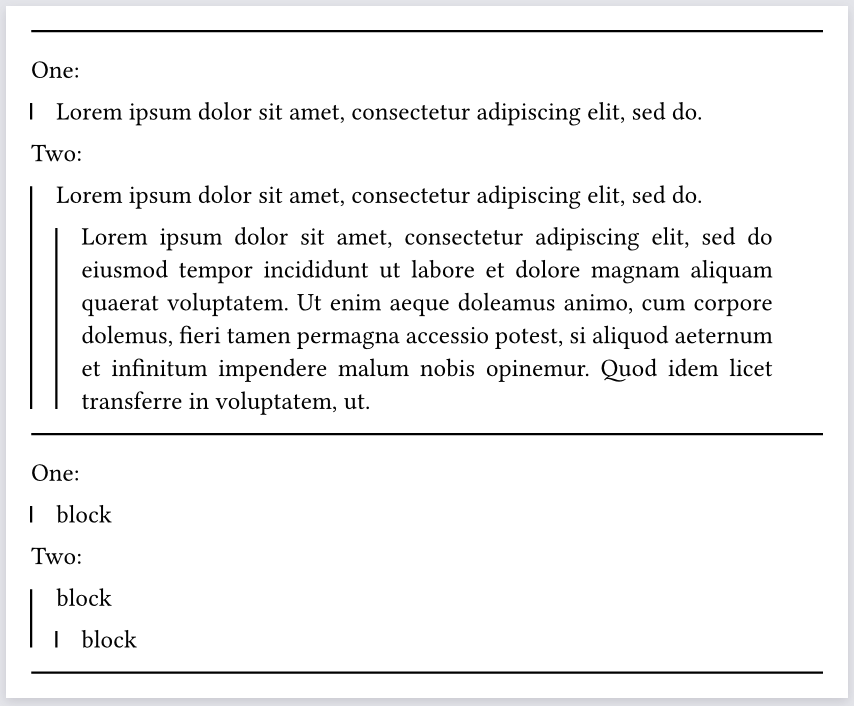
You should use block instead of box, because box joins the current paragraph (not as a separate block/paragraph). Here I had to use a show quote: it => block(it.body) rule because otherwise there are more than one block inside each quote, and styling one of them and not the other becomes impossible.
Seems like others were quicker in responding to you. Still, I completely agree with what @bluss had to add about block, so consider changing the chosen solution.
I’m being biased here, but I thought this would be the answer:
I like this variant too, but there are pros and cons. First attempt: can it be done with only show-set? But we both seem to agree we don’t find a good solution there. Then we apply both show and show-set together.
The benefit demonstrated in my answer is that we still have an element, albeit not the standard quote, whose style can be further modfied using show-set. In your variant, it’s defined only once and further modifications of the block’s properties using show-set are impossible. In a small template or document the difference doesn’t matter.
The eventual best answer for Typst will hopefully be a more configurable quote element (using the fragments idea Laurenz talked about at last event?) and/or custom elements.
Good catch, it is broken by that, and nothing using a set block rule will work with that example unfortunately. It’s a Typst limitation but not a bug (in this case we want to style one particular block but not the blocks it contains.)