Hey,
I have ran into a problem. I used Typst pro for my thesis last year, several copies and backups taking a lot of storage. After I had my thesis done, I downgraded to Typst free again, so I had to delete all of my thesis files to be under storage limit again.
Problem:
- A few of these files cant be deleted. It says it deletes them, but then I refresh and they are there again!
- If I try to open those “non-deleted-Files”, they cannot be found!
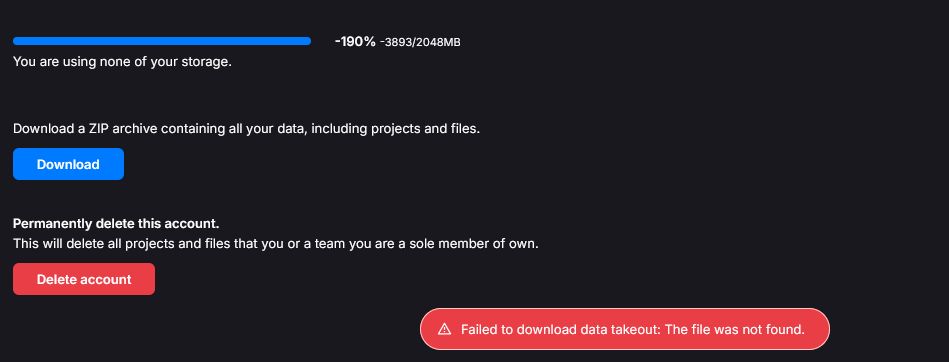
- My storage is now in the -200% range. I tried to upgrade again and then delete files, but the same thing is happening.
- I cannnot download my whole archive cause of the error seen in the picture. I wouldlike to dothat so that I can reset my account completely.
Has anyone got any recommendations about what I can do to solve this?