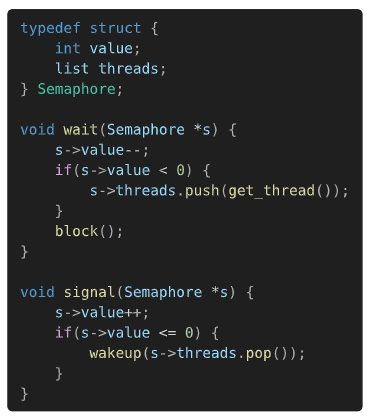
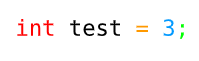
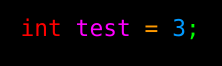
I can’t really get the variables and non-primitive types to be highlighted (you are seeing the variables in light blue just because i made everything in light blue)
Also the fact that it does not accept anything else but .sublime-syntax in yaml and .tmTheme in xml is kinda, ehm, incompatible with things you may find online
Well, change the styling in a .tmTheme file and use it? I don’t know if parser has a unique scope for them. If not, then you also will have to update the .sublime-syntax file. Or use text show rules for specific tokens, i.e., show "list": set text(red).
bat has a huge collection of parsers, all of which are using the .sublime-syntax. I think it’s probably the most common format in Rust ecosystem/libraries. It’s documented and all. So Typst uses it for non-Typst languages.
But it doesn’t get either variables or types, it’s so strange because they are so simple things
These are actually hard things, due to the ridiculously complicated grammar of C++. For example can you say which or the following x are variable names?
x * y
f<x>(y)
First line: type of pointer variable, or variable in multiplication? Second line: template type of function, or variable in comparison?
Maybe for this reason, it appears that the standard sublime-syntax grammar doesn’t assign a “variable” or “entity” scope where you wish it would. So it doesn’t matter which tmTheme you use, it won’t highlight variables unless you also use an alternative syntax file. Maybe you can find one that defines the scopes you need, or create/edit it yourself…
(Hint: to find what scopes are assigned by your syntax file, in Sublime Text you can put the cursor on a word and press Ctrl+Alt+Shift+P.)
Yeah, I guess if it’s not defined, then probably what @sijo said. You can hack around and do
  #############################################################################
  # The following are C-specific scopes that should not be reused. This is
  # because they push into subcontexts and use variables that are C-specific.
  #############################################################################

  assignment:
    - match: '(\w+)\s+(\w+)\s*(=)\s*(\d+)'
      captures:
        1: storage.type.c
        2: variable
        3: keyword.operator.assignment.c
        4: constant.numeric.integer.decimal

  global:
    - include: assignment
    - include: early-expressions
    - match: '^\s*(?=\w+)'
      push: global-modifier
    - include: late-expressions
idk why, but {{basic_types}} for some reason doesn’t match… so that’s in the C file:
%YAML 1.2
---
# http://www.sublimetext.com/docs/3/syntax.html
name: C
file_extensions:
  - c++
  - h
first_line_match: "-[*]-( Mode:)? C -[*]-"
scope: source.c
For some reason, if I only set syntaxes to C++.sublime-syntax, the highlighting changes, but if I do C.sublime-syntax with file_extensions changed, then it seems to match. That’s strange, maybe some other version or combination is used by default.