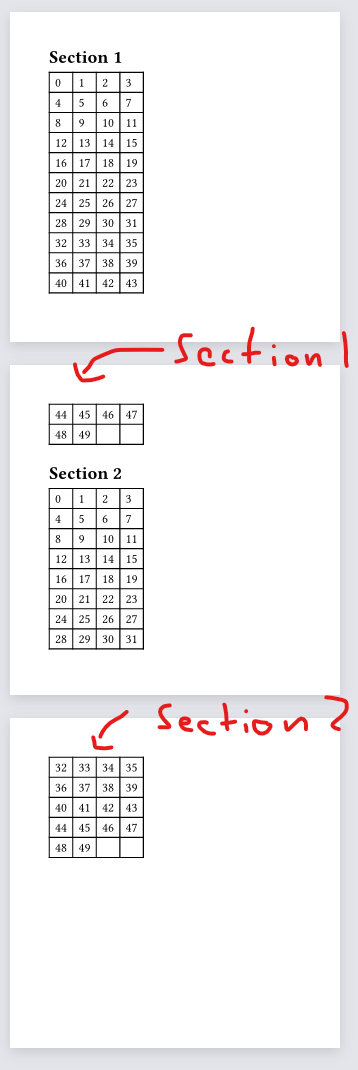
I have a document structure that looks something like this:
= Section 1

#table(columns: 8, [many many cells])

= Section 2

#table(columns: 8, [many many cells])
The tables are big and sometimes split over multiple pages.
I’m wondering if there is a way to have the heading be repeated on those consecutive pages, otherwise it’s hard to see at a glance which table we’re actually looking at.
This renders two tables which are overflowing onto the next page.
I want the heading “Section 1” to be repeated at the top of page 2 and the heading “Section 2” to be repeated on page 3.
The core problem is that semantically heading must appear once in the order of the content structure. You want it to repeat multiple times in the flow of the document, not only that but in the middle of a table. I’ve never seen this and doubt anyone would want it either.