shadowed 0.3.0
I just released a new version of shadowed, a powerful library that brings box shadows to Typst!
What is shadowed?
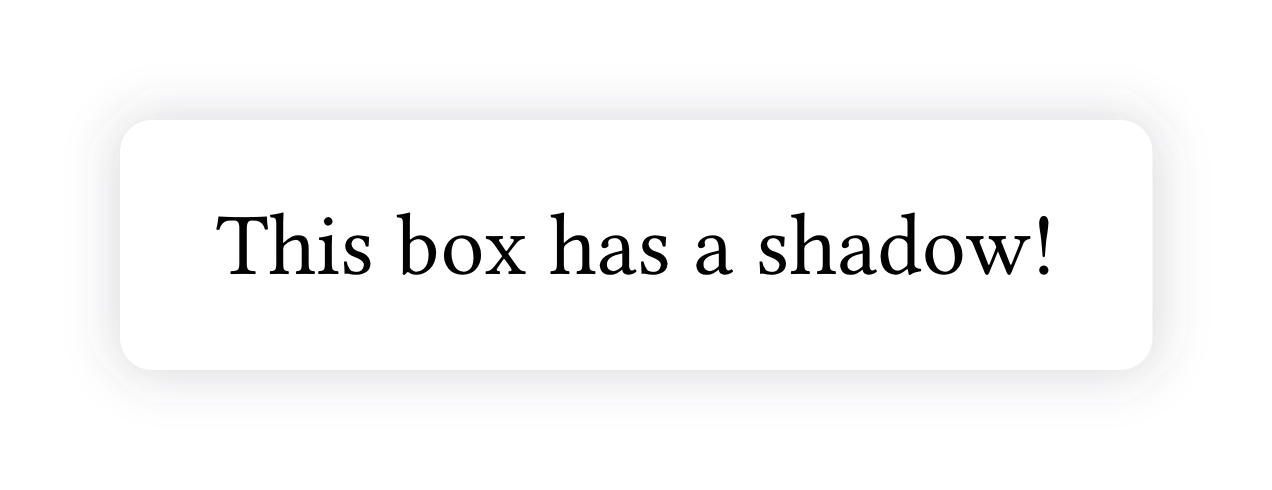
shadowed brings beautiful, customizable box shadows to Typst. Simply wrap your content with the shadow() function, and it automatically places a shadow behind it.
With the shadow() function, you can control:
- Shadow offset: position shadows horizontally and vertically
- Blur and spread: create soft halos or tight shadows
- Shadow fill: use solid colors or gradients for stunning visual effects
- Corner radius: customize each corner individually
Get Started
#import "@preview/shadowed:0.3.0": shadow

#shadow(blur: 8pt, fill: rgb(89, 85, 101, 25%), radius: 4pt)[
  #block(fill: white, radius: 4pt, inset: 12pt)[
    This box has a shadow!
  ]
]
Some examples
Fill the shadow with a gradient
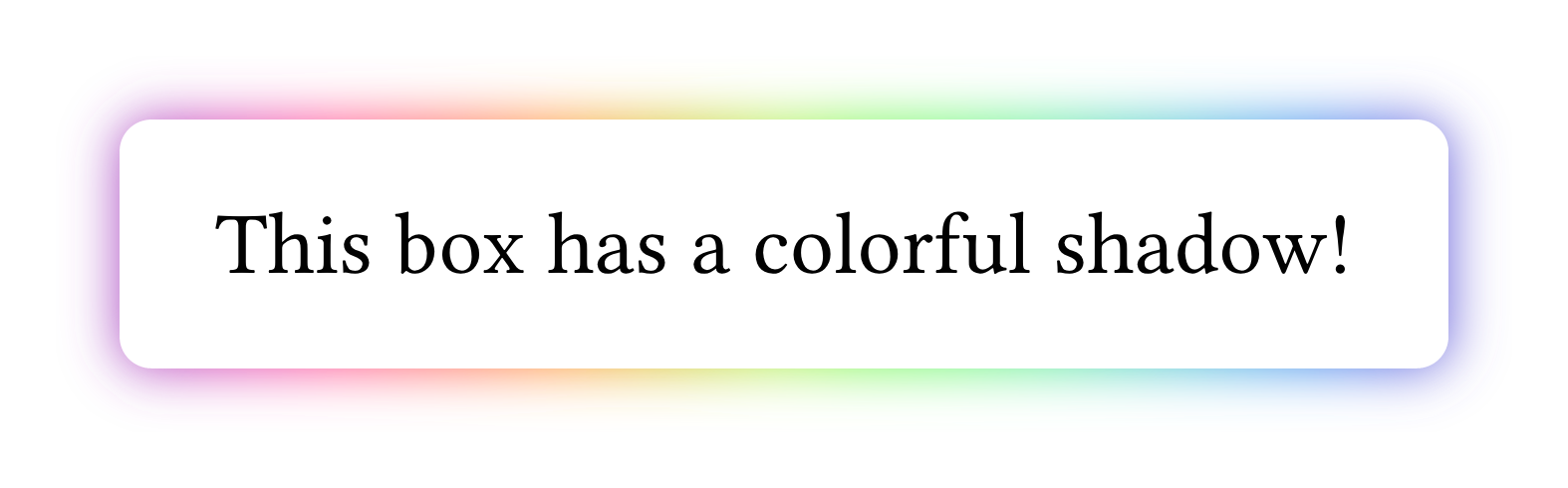
Instead of a solid color the shadow can also be filled with a gradient.
#import "@preview/shadowed:0.3.0": shadow

#shadow(blur: 8pt, fill: gradient.linear(..color.map.rainbow), radius: 4pt)[
  #block(fill: white, radius: 4pt, inset: 12pt)[
    This box has a colorful shadow!
  ]
]
Customize each corner radius
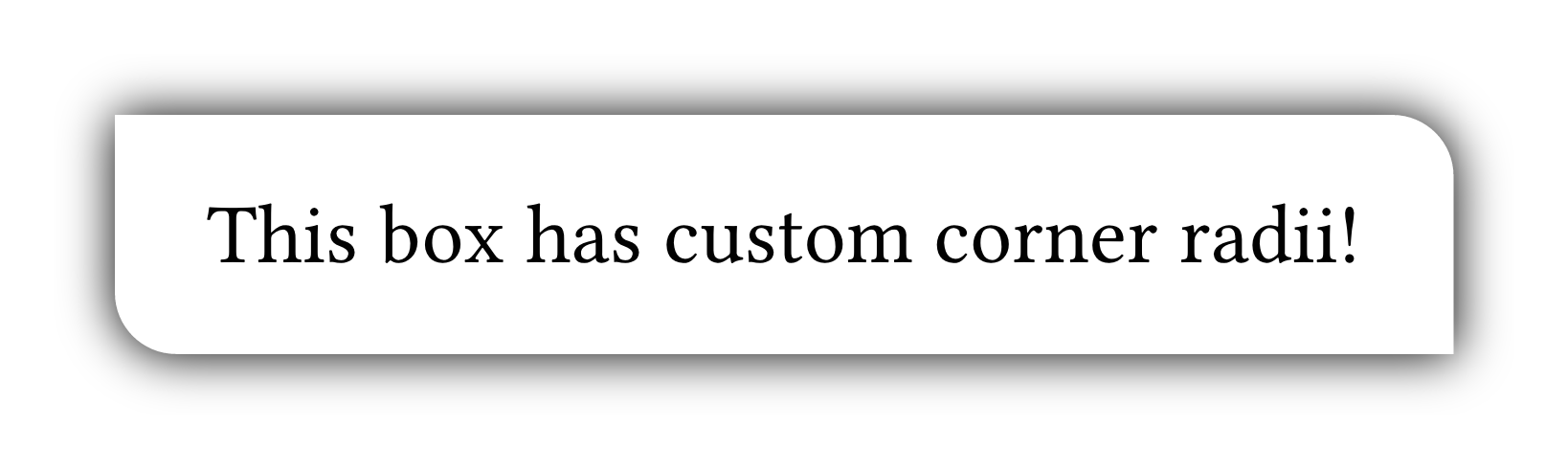
Each corner radius can be customized individually, just like you do it natively for rect or block.
#import "@preview/shadowed:0.3.0": shadow

#let custom-radius = (
  top-left: 0pt,
  top-right: 8pt,
  bottom-right: 0pt,
  bottom-left: 8pt,
)

#shadow(blur: 8pt, radius: custom-radius)[
  #block(fill: white, radius: custom-radius, inset: 12pt)[
    This box has custom corner radii!
  ]
]
Learn More
- GitHub Repository: GitHub - T1mVo/shadowed: Box shadows for Typst · GitHub
- Typst Universe: shadowed – Typst Universe