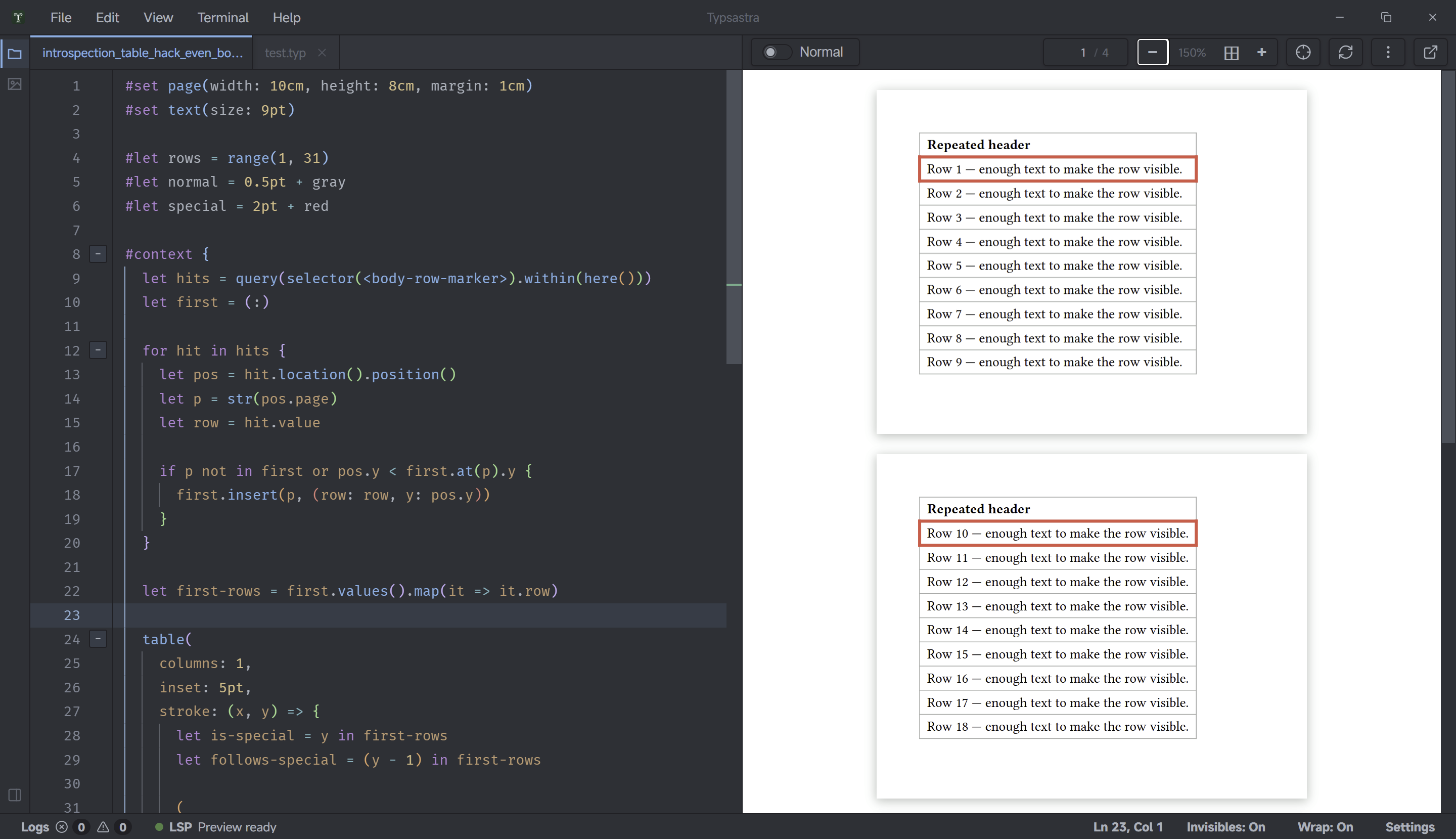
I have a long table that takes multiple pages. The table has a header that repeats on every page (I have set repeatable: true for the header).
For the sake of simplicity, let’s assume that the table has only one column.
Now I would like to style the borders of each cell that comes immediately after a (repeated) header cell in a special way. In other words, at the top of each page, the table header (in this case, one cell) is repeated. For the cell that follows the table header cell, I would like to style the cell borders another way than for the other cells.
I have already put a significant amount of time into trying to achieve this, but failed so far. The problem is that I obviously need a counter or a state to solve the problem, and this in turn requires using context. This is where the problems begin, because context is opaque, and its return value cannot be compared to anything, regardless of which data type it returns.
My best idea (so far) is based on the observation that the y coordinate of cells in a table header row is always 0: In a show or set rule, we could check for y == 0 and update a state if this is the case. In the same or in another rule, we could check that state, style the borders accordingly, and then reset the state.
For example:
#let after-header = state("after-header", 0)

#show table.cell: it => context {
  if (it.y == 0) {
    after-header.update(1)
  }
  else {
    if (1 == after-header.get()) {
      /* Apply styles (stroke) here - NOT POSSIBLE */
    }
    after-header.update(0)
  }
  it
}
The code above shows the idea, but actually cannot be used. We have two problems here; one eventually could be solved, the other apparently can’t be solved in a show rule.
The problem that could be solved eventually:
The documentation says that the update of the state only happens when the state variable actually becomes part of the document’s content. That is, we would need something like [#after-header.get()] in the show rule, which of course would place content in the table that we don’t want to see there. We perhaps could use a text size of 0pt before that piece of code; I didn’t try that because of the second problem.
The problem that apparently can’t be solved in a show rule:
In a show rule, it seems to be impossible to style the borders of the cell that is currently processed by the rule.
First, it and its fields can’t be modified in such rules, because they are read-only; notably, we can’t modify it.stroke.
Second, saying something like set table.cell(stroke: 10pt) in that rule does not effect anything (probably the cell itself is already laid out when the rule processes it, so that the rule can only change the cell’s content or that content’s styling, not the cell itself or its styling).
With set rules, the situation is not better:
/* DOES NOT WORK */
#set table(stroke: (x, y) => context {
  /* Do something here */
})
Again, we need context in order to read the state. Now, regardless of the code in the function body and regardless of the function’s return value, context always returns content. This leads to an error because the value of stroke must be of type length, dictionary or one of the other types that the documentation mentions.
Using context at another place in the function’s body does not work either. context is opaque, its return values cannot be used outside of it, and its return values cannot be compared.
For example:
#set table(stroke: (x, y) => {
  /* This is syntactically correct, but does not work, because the condition
     always evaluates to false. context returns a sort of content that can't
     be compared to anything else, and that even does not carry children,
     body or other values that can be compared to anything else. */
  if ((context after-header.get()) == 1) {
    return (bottom: 10pt)
  }
})
or:
#set table(stroke: (x, y) => {
  context {
    /* Here, the comparison works, but ... */
    if (after-header.get() == 1) {
      /* ... it is not the intended dictionary that gets returned; instead, a
         sort of content is returned which is not suitable as a value for
         stroke. Therefore, this approach fails, too. */
      return(bottom: 10pt)
    }
  }
})
Can somebody solve this dilemma?
Thank you very much again in advance!