Typesetter 0.16 (GTK Typst editor)

Typesetter, the Typst editor for focused writing, gets its biggest update yet with version 0.16.

The headline feature is sandbox-compatible multi-file projects. Typesetter now uses a new default archive-based project format, .typz, that keeps your document and everything it references (images, imports, and other assets) together in a single file. Projects work the same wherever you open them, and they’re easy to share and back up. Because Typesetter now only ever needs access to the files you explicitly open, never entire folders, multi-file Typst projects now work easily and reliably within the Flatpak sandbox.

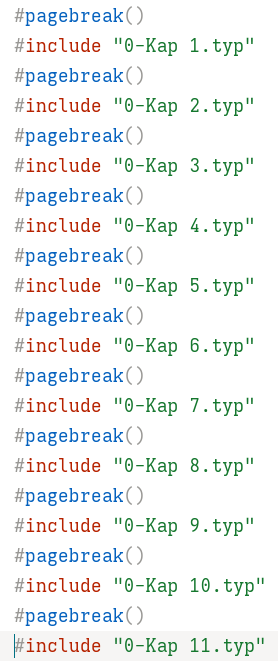
A project can hold as many sub-files as you like, so you can split a long document into chapters or sections, keep reusable functions and styles in their own files, and bring everything together with #include and #import statements.

This replaces the previous “project folder” workflow, which was required to make imported files available to single-file .typ documents. That approach presupposed access to whole directories, which the sandbox is designed to prevent, and it was easy to get wrong. Removing it means there is now one secure, consistent way to include files in a document.

Typesetter can still open and edit standalone .typ documents, but they can no longer reference external files. To include assets in an existing document, open it and choose “Save As Project” when prompted, then add the files through the navigator.

Other noteworthy features include:

  • GUI bibliography manager: You can now add and edit references through a dedicated graphical interface.
  • Adjustable preview pane: The preview pane can now be manually resized to suit your workflow.
  • Comments navigator: A new navigator lets you list, view, and jump directly to author comments throughout your document.
  • New templates: Typesetter now includes several additional templates to help you get started with new documents. (More to come.)

Since the previous release announcement, Typesetter has also gained advanced export to HTML and Markdown, making it easier to share documents in other formats.

There have also been a range of performance improvements, bug fixes, and smaller feature updates across the application, continuing Typesetter’s focus on being a fast, distraction-free writing environment.
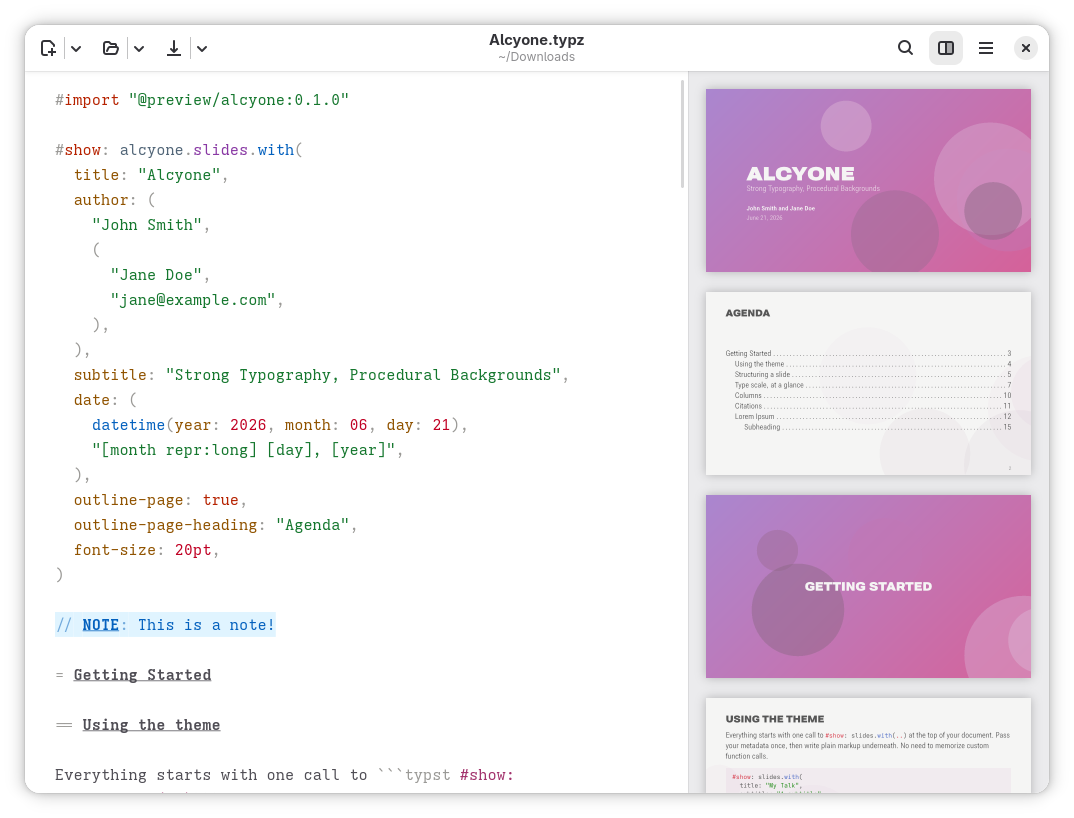
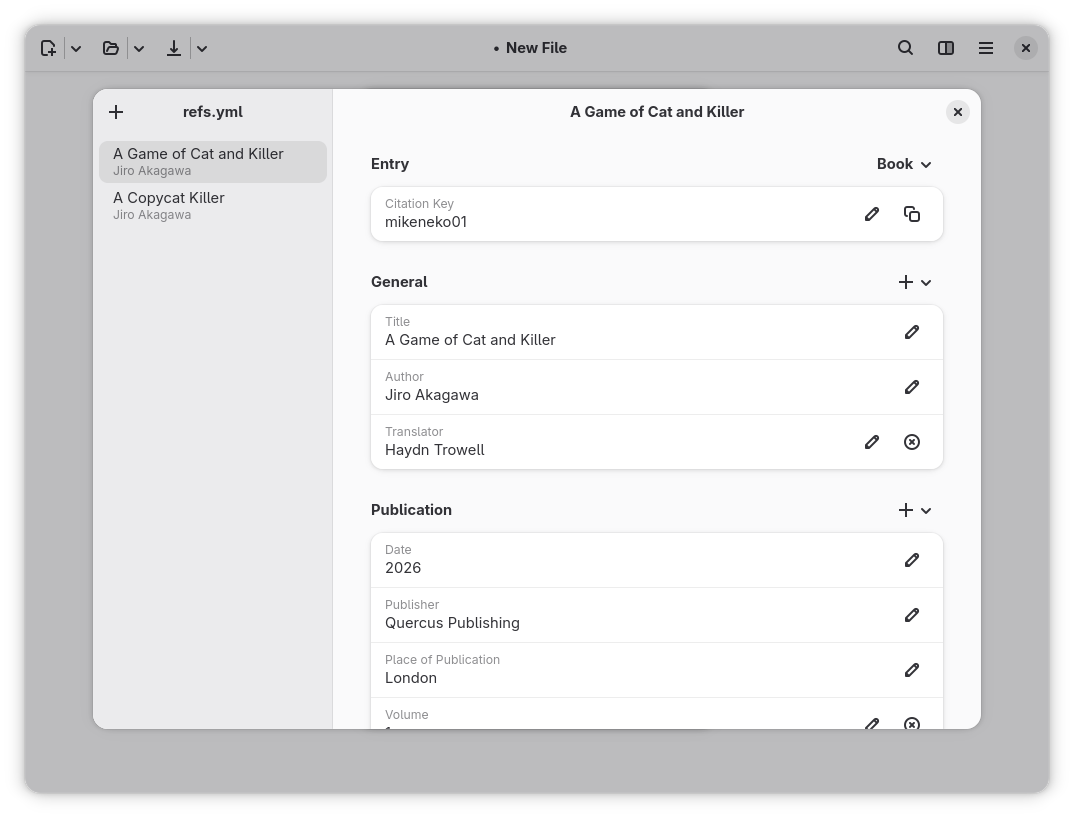
Typesetter 0.16.0 is available now on Flathub.

5 Likes

Well done on the newest release! I love seeing an editor being made with a native UI framework that isn’t just Chromium, and I especially love the UI choices you’ve made.

1 Like

It took me a while to understand the concept of projects in Typst.

Once a project is created, images can be added using the Navigator, similarly, new content files can be created with the extension “typ”. In my attempt, the name of the content file is “chapter 2.typ”.
This file contains the content that will later be incorporated into the main file.

Despite much trial and error, I haven’t yet managed to integrate them into the main file.
Using the functions #import or #include “chapter 2” produces the following output:

 File not found: chapter 2

How can I better understand the philosophy of the project?

@alwi

In any Typst editor you’d need to include the file extension:

#include “Chapter 2.typ”

A new day – a new beginning. It worked right away. I can’t explain.
Many thanks!

I can’t find the “solved” button.

May I send you a clear guide on how to use the new feature for projects? Perhaps it will help users like me.

Hi alwi. Glad to hear you and forgon got it working. Yes, by all means, happy to take a look at a guide!

my own todo in the upload. (new)
Anleitung Projekt.pdf (24.1 KB)

Hi alwi, thanks a lot for writing this up. A couple of its claims are wrong, so I want to make sure the right information is available.

First, the memory claim. The .typ vs .typz format has no effect on RAM usage and Typesetter shouldn’t have a memory leak with images. I’ve gone to a lot of trouble on this: I built a memory tracking module into the app specifically to verify that nothing leaks, and it didn’t leak before 0.16 either. Splitting a document into chapters is not a memory fix, and Flatpak doesn’t change this.

That said, if you really did see memory climbing towards 64 GB, I want to know about it. Could you open an issue with the version, how you installed it, roughly how many images and how large, and ideally a minimal document that reproduces it? Nothing like this has been reported elsewhere, so if this is an issue, please report it so I can investigate properly.

Second, the workflow. It’s much simpler than the guide describes, and nothing needs restarting:

  • In a new, unsaved document or any existing .typz file, you can use all the file operations you like.
  • If you open an existing .typ file that imports other files, a banner appears saying “Files used by this document must be part of a project”. Click “Save As Project”. Then, drag and drop your files onto the Files page (the default page) in the Navigator, just like you would in e.g. the Typst web app.

That’s all there is to it. No restarting the project or the Navigator, and no commenting out and re-enabling #include lines.

1 Like

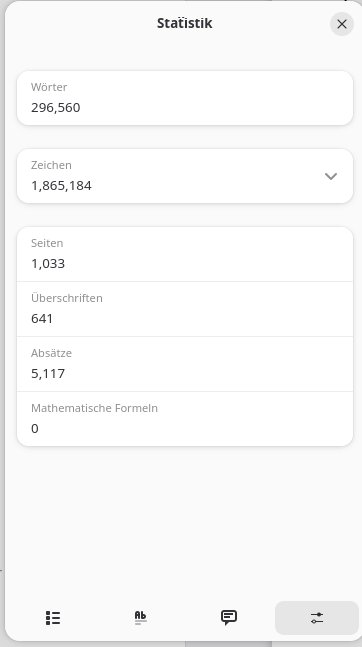
Hi haydn, at the moment, I can only provide statistics. To demonstrate my problems with a version prior to 15, I lack the corresponding Flatpak version. All installations so far have been from Flathub.

Initial information in the appendix

  • Overall statistics
  • Large images

Regarding the workflow, please bear in mind that my approach was trial and error. Where could I have found your description, which sounds so simple?
It really cost me 500 Euros for RAM just to be able to work at all.

Is a minimal reconstruction project sufficient for you to reproduce the problem?
If I can make a contribution, I would like to do so.


grosse_Bilder_20261021_072251

I can be reached at You're invited to talk on Matrix

This works for 1 file, a small group, but not for 1,700 files

Hi alwi, thanks for the details. A forum thread isn’t the right place to track this, so please open an issue at Issues - haydn/typesetter - Codeberg.org . A minimal reproduction is exactly what I need.

To make the issue useful, please include:

  • Your Typesetter version and how you installed it. Just copy and paste the debugging information from the troubleshooting entry in the about dialog.
  • What the project is and what it contains: roughly how many images, their formats and sizes, the page count, and the size of everything on disk.
  • When memory grows: while the document compiles, while you type, or even when idle.
  • If you can, whether the same project also uses a lot of memory when compiled with the plain typst command-line tool. That tells me whether it’s Typesetter or Typst itself.

Am I doing this wrong? I created two files in the same directory: main.typz and one.typ. In the former, I wrote:

#title[Test]

#include "one.typ"

And in the latter:

This sould be shown in `main.typz`

However, Typsetter keeps telling me “File not found: one.typ” and I’ve found no way to add the file to main.typz. What should I do?

@Batch Open the Navigator tool and create the secondary file there. That’s how the new project workflow works. Typesetter will not read external files outside the main typz archive.

Disabling folder-based projects is a pity. I prefer to see individual files in a folder, open them in different text editors, use git version control on them, etc. I suppose I have to switch to command-line Typst workflow now.

1 Like

The old folder-based workflow was already awkward and unreliable given that the app has always been sandboxed. The point of the change is to improve UX and enable functionality that wasn’t possible before (like switching the live file in multi-file documents, tight integration with hayagriva for the built-in bibliography manager, pasting images, etc.).

You can still version-control the project file with Git. You can work with the.typz file directly and configure git to show diffs etc on the archive itself (e.g. via Readable git diffs for Typesetter .typz project files · GitHub), or you could even set git up to unzip the archive and commit the contents, and reconstruct the archive on pulling changes.

In any event, the point of Typesetter is to provide a cohesive, distraction-free writing environment. That means prioritizing a workflow that’s simple and reliable for writers. If someone’s comfortable enough with Git to want file-by-file versioning, they’re also likely comfortable setting up a small script or Git filter to unpack it for diffs.
1 Like