Hi all,
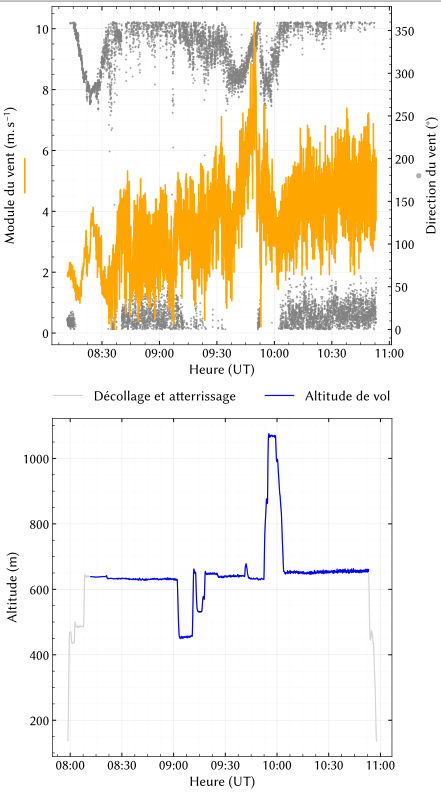
I have two plots that are exactly the same size:
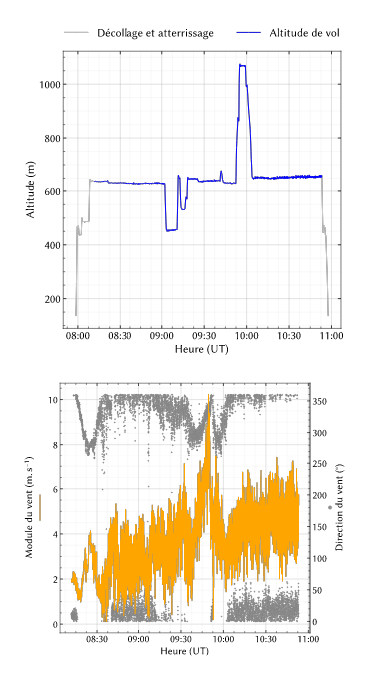
However, when I import them into my Typst document, they get resized. Here is how it looks:
Both graphics are in SVG format, and I’d like to keep it that way.
Do you guys know how I could fix this issue?
Thanks
Hi there!
The issue you’re seeing usually happens because Typst (rightly) treats the entire SVG—including the axis labels, ticks, and titles—as the “image.”
Since your second plot has y-axis labels on both sides, its bounding box is wider than the first one. Even if the “canvas” size is the same, the actual plotting area (the rectangle where the data lives) becomes relatively smaller to make room for those extra labels. When you import them into Typst, they get scaled based on these total dimensions, which makes the graphs themselves look mismatched.
Instead of exporting the labels as part of the SVG, try exporting only the plotting area (the axes and the data). You can then use Typst’s layout tools to add the labels. This ensures the graphs are perfectly identical in size.
Thanks! 
However, if I only export the plotting area, including the axes, I still have the same issue because the tick labels don’t always take up the same amount of space. And if I use two axes, it will still be even more stretched down.
I can easily add the labels in Typst, but I don’t see myself taking the time to add every tick label every time.
I guess the best solution would be to have something equivalent to exporting a .pgf file from Matplotlib, but for Typst. Unfortunately, that’s a project out of my skill set.
That makes total sense. Tick labels are definitely the “hidden” variable that makes manual SVG alignment such a headache.
If you are open to it, I’d love to try a different approach. Using native Typst packages like CeTZ or lilaq allows you to define the exact dimensions of the plotting area (the “canvas”) regardless of the labels, which would solve your alignment issue once and for all.
Would you be willing to share one of your datasets (or a representative sample)?
I’d like to try recreating the graphs directly in Typst for you. This way, you can see if the result meets your needs without you having to manually build the axes and ticks yourself.
Thanks a lot! I’ve already made a few plots with Lilaq so I can do it myself, but decided to go back to Matplotlib because I’ve made myself a layout I really like (the one in the original post).
But I wonder what would be the best library to use to recreate the same layout. What would you recommend?
I feel like CeTZ would be more complete but harder to use than Lilaq; what do you think?
You’re absolutely right, CeTZ is essentially the ‘TikZ’ of Typst. It’s incredibly powerful and gives you pixel-perfect control, but the learning curve is definitely steeper because you often have to build things from the ground up.
Lilaq is usually the ‘sweet spot’ for most users because it automates the tedious parts (like axes and ticks) while still being very customizable.
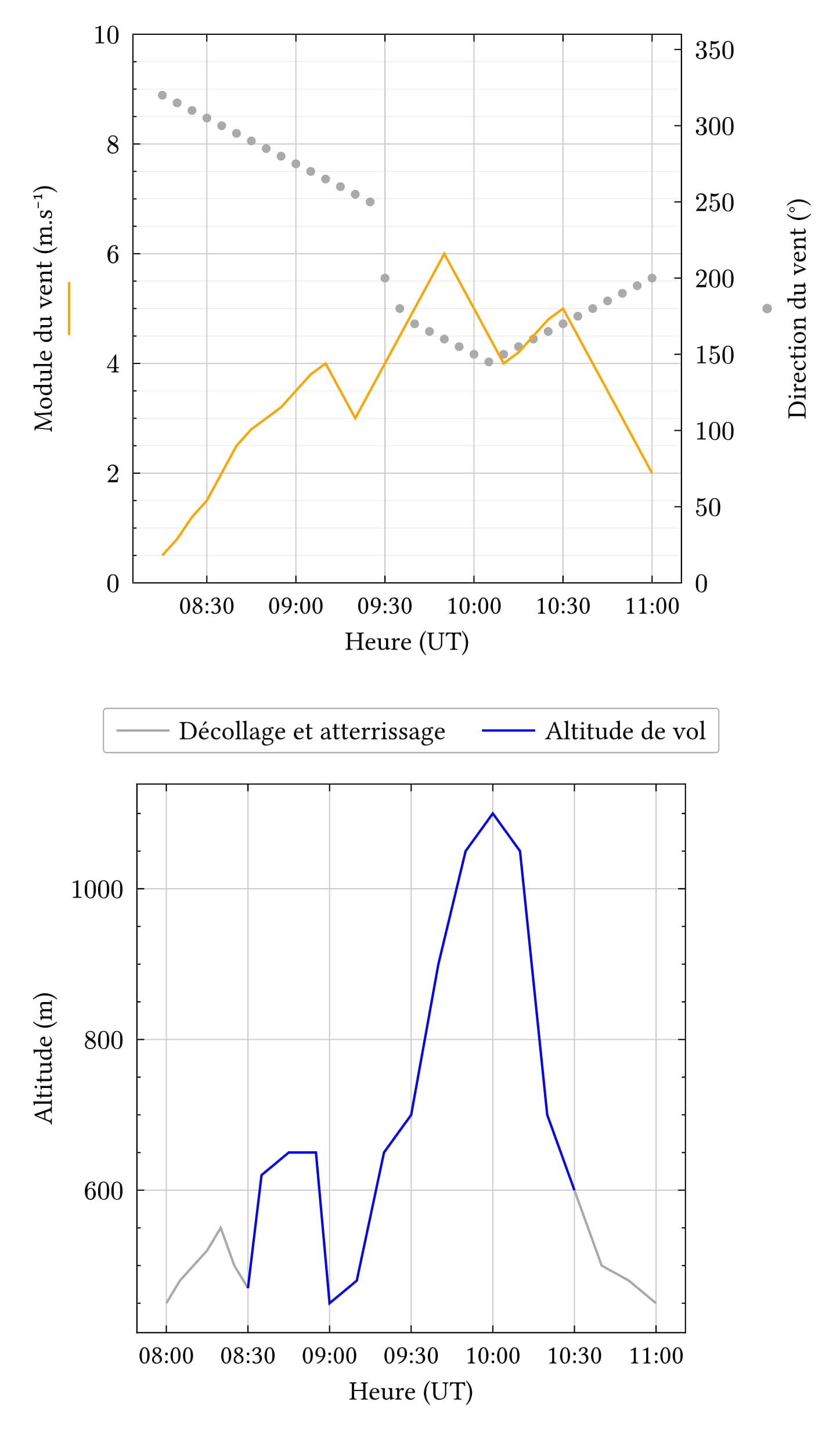
To show you how close you can get to your Matplotlib layout, I actually took the liberty of recreating your plots in Lilaq:
https://typst.app/project/R8WMgiMZltMLiFsgQRFQVJ
The big advantage here is that in the code, you can define the exact width and height of the plotting area itself. Even if one graph has labels on both sides and the other doesn’t, the ‘boxes’ containing the data will remain exactly the same size and perfectly aligned.
Maybe this template helps you decide if switching is worth it. Once the layout is set up once, you just have to swap the data!
2 Likes
Wow, that helps a ton! I’m really impressed by how accurate the layout is.
I’ve just added the real dataset here:
https://typst.app/project/rIP1UQc03x9v0i9nygCRhd
Instead of inputting the full dataset directly, I saved the DataFrame from my Python code into an ‘hour, minute, value’ format so the function processes it correctly. This way, I can handle all the data processing separately and use Typst solely for the plotting.
Thanks a lot!
2 Likes
Bit of a nitpick, but actually your bottom chart y axis is offset a tiny bit to the right. For faceted plots that’s going to be problematic, though I do note that the domains are not identical.
1 Like