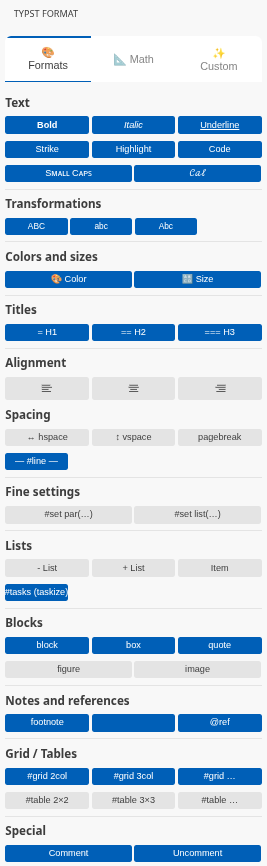
I’d like to share a small VSCode extension I’ve been building: Typst Format Panel — an interactive side panel that gives you one-click buttons for text formatting, math symbols, tables/grids, and a fully customizable “Perso” tab for your own snippets.
Highlights:
Three tabs: Formats, Math, Custom
Left-click inserts the default variant, right-click opens a context menu with alternatives (e.g. bold vs #strong[…], long arrows, list markers, code block languages…)
Modal assistants for #table(…), #grid(…) and matrices — no boilerplate to type by hand
Built-in support for the taskize package
Available in English and French, auto-detected from your VSCode language
It started as a port of a LaTeX formatting panel I had built previously, rewritten from scratch for Typst’s syntax and idioms.
Heads up: I’m sharing this as-is, no big ambitions attached — I won’t have the time to build custom features per request. But feel free to open issues, I’ll take a look when I can. Hope it’s useful to some of you !
J’ai installé. Merci !
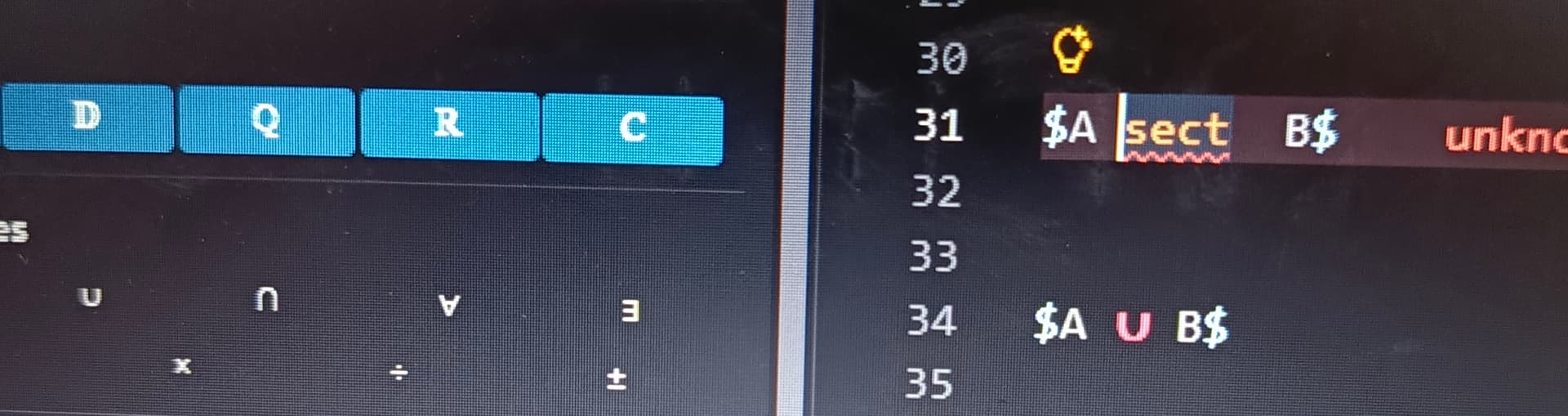
Le symbole d’intersection semble ne pas marcher, pourtant les autres tout autour marchent.
Peut-être un problème dû à la version de typst ?..
J’ose vous demander de :
placer $…$ et $ … $ en haut parmis les premiers boutons (suivi des symboles de logique puis les délimiteurs)
ajouter le symbole de la composition (compose) et quelque chose pour le barycentre sous forme de tableau
Bonjour,
Effectivement, j’avais repéré le bug de l’“inter”. J’attendais d’avoir un peu de temps pour m’occuper de l’onglet Math.
Mais merci du retour.
Compte-tenu de la demande croissante concernant les placements personnalisés des objets, je ne peux malheureusement pas satisfaire tout le monde ;-).
Cependant, mettre les environnements en premiers me semble plus que pertinent. j’ai également remonté les délimiteurs/symboles et logiques et fait quelques regroupements
Le compose viens d’être ajouté en version 0.1.7 après div et avant plus.minus
Pour les autres demandes et ou environnements plus personnels, je vous invite à :
utiliser l’onglet perso
utiliser les snippets de vscode ou la géniale extension HyperSnips V2 (Oskar-Idland) pour un remplacement automatisé