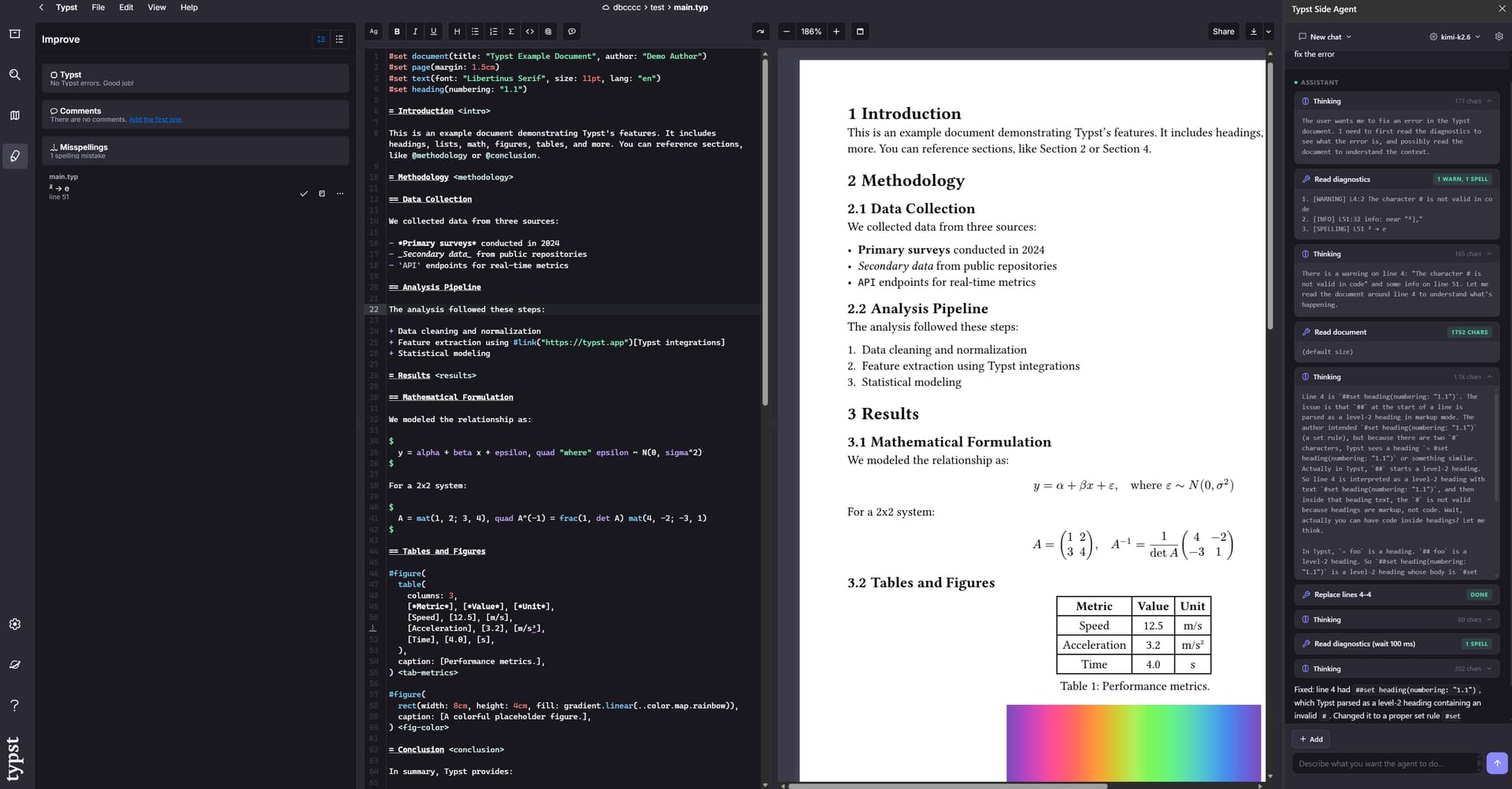
Hi everyone — I’m sharing Typst Side Agent, an open-source Chrome extension that adds a side-panel AI assistant to typst.app.
It is designed for iterative, tool-driven editing (rather than plain chat), with a focus on reproducibility and document safety.
What it does
Reads the live editor content with line numbers and workspace context
Applies targeted edits (replace_lines, search_replace) and multi-edit atomic patches
Captures preview screenshots / opened image assets as optional context
Reads diagnostics from both editor underlines and the Improve panel
Supports a diagnostics loop (read_diagnostics) so the agent can validate/fix after edits
Extends with:
custom HTTP tools (JSON-schema function calling)
MCP servers (Streamable HTTP)
Why I built it
I genuinely like the official Typst web editor — it feels smooth and practical.
On my machine, editing Typst documents in VS Code is often laggy, so I prefer writing in typst.app.
The problem I ran into was AI-assisted workflows: once I wanted an agent to participate in the editing loop (read current content, apply precise edits, check diagnostics, iterate), integrating that cleanly was harder than expected. This extension is my attempt to make that workflow practical.
Works with multiple provider styles for reasoning/thinking streams
Bundles Typst reference docs for in-agent lookup
Session management per Typst project
CI-tested and packaged via GitHub Actions
My testing so far is still limited, so there may be rough edges or bugs.
If you run into issues, please feel free to open an issue on GitHub or comment directly below this post. Feedback is very welcome.
By reproducibility, I mean the agent edits through explicit tools (read_document , replace_lines , patch_document ) on the live document, so the steps are traceable and repeatable.
By document safety, I mean edits are constrained (line-based/atomic where possible) and followed by read_diagnostics checks, which helps catch bad changes early.
Basically yes, what I want to say here is that this AI assistant plugin is designed to edit the document safely to reduce accidental large destructive changes, with a real agentic step-by-step design with tools to achieve that.
With how controversial the LLM topic is, my thought was “document safety by not sending its content on the Internet.” And reproducibility…I thought maybe somehow when you write the same thing, it will produce the same changes, which is also not possible by default (if you cache the first prompt, then you can probably achieve this). But if you can somehow save all the changes in a session, then replay them, then I guess it makes sense in that way.
Thanks a lot for this plug-in, it is exactly what I was looking for!
Even if on my side I don’t have lag issues with VS code, having the possibility to have the AI on the webapp is valuable to me and to people less familiar to code and VS code. I’ll also use it myself as the webapp ease collaboration with colleagues.
It works fine even on Microsoft Edge (following the same installation steps).
For future development, one thing I’d like to have is to see the proposed changes (as the diff display I see in VS code) and then accepting them.
But thanks again for this super useful contribution!