Me and my wife have both been using Typst every day for our document needs for a number of months. I have never had any issues importing packages with #import "@preview/...", and she usually doesn’t either, but occasionally, both at home and at school, she runs into a recurring error, which has been coming up since at least August 2025, potentially a month or two earlier. When it comes up, she can remove the package import, after which the web app continues to work flawlessly aside from that issue.
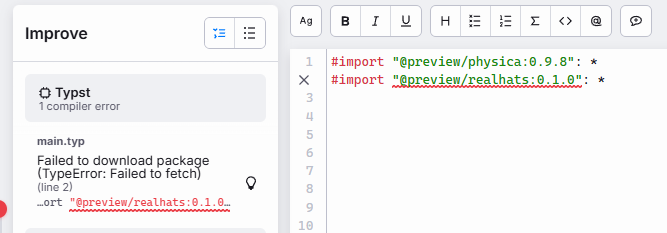
In the web app, the error manifests as “Failed to download package (TypeError: failed to fetch)”.
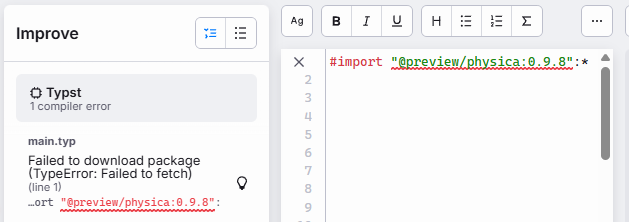
My first thought upon seeing that error was to see if it was a web app issue and we tried importing packages in a VSCode Typst document using the Tinymist extension. It gave another error, which is perhaps more enlightening: “failed to download package (error sending request for url (https://packages.typst.org/preview/… .tar.gz))”.

This issue only comes up on her computer, maybe 20% of the time, and again, it seems to be independent of which network she’s on.
Even more baffling, when the error comes up in the web app, she can go open an older document that uses a package and edit it. The old document continues to compile just fine with the package import, but if she adds another package to the document, that new import doesn’t work.
(She uses Typst on Windows 11, web app on Chrome. I usually use it on Debian with Firefox. We both sometimes use the VSCode Tinymist extension as well.)
Any ideas on what might be happening? She and I love Typst and its ecosystem, it would be great to get this sorted out!
