What is the recommended practice for formatting long figure captions?

Hello,

I’ve gone down a rabbit hole exploring the issue of unwanted whitespace when using multiline content blocks. I’m writing this both because I have some remaining questions, and so that future people may find this helpful.

The problem is essentially that the following code produces unwanted whitespace between the figure prefix and caption text:

#figure(
  image("..."),
  caption: [
    My long caption which I want to put on multiple lines
  ],
)

I have already looked at the following links (and possibly more):

Out of these, there were a few suggestions that apply to similar issues:

  • Simply avoid the linebreak.
  • Use #h(0pt, weak: true), either directly or through a show.
  • Use code mode for whitespace-sensitive situations.
  • Use block comments to eat up the linebreak.

My remaining questions are:

  • I’m still not sure how I should go about formatting my code in the figure caption example. The easiest option is clearly just to do [My long caption...] but that’s not really pretty. The other options aren’t particularly satisfactory either.
  • Where can I find some explanation of how whitespace is handled in code mode? This has been one of my longstanding confusions but I’ve never been able to find a clear answer. It’s very possible that I once read about it in the docs but I can’t find it now.
  • Out of curiosity, does #footnote use some special mechanism for removing leading/trailing whitespace? Why is the behaviour different from figure captions?
  • Are spaces generally just removed leading and following a paragraph/block-level element? And is that the reason why the following code doesn’t produce a preceding space?
#[
  Hello world
]

Thanks in advance!
1 Like

This is definitely something annoying and quite subtle that I think typst should somehow address (even though I don’t really know how).

As for the questions:

The solution I have used has been to use a show rule to strip away extra spaces,

#show figure.caption: it => {
  show it.separator.text + " ": it.separator
  it
}

which should(?) always work, or at least has been sufficient for my purposes. It does leave a space after the caption, but I haven’t found this to be an issue. Something more robust would be to manually strip the spaces off the caption, something like

#let strip(content) = {
  if content.has("children") {
    let start-index = int(content.children.first() == [ ])
    let end-index = -int(content.children.last() == [ ])
    if end-index == 0 {
      end-index = none
    }
    return (content.func())(content.children.slice(start-index, end-index))
  }
  return content
}

#figure(
  rect(),
  caption: strip[
    My long caption which I want to put on multiple lines
  ],
)

This solution is also the most composable, meaning you can apply strip to all multi-line content blocks, not just figures

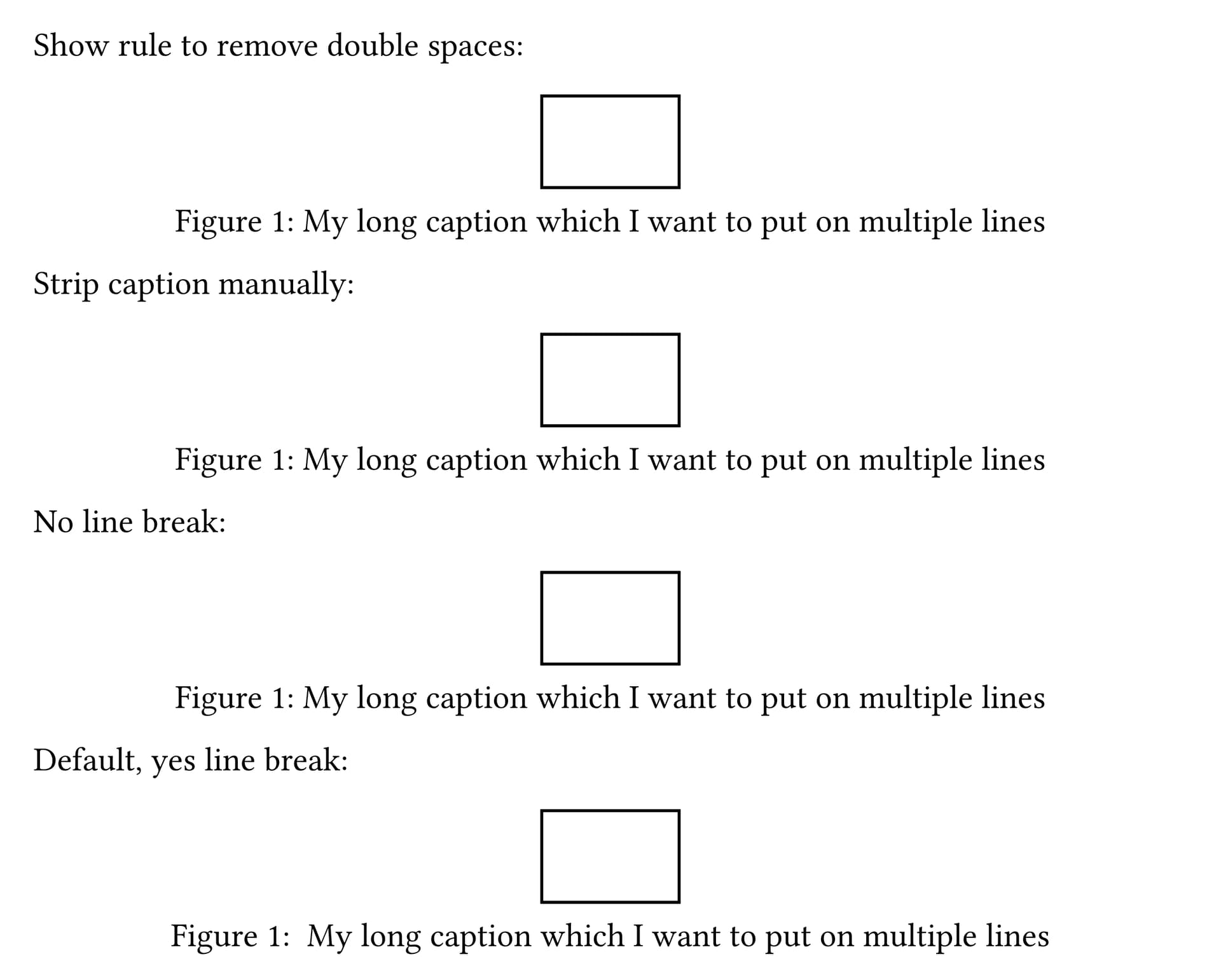
These should all look identical (the last example is the default, with extra unwanted whitespace):

Full code
#set page(height: auto, width: 400pt, margin: 1em)

#[
#show figure.caption: it => {
  show it.separator.text + " ": it.separator
  it
}

Show rule to remove double spaces:
#figure(
  rect(),
  caption: [
    My long caption which I want to put on multiple lines
  ],
)
]

#counter(figure.where(kind: image)).update(0)

#[
#let strip(content) = {
  if content.has("children") {
    let start-index = int(content.children.first() == [ ])
    let end-index = -int(content.children.last() == [ ])
    if end-index == 0 {
      end-index = none
    }
    return (content.func())(content.children.slice(start-index, end-index))
  }
  return content
}

Strip caption manually:
#figure(
  rect(),
  caption: strip[
    My long caption which I want to put on multiple lines
  ],
)
]

#counter(figure.where(kind: image)).update(0)

#[
No line break:
#figure(
  rect(),
  caption: [My long caption which I want to put on multiple lines],
)
]

#counter(figure.where(kind: image)).update(0)
#[
Default, yes line break:
#figure(
  rect(),
  caption: [
    My long caption which I want to put on multiple lines
  ],
)
]

I’m not really sure I understand. As far as I know, code mode just displays the content and does not add any whitespace that does not appear in the displayed content.

I think so? I didn’t have time to do a deep dive into the source code, but it seems footnotes apply weak spacing between the number and content, typst/crates/typst-layout/src/rules.rs at 6ca538fc228c6b1f734e44f514c8f97de24cb77a · typst/typst · GitHub

This seems like it would be a good default behavior for all block-level elements, but I digress

I don’t think so, but maybe someone can correct me. Generally blocks will render multiple spaces as just one space, though.

2 Likes

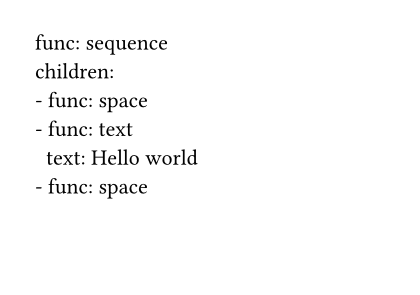
(It doses produce spaces, except that the paragraph doesn’t have other texts, so the spaces are stripped. You can check it by let x = […] and hovering x or using yaml.encode.)

#yaml.encode[
  Hello world
]

4 Likes

So, in general, spaces are stripped before and after a paragraph, correct?

I deduce it from the following comment under the issue you linked… I’m not 100% sure, but I guess that’s true.

First blank line in content block is not stripped · Issue #1382 · typst/typst · GitHub

laurmaedje on 2023-06-02

Note that leading and trailing whitespace is stripped, but not at the parser level for a single content block, but at the layout level for a full content flow.

1 Like