The following MWE works using the web app
#set page(paper: "a7")
#set par(justify: true)

As soon as you add a bibliography somewhere in your document, you can start citing things with reference syntax (@guinaudeau1957) . The bibliography will only show entries for works that were referenced in the document (@hassan2000).

#bibliography("bibliography.bib", style: "chicago-author-date")
However, when I place the #bibliography(…) statement at the end of main.typ in my real project, referencing the full version of the bibliography, but with the references in the various sections in separate included chapter.typ files, it fails to compile with the error:
Failed to parse BibLaTeX (expected comma)
Can someone please advise me how to get references in the #include "chapter.typ" files (there are currently 11 such files) to work to produce a bibliography at the end of the overall document? I’m afraid the documentation is of little help with this.

Mark
can you share your .bib? it works for my own thesis with my own bibliography.
You could also try to convert your .bib into hayagriva (the native typst bibliography yaml format)
I find it nicer to work with anyway, but to each their own
Thank you for getting back to me so quickly.
I have tried converting the .bib to hayagriva. I tried first with the MWE reduced .bib and it converted instantly. I then tried with the full .bib and it returned:
Error parsing Bibtex:
* biblatex parse error: expected comma: 13870-13870
That doesn’t help me much as 13870 is not a line — there are only 611 lines in the .bib — so I don’t quite know where to look. I can’t attach the .bib here, as the forum won’t accept either .bib or .zip for upload.
So for the moment, I am scanning down the .bib looking for an entry which is missing a comma compared with the others.
Mark
I’m 99% sure the problem is with your .bib file.
the number presumably refers to the index where the missing comma is, not the line. To quickly narrow down which citation entry has the issue, you can open the same conversion tool and remove entries one at a time starting from the beginning, until it doesn’t return an error - then, the last entry you deleted contains the offender.
Thanks for the suggestion about using the conversion tool to find the error. It took a bit of time and going backwards and forwards to sort it out, but I’m no longer getting the Failed to parse BibLatex… error.
However it is still failing to create a bibliography saying, e.g.
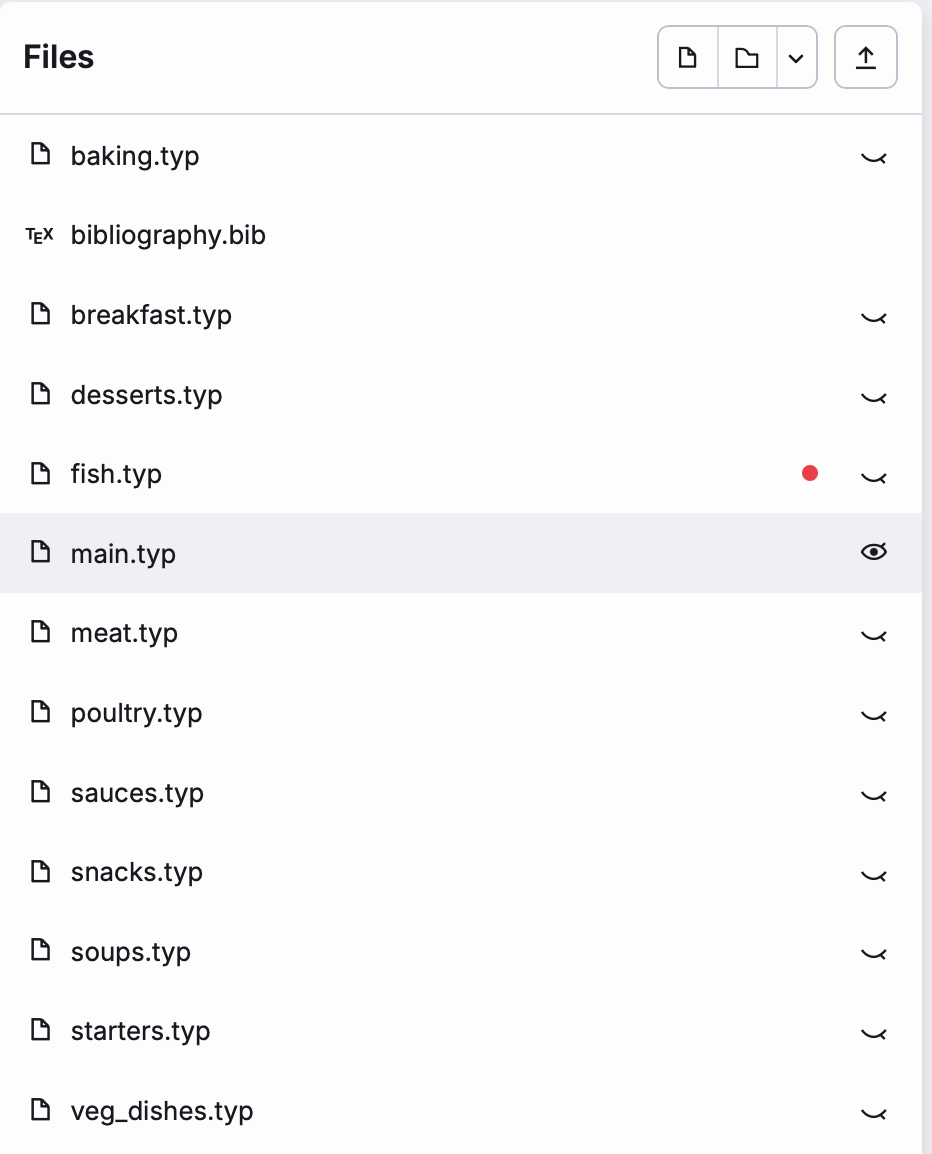
Label <dudley2026> doesn't exist in the document. The citation is in a chapter document fish.typ, the #bibliography(…) function is in main.typ all the files, including bibliography.bib are siblings in the project.
Mark
It’s hard to say why this error happens without knowing more about the document, but could you make sure dudley2026 is the correct key in the bib file, and that you’ve added the correct file as a bibliography? If you think this is a bug, you can also share a link to the project (or try to re-create a minimal example of the issue and share the link to that one instead) so that someone can try to reproduce it.
Yeah, you need to provide a bit more info, the way it looks now, it just seems like normal misnomer/forgotten comma or bracket that happens in every language that has a somewhat strict syntax.
You can share the Document privately, with just aarnent and me, so you don’t need to expose it to everyone. In case you do not feel like sharing. revoking the rights is quite easy too.
Yes, thinking about it, that reference (as I’m just starting to work on the bibliography, it happens to be the latest addition so that was the one I chose) and looking at it, although it is not a parsing problem, the details are somewhat confused. So I’ll comment it out for the moment and work with some of the other references.
But I won’t have time right now (life is intervening!), so I’ll leave this hanging until I can get back to it in a day or so’s time.
Mark
you can try something like KBibTeX or Zotero to generate the .bib
These tools are not as error prone as a human. Zotero also integrates into typst if you pay for Pro. KBibTeX is offline/local-only
I’m a Mac-user and have been using Bookends for years. My .bib was exported from that. The confused <dudley2026> is my fault; for the non-parsing, I’ll need to investigate.
But although the .bib is parsing correctly, no references are working; other in-project references are also not working, but I can’t send you more at this moment.
One additional thing that may help is to drop the full .bib file into Claude or ChatGPT and ask it to inspect it for malformed entries, missing commas or braces, duplicate keys, unexpected Unicode characters, and hidden or non-printing characters. These can be very difficult to spot by eye in a large bibliography.
Since the file is now parsing but the citations are still not resolving, you could also provide the relevant .typ files and ask it to compare every cited key against the keys actually present in the .bib file. That may reveal a spelling or capitalisation mismatch, or even an invisible character in one of the keys.
It would not replace testing with Typst itself, but it can be a quick way of identifying anomalies that are otherwise easy to overlook.
Yes, I have had many issues with “zero width space” or U+200b when copying from the internet. that was in LaTeX with TeXLive, and typst is different but the .bib may still be more sensitive to something like this. You could also open it in a plain text editor and set the encoding to ascii instead of utf-8/16. That would show the issues too.
It’s among the reasons I switched over to hayagrive, even if Zotero and others do not support it natively yet
Chatticus Gippity can work well but be careful as it likes to insert the very Zero Width Space that I mentioned above
Thank you everyone for your help. I’m sorry to have dropped the thread, but I have been away for several days. The .bib -> hyagriva conversion tool, I have bookmarked as through it I was able to identify where the error was and correct it. So thank you particularly to @Astrusia and @aarnent for pointing me there.
The good news is that today I have done quite a bit of work on the scripting of the project, and my bibliography problem has resolved itself; basically, I have moved the scripting out of main.typ into a conf.typ configuration file that main.typ imports, and that seems to have resolved it. I now get the citations and the bibliography.
Mark