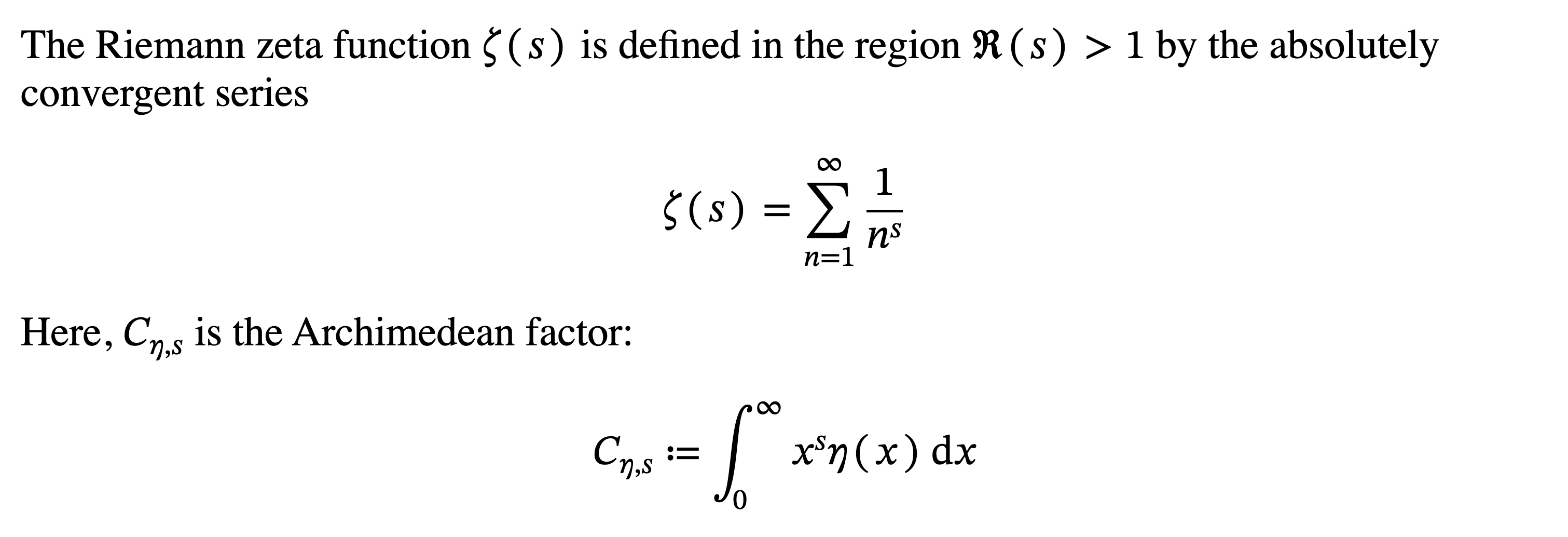
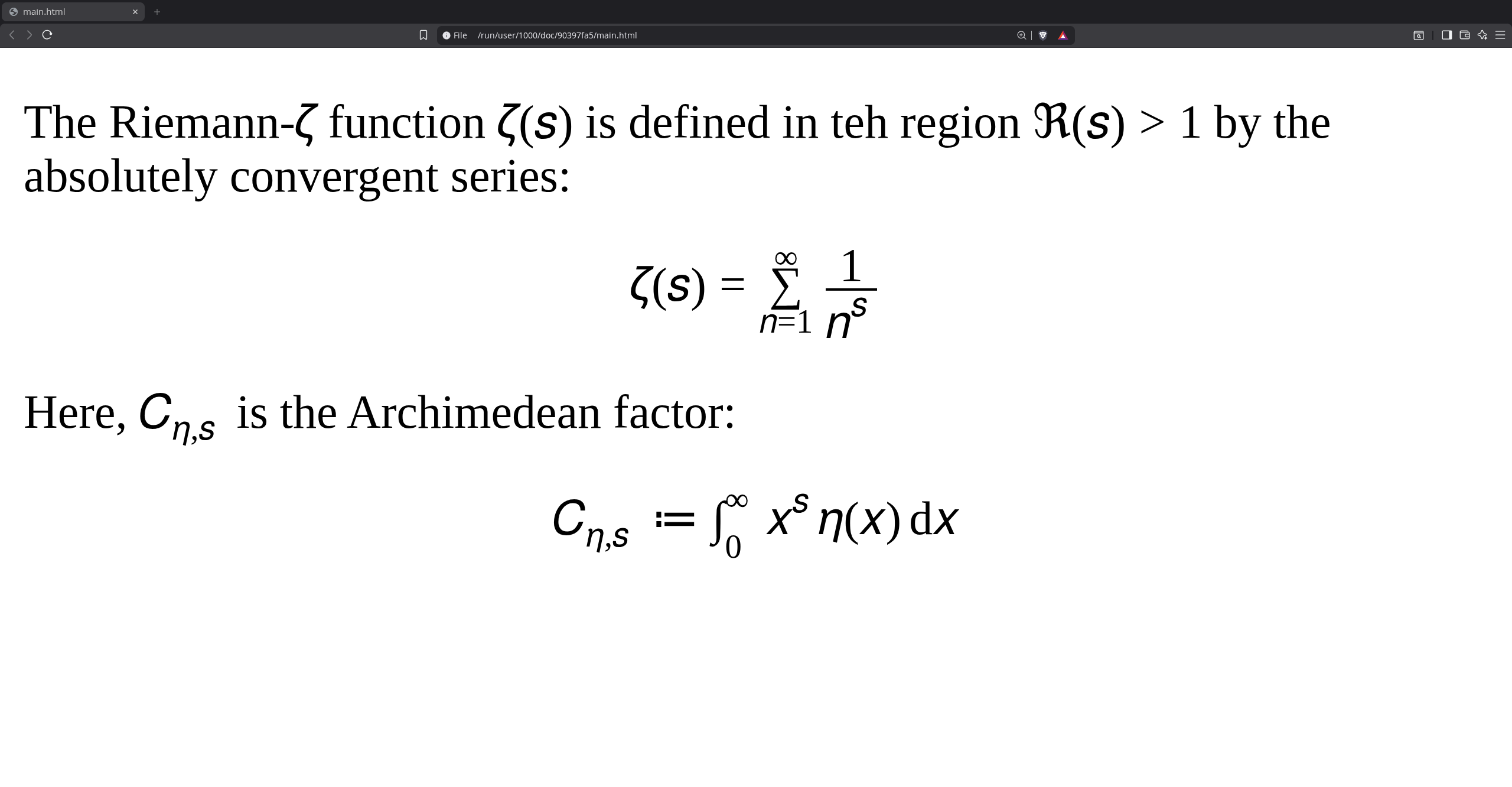
With the merger of 7436, it’s now possible to have Typst math convert to MathML HTML for rendering on the web. I don’t know enough to know what caveats there are to that statement, but i’m interested in testing out the feature. I know how to build the unstable version (I assume it’s the main branch I clone given the PR), but since this feature hasn’t actually been released, as I understand it, the usual tools for previewing output I’m used to don’t work, like Tinymist on VSCodium or the Typst web app.
Thus, I wanted to see what workflow people are using for testing the new MathML output.
correct, you would build the main branch!
The resulting executable file has all the option of a regular release of the Typst build and you can use compile/watch with the experimental HTML feature.
./typst w main.typ main.html --features html
The watch command opens a local web server for the live preview and you can use any text editor to modify main.typ and observe the changes by opening http://127.0.0.1:3000 in your web browser.
It doesn’t seem like Tinymist currently provides nightly builds and the Typst web app’s latest development version is too old and doesn’t include the MathML implementation.
They link to a forked repo of typst-preview and claim it can be used to integrate html features into tinymist, but I haven’t tested it myself. But this could be a(nother) place to start.
Notably, this is independent of which device is used to run the Typst compiler. It’s just a matter of what device is used to view the HTML file in the browser.
Still, this is a wonderful amount of progress for Typst, and will make website making involving math a much better experience.
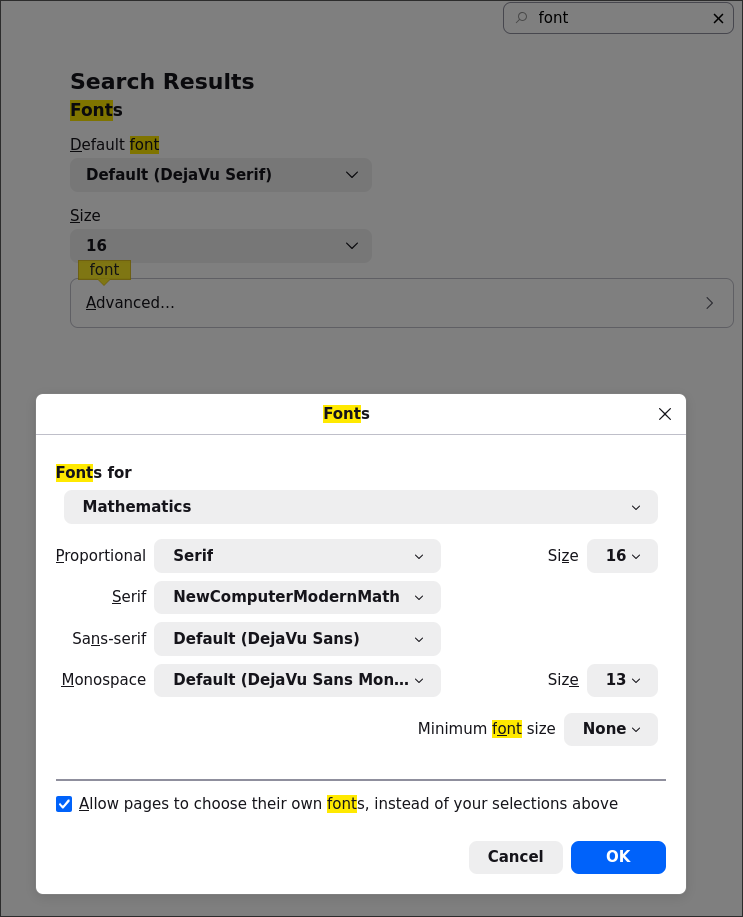
The issue you’re seeing is the font selection. Currently Typst’s HTML export isn’t emitting CSS that sets the font. It appears your Apple devices have a math font configured by default, but your other devices don’t. For me on Linux using Firefox, if I look up “Fonts” in settings and click “Advanced”, under the “Fonts for” drop down there is an option for “Mathematics”. Then you can set the “Serif” font to a math font.