Why do fonts with similar metadata (lmroman9 vs lmroman10) are recognized as separate families "Latin Modern Roman 9" vs "Latin Modern Roman"

I’m encountering an issue with font family detection when using fonts from LaTeX distributions (specifically, lmroman9-regular.otf and lmroman10-regular.otf).

The Problem:

Typst is identifying these two fonts as belonging to two distinct font families:

  • lmroman9-regular.otf → Family: “Latin Modern Roman 9”

  • lmroman10-regular.otf → Family: “Latin Modern Roman”

What I’ve Checked:

  1. I used fc-query to inspect both font files.

  2. The output from fc-query shows almost identical metadata, with the primary difference being the version number (9 vs 10) in the filename and some internal fields. I couldn’t find any obvious field that would explain why Typst assigns different family names.

Is this intended behavior in Typst’s font parsing logic? Perhaps Typst is sensitive to a specific metadata field that I am overlooking.

I’m currently writing in 10 pt but I can’t seem to select the 10pt font.
I can use the 9 pt font instead, but that makes me a little upset.
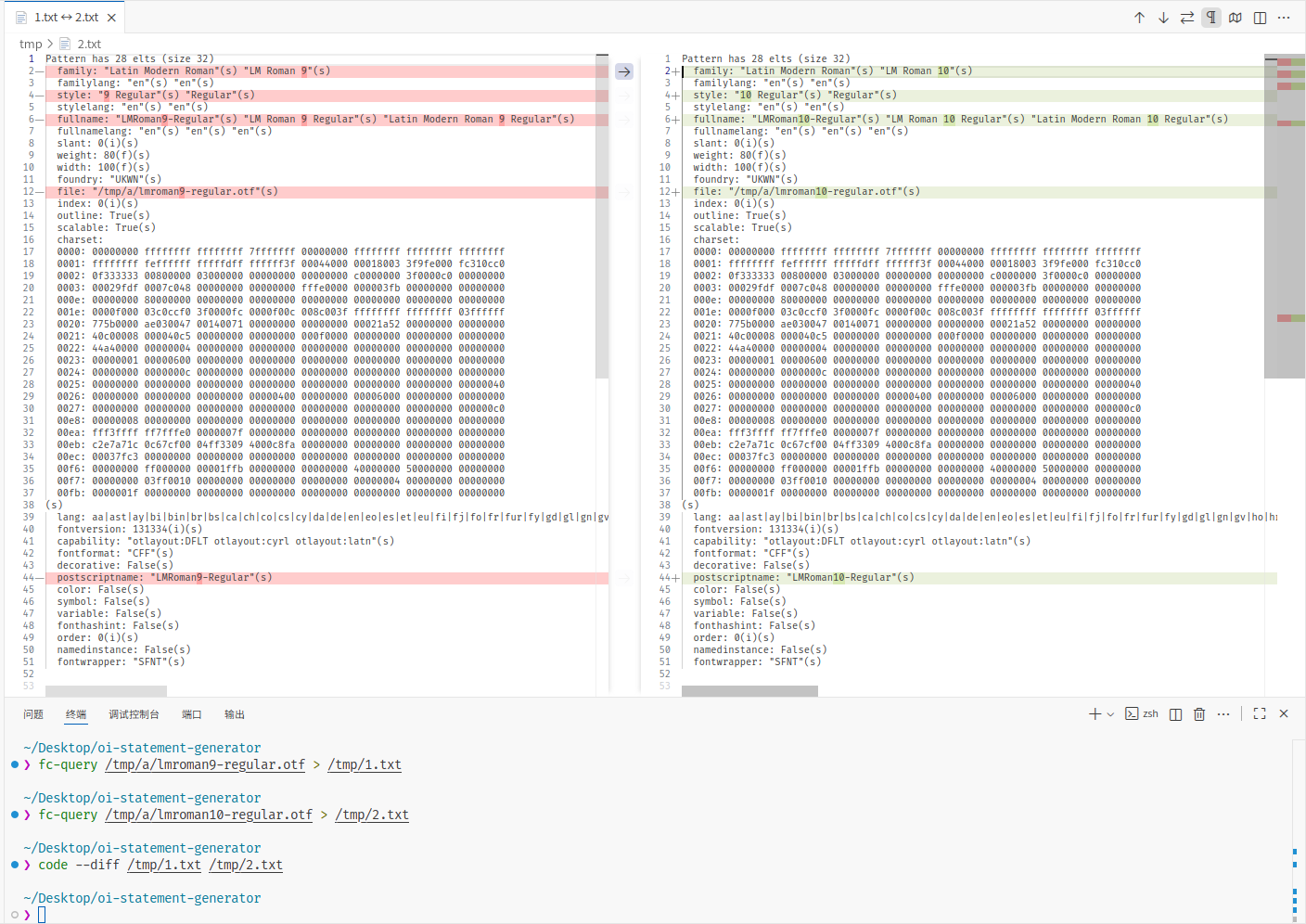
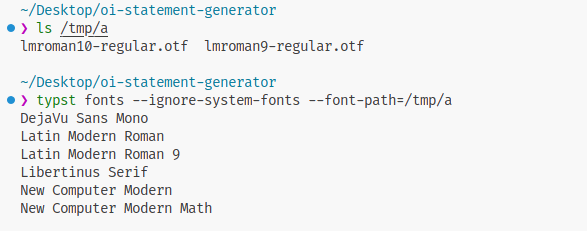
The number is not the version number, but the text size which the font is designed for. Latin Modern Roman 9 is supposed to be used for text with a size of 9 pt, while Latin Modern Roman 10 is designed to look best at 10 pt. If you look at the file list at CTAN, many fonts are provided at standard text sizes (8 pt to 12 pt) and sometimes a larger size to be used for headings (17 pt).

There is an open feature request for automatically selecting the best matching font (i.e. with the closest optical size) based on the currently set text size here.

2 Likes

I’m currently writing in 10 pt but I can’t seem to select the 10pt font
I can use the 9 pt font instead, but that makes me a little upset

The 10 pt font is just “Latin Modern Roman” (without a number) which you should be able to select as it was detected by the typst fonts command.

That’s right. Thank you