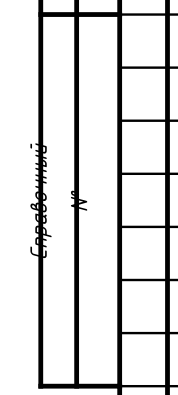
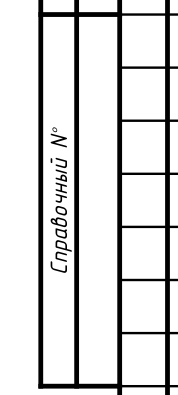
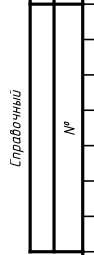
Hi, Dmitry. I gotta say, you are overcomplicating your table, and with complex tables like the one in the GOST template for drawings it can quickly become a mess. So reducing repetitions or using shorter syntax can make it more readable and maintainable.
For example, you can shorten it like this:
#import table: cell
#set rotate(reflow: true)
#table(
  // cell(rowspan: 7, stroke: 2pt, text(10pt, rotate(-90deg)[Справочный №])),
  // cell(rowspan: 7, stroke: 2pt, text(10pt, rotate(-90deg)[])),
  cell(rowspan: 7, stroke: 2pt, text(10pt, rotate(-90deg)[Справочный #sym.numero])),
  cell(rowspan: 7, stroke: 2pt)[],
)
There is sym.numero for №.
Additionally, if you want to adhere to GOST, then the font size is actually different, if you want to have correct physical size. I use GitHub - MishkinIN/Font_GOST_2.304: Шрифты ГОСТ 2.304, and for it I have this handy thingy:
/// GOST 2.304-81 for font type A defines next sizes:
/// 2.5 mm, 3.5 mm, 5 mm, 7 mm, 10 mm, 14 mm, 20 mm.
///
/// The used font shows values for size one lower than it should, so we use a
/// mapping to work around that.
#let fix-font-size(font-size) = {
  let size-dict = (
    repr(2.5): 3.58mm,
    repr(3.5): 5mm,
    repr(5.0): 7.15mm,
    repr(7.0): 10mm,
    repr(10.0): 14.29mm,
    repr(14.0): 20mm,
    repr(20.0): 28.58mm,
  )
  assert(type(font-size) == length, message: "font-size must be of length type")
  let value = size-dict.at(repr(font-size.mm()), default: none)
  if value == none {
    panic("Invalid font size " + repr(font-size.mm()) + " mm.")
  }
  value
}
So you can do stuff like:
set text(fix-font-size(2.5mm))
And in printing settings, I always remove any margins and print “raw”, which makes the sizes actually accurate. Though might still depend on the printer in use.