Calepin: Computational Notebooks in Typst

Hi everyone!

I just published Calepin, a new app for computational notebooks and literate programming in Typst.

I would absolutely love it if you could take a look and share thoughts and bug reports.

https://vincentarelbundock.github.io/calepin/

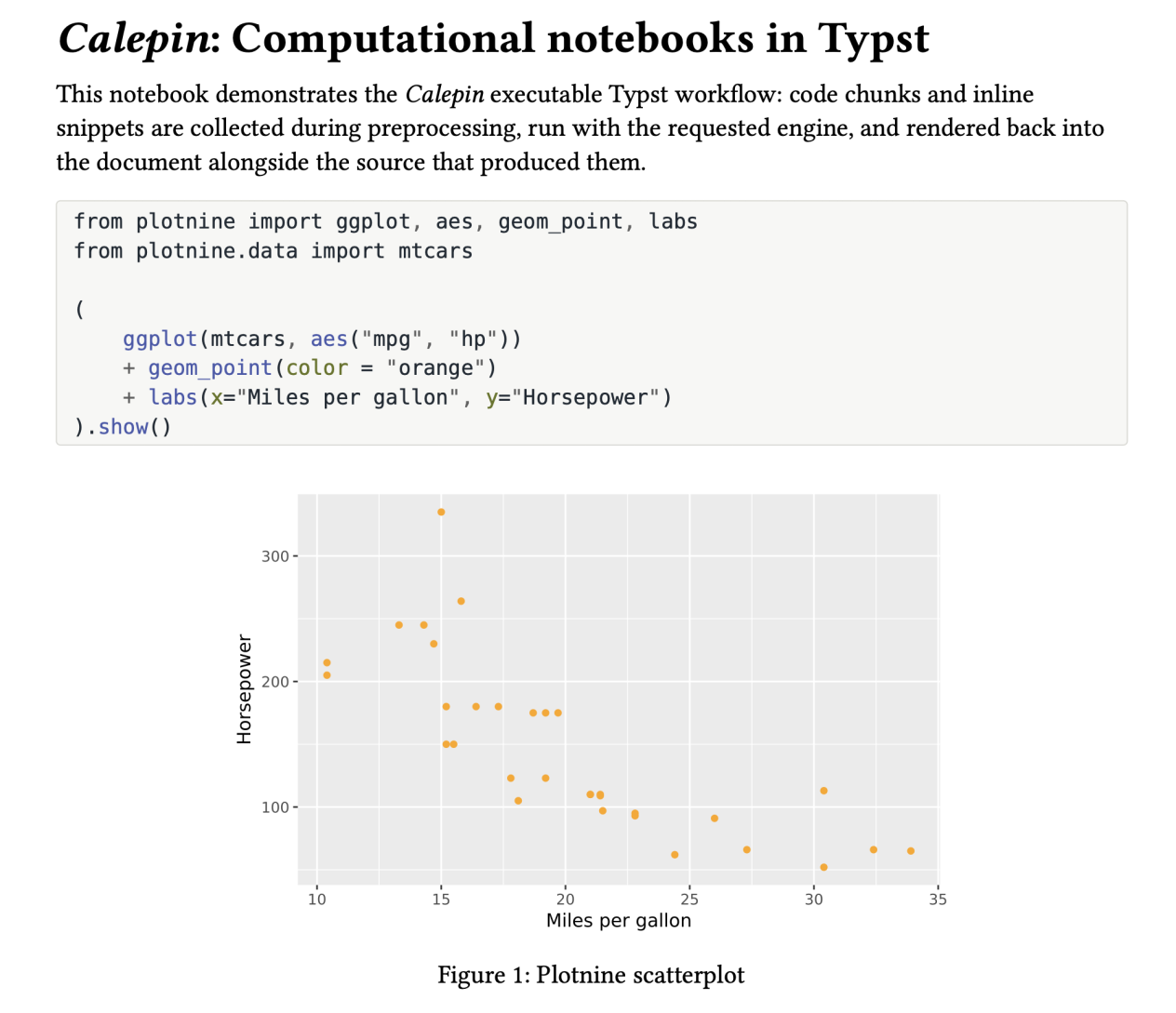
Calepin scans the .typ file for code to execute: raw blocks or inline code. It runs each chunk through language-appropriate engines, and injects the evaluated output back at its original call site during compile time.

Calepin now supports Python, R, Julia, Bash, Mermaid, Dot, TikZ, and D2 chunks.

It also comes with IDE extensions for VS Code and for the VSX marketplace (Cursor, Positron, etc.).

Since notebooks are just plain .typ files, they look very familiar:

#import ".calepin/calepin.typ"
#let py = calepin.inline.with("python")
#calepin.setup(eval: true, echo: true)

A raw python code block gets executed and rendered:

```python
x = 41
print(x + 1)
```

And some inline computation too: #py[`print(40 + 2)`].

Please let me know what you think!

Vincent
7 Likes

Calepin looks really cool!

One thing I didn’t see mention of is the scope of the blocks (chunks?). Is there a way to split a larger procedure into a few code blocks with text between and have variables continue between the blocks?

IE:

First we define a variable:
```python
x = 0
```
Next we print it:
```python
print(x)
```

Yes, absolutely!

All the python code in a single notebook is evaluated using a single persistent session. So variables and other side effects carry over from one chunk to the next.

3 Likes

Hi Vincent,

First of all, congratulations on launching Calepin! It’s a wonderful initiative. Having a reactive, web-based computational notebook for Typst is a fantastic addition to the ecosystem.

As a user of literate programming tools, I am trying to see how Calepin could fit into my workflow.

Recently, Knitr introduced native support for Typst via the ⁠.Rtyp⁠ format (see Yihui Xie’s post: Preliminary Support for Typst in knitr - Yihui Xie | č°¢ē›Šč¾‰). It allows users to embed and execute code chunks directly inside native Typst files. On the other hand, frameworks like Quarto treat Typst more as an output target via Pandoc.

I’m curious about your perspective: what do you see as the main advantages of developing Calepin as a standalone notebook, compared to a file-based weaving approach like Knitr’s ⁠.Rtyp⁠?

Thanks again for your hard work, I’m looking forward to seeing how Calepin evolves!

Best regards,
David

1 Like

Thanks for the interest and the question @David_Hajage!

Both knitr and Quarto are excellent tools. I’ve been a fan of Yihui Xie since forever, and the Quarto team is great!

Compared with knitr, Calepin is language-agnostic rather than an R-centered solution. It can run Python, R, and anything with a Jupyter kernel, plus diagram engines like Mermaid, Graphviz, TikZ, and D2. It also doesn’t require a different file format like .Rtyp, and doesn’t really need any special syntax. It’s all standard Typst raw code blocks, and idiomatic function calls.

For me, the main differentiator of Calepin relative to Quarto is Typst-native. It does not try to hide Typst behind a layer of Markdown (other other syntax). Instead, it lets you work directly in standard .typ files, using ordinary Typst functions and idioms, with executable code chunks embedded in the document.

I’ll concede that the appeal is partly aesthetic and practical: Quarto converts its extended Markdown idiom to Typst before compiling to PDF. That’s one ā€œtranslationā€ layer we don’t need in Calepin, since we work in pure Typst. Of course, in Quarto you can also pass raw Typst inside ā€œfencesā€, but then you are mixing Markdown and Typst syntaxes, which feels inconsistent, somewhat impractical, and a bit inelegant. Personally, I just want to work directly in the language I like (Typst!), with its full power, elegance, and flexibility.

Overall, I think that all those tools are great, but I do think that Calepin fills a bit of a distinctive niche. Hopefully it can be useful to some here!

2 Likes