Hello,
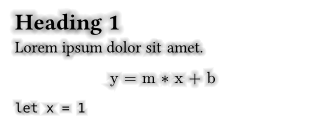
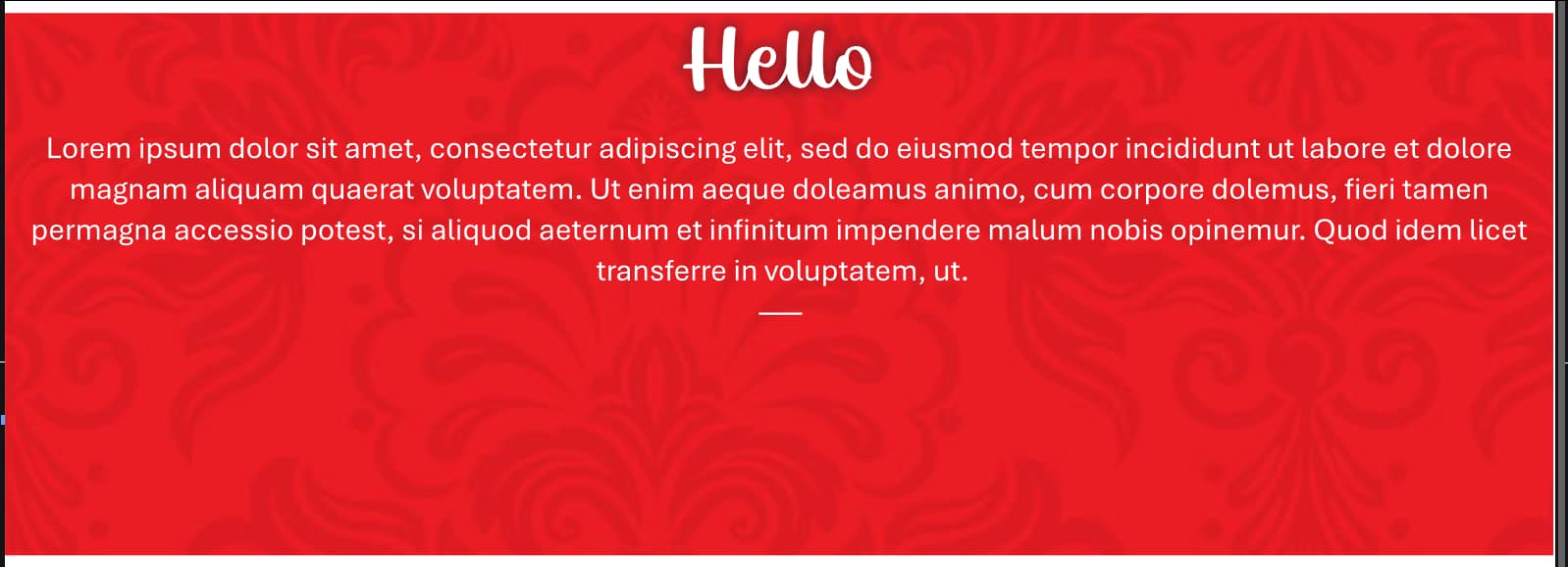
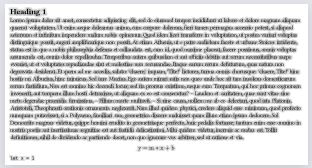
I’m trying to recreate this effect in Typst. As you can see, there’s a “glow” around this. Maybe this is officially called differently, but I couldn’t find it. I’ve searched for glow, emboss, blur, gradient etc.

I’ve then also started attempts to create it myself, but it seems to me that this is currently not possible at all with Typst? I mean, stroke seems to be the thing to use, but there’s no “outward” mode for gradients that I could find. Yes, radial, but that’s from a single focus point, which text is not. I then also considered to create a “ghost” character at the background, but that so didn’t succeed and failed hard, that I didn’t even attempt to continue with it.
What I noticed is that whet you use stroke + gradient, it seems to apply over the “entire” text, and I haven’t been able to properly place it. It looks like across the entire container, not on a per letter basis.
Here are some examples of what I’ve tried
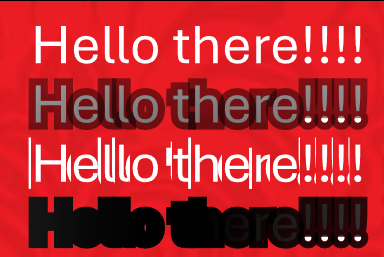
#text(size: 20pt, stroke: 5pt + gradient.radial(white, black, black.transparentize(100%), radius: 50%, relative: "self"))[Hello there!!!!] \
#text(size: 20pt, stroke: 5pt + gradient.radial(white, black, black.transparentize(100%), radius: 50%, relative: "parent"))[Hello there!!!!] \
#text(size: 20pt, stroke: 5pt + gradient.linear(white, black, black.transparentize(100%), relative: "self"))[Hello there!!!!] \
#text(size: 20pt, stroke: 5pt + gradient.linear(white, black, black.transparentize(100%), relative: "parent"))[Hello there!!!!] \
Am I really overlooking the obvious here on a Sunday? 
Edit: Note that the behavior is wildly different when you don’t include the break (\) at the end. What I shared is just a title/header, but in the ideal world I can also apply a smaller glow on the regular text.
#text(size: 20pt, stroke: 5pt + gradient.radial(white, black, black.transparentize(100%), radius: 50%, relative: "self"))[Hello there!!!!]
#text(size: 20pt, stroke: 5pt + gradient.radial(white, black, black.transparentize(100%), radius: 50%, relative: "parent"))[Hello there!!!!]
#text(size: 20pt, stroke: 5pt + gradient.linear(white, black, black.transparentize(100%), relative: "self"))[Hello there!!!!]
#text(size: 20pt, stroke: 5pt + gradient.linear(white, black, black.transparentize(100%), relative: "parent"))[Hello there!!!!]