I’m currently using this code:
show heading.where(label: <annex-1>): set heading(numbering: none)
However, I’d like to extend to ^annex-.*, i.e., to any label that begins with ‘annex-’. Is there any way that I can do that?
I’m currently using this code:
show heading.where(label: <annex-1>): set heading(numbering: none)
However, I’d like to extend to ^annex-.*, i.e., to any label that begins with ‘annex-’. Is there any way that I can do that?
It’s possible, but I recommend using another set rule to achieve that.
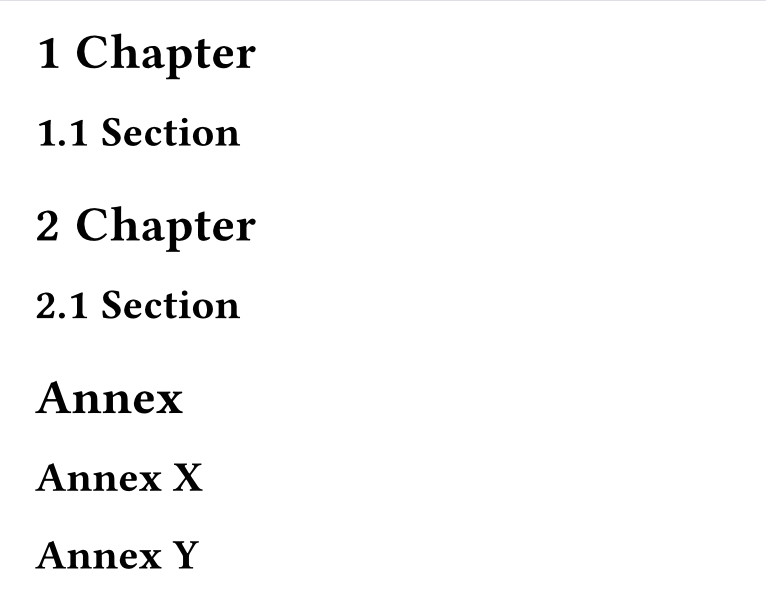
#set heading(numbering: "1.1")
= Chapter
== Section
= Chapter
== Section

#set heading(numbering: none)
= Annex
== Annex X
== Annex Y
#set heading(numbering: "1.1")
#show heading: it => {
  if (
    it.has("label") and str(it.label).match(regex("^annex-.*")) != none
  ) {
    let (numbering, label, body, ..args) = it.fields()

    // Revert non-idempotent show rules.
    // https://github.com/typst/typst/blob/22a57fcf5c52cc0e961368a6d6fb7e9a82312b48/crates/typst-library/src/model/heading.rs#L309
    set text(size: 1em / 1.4) if it.depth == 1
    set text(size: 1em / 1.2) if it.depth == 2

    // Revert the counter
    counter(heading).update((..nums, last) => (..nums.pos(), last - 1))

    heading(numbering: none, ..args, body)
  } else {
    it
  }
}


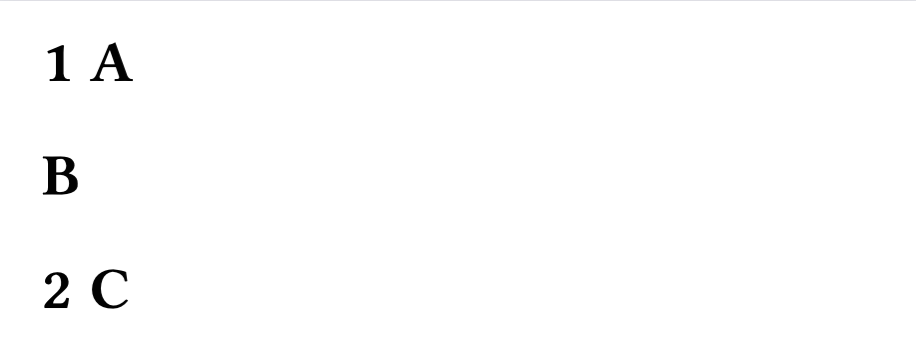
= A
= B <annex-3>
= C <whatever>
You can use query to find all relevant labels and apply the new setting by label. (I still concur with the advice to avoid this and keep it simple if possible, though.)
#set heading(numbering: "1.1")
#show: doc => context {
  // Find all annex labels on headings
  let annex-labels = query(heading)
    .map(elt => elt.at("label", default: none))
    .filter(lab => lab != none and str(lab).match(regex("^annex-.*")) != none)
  // use a placeholder to make sure the list is never empty
  show selector.or(<annex-placeholder>, ..annex-labels): set heading(numbering: none)
  doc
}

= A
= B <annex-3>
= C <whatever>
This could all be simplified to just show <nonumber>: set heading(numbering: none) though! Because without further action, you can’t reference non-numbered headings anyway, and then you can use the same duplicated label name on every annex heading.
Thanks to both of you! The reason I need to use something like regex is because this code is going in a template, which I use with Quarto (as a “template partial”), and has to be applicable to a range of reports.
I am not the one generating the Markdown, and I want to add as little to the Markdown as possible. (I’m not the one generating the .qmd files. It’s hard enough to get the copy editor to produce Markdown with Pandoc @citations, but it’d be impossible to get them to add Typst code in it as well.)
I should hasten to add that the labels under each heading are auto-generated by Pandoc/Quarto when it creates the intermediate .typ file.
Well, then this might be more sane.
#show: body => context if query(<annex>) == () {
  // This branch makes the document valid befor the counter is resolved.
  body
} else {
  let (annex-chapter,) = counter(heading).at(<annex>)

  set heading(numbering: (chapter, ..nums) => {
    if chapter < annex-chapter or nums.pos().len() == 0 {
      numbering("1.1", chapter, ..nums)
    } else {
      // Remove the space between the number and body
      h(-0.3em)
    }
  })
  body
}

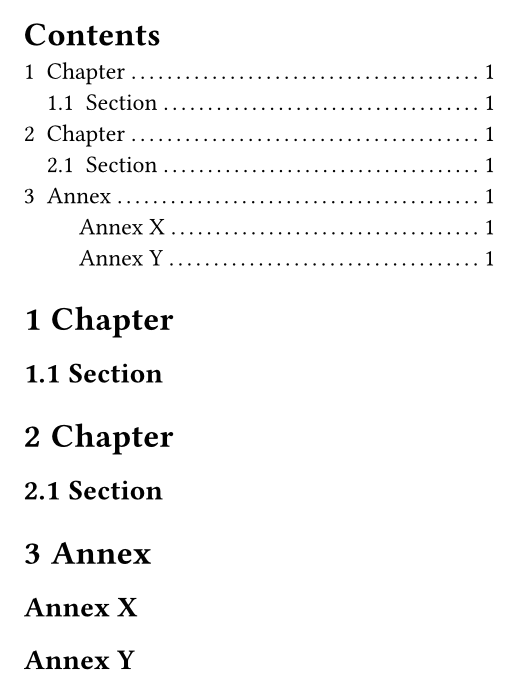
#outline()

= Chapter
== Section
= Chapter
== Section

= Annex <annex>
== Annex X
== Annex Y
Thanks, but that last one won’t work because the organization’s style guide requires that “Annexure” (if that section exists) be numbered, and the level 2 sub-headings (Annex 1 / Annex 1: Name / Annex 2. / etc.), if they exist, be unnumbered (but present in the ToC).
I’ve added or nums.pos().len() == 0 to my previous post. How about now?
Please, wrap Typst syntax in backticks instead of pinging users on the forum.
That’s works! Thank you so much! At first it wasn’t working because I had this code below where I’d pasted your code:
  // Provide section numbering for H1/H2/H3 headings.
  // Exclude Table of Contents, List of {Figures|Tables}, References, etc.
  show heading.where(depth: 1, outlined: true)
   .or(heading.where(depth: 2, outlined: true))
   .or(heading.where(depth: 3, outlined: true)): set heading(numbering: sectionnumbering)
After moving it to be above your code, your code now works. 
@sol, please stop ignoring guidelines. Spend 5 extra seconds to correctly format code snippets, so that they look more readable and don’t case bad side effects.
Hi. I don’t know what I’m doing wrong, so it would help if you pointed it out exactly.
That guide says:
I did exactly that both times I posted code. If I’m doing something wrong, please let me know.
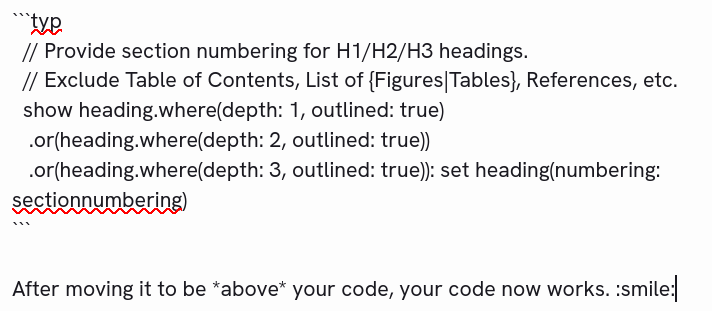
Here’s what I see:
If there’s a mistake, please let me know. I am not trying to ignore the guidelines.
The reason syntax highlighting is not behaving as you expect is because you are specifying typ as the language and the code in the block is typst, but it is “Code Mode”, not the default “Markup Mode”. Here is the relevant reference page.
To solve directly your problem, swap ```typ with ```typc:
// Provide section numbering for H1/H2/H3 headings.
  // Exclude Table of Contents, List of {Figures|Tables}, References, etc.
  show heading.where(depth: 1, outlined: true)
   .or(heading.where(depth: 2, outlined: true))
   .or(heading.where(depth: 3, outlined: true)): set heading(numbering: sectionnumbering)
This is pointed out here: How to post in the Questions category
If you need to highlight a code or math mode snippet instead, the language tags
typcandtypmdo that, respectively.
In my opinion, this could be improved since for beginners the distinction between Markup, Code, and Math modes is not obvious.
In How can I match labels or strings within `where()` using regex? - #8 by Andrew I did exactly that. I referenced the typc part, which is now further explained in How can I match labels or strings within `where()` using regex? - #12 by gezepi.
In the same first post (of mine), I mentioned backticks for inline code. In How can I match labels or strings within `where()` using regex? - #4 by sol you are still referencing a non-existent user “citations”.
These things weren’t addressed in any way after How can I match labels or strings within `where()` using regex? - #9 by sol was posted, hence why I wrote the second post.