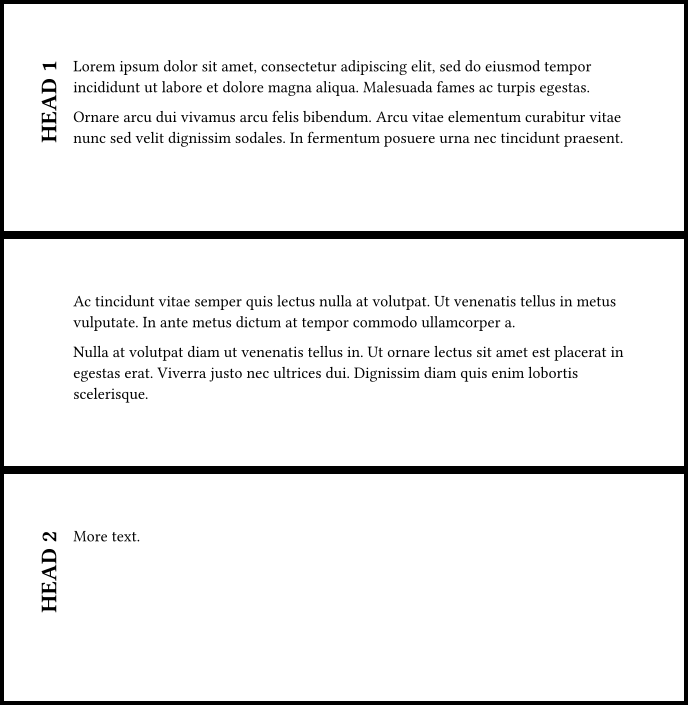
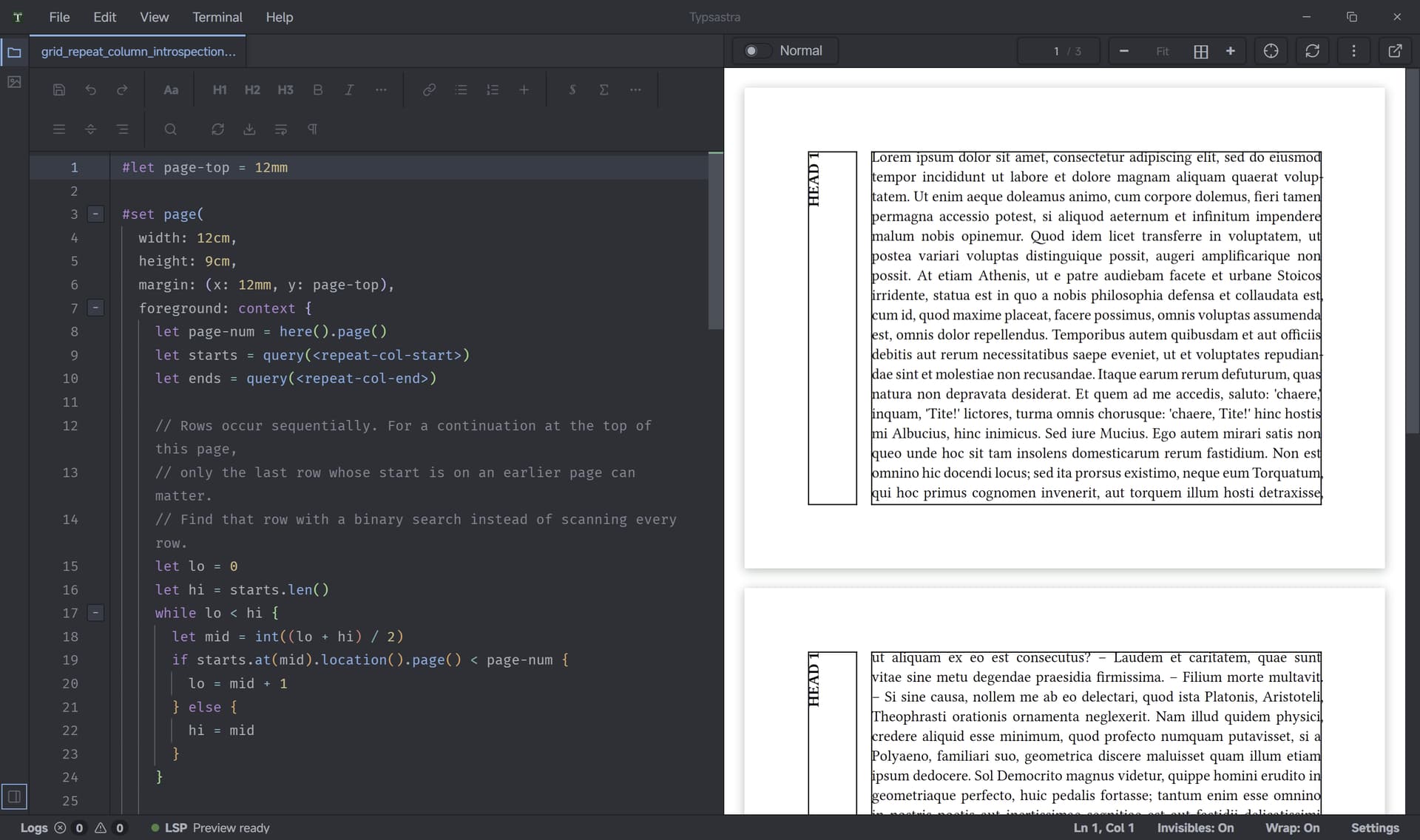
I tried a workaround for this using layout introspection.
The basic idea is to let the grid paginate normally, mark the beginning and end of each logical row with invisible metadata, then use those physical page positions on the next layout iteration to repeat the first-column content on continuation pages.
Something like this:
#let page-top = 12mm

#set page(
  width: 12cm,
  height: 9cm,
  margin: (x: 12mm, y: page-top),

  foreground: context {
    let page-num = here().page()
    let starts = query(<repeat-col-start>)
    let ends = query(<repeat-col-end>)

    // Grid rows are sequential, so the only row that can
    // continue onto this page is the most recent one that
    // started on an earlier page.
    let lo = 0
    let hi = starts.len()

    while lo < hi {
      let mid = int((lo + hi) / 2)

      if starts.at(mid).location().page() < page-num {
        lo = mid + 1
      } else {
        hi = mid
      }
    }

    let idx = lo - 1

    if idx >= 0 and idx < ends.len() {
      let start = starts.at(idx)
      let end = ends.at(idx)

      if start.value.id == end.value.id {
        let start-pos = start.location().position()
        let end-pos = end.location().position()

        if (
          page-num > start-pos.page
          and page-num <= end-pos.page
        ) {
          place(
            top + left,
            dx: start-pos.x,
            dy: page-top,
            start.value.content,
          )
        }
      }
    }
  },
)

#set text(size: 8pt)

#let heading-cell(id, body) = [
  #metadata(
    (
      id: id,
      content: rotate(
        -90deg,
        reflow: true,
        text(weight: "bold", upper(body)),
      ),
    )
  )<repeat-col-start>

  #rotate(
    -90deg,
    reflow: true,
    text(weight: "bold", upper(body)),
  )
]

#let body-cell(id, body) = [
  #body
  #metadata((id: id))<repeat-col-end>
]

#grid(
  columns: (9mm, 1fr),
  rows: auto,
  gutter: 8pt,

  heading-cell(1, [Head 1]),
  body-cell(1, lorem(460)),

  heading-cell(2, [Head 2]),
  body-cell(2, lorem(85)),
)
The first-column cell itself still only exists once logically. The repeated copies on later pages are just overlays placed in the page foreground.
So if HEAD 1 starts on page 1 and its corresponding second-column cell ends on page 3, the result is roughly:
page 1: HEAD 1 + text
page 2: repeated HEAD 1 + continued text
page 3: repeated HEAD 1 + remaining text
I also did a few scaling tests because I was curious whether this kind of introspection would become expensive in a long document.
After optimizing the lookup so that each page only finds the one row that could be continuing, rather than scanning every row, the overhead was quite small in my synthetic tests:
25 rows   / 42 pages:
normal grid:     ~1.19 s
with workaround: ~1.26 s

200 rows / 334 pages:
normal grid:     ~3.27 s
with workaround: ~3.28 s

400 rows / 667 pages:
normal grid:     ~5.38 s
with workaround: ~5.72 s
So this seems reasonably scalable, at least for this simple sequential-grid case.
One important caveat: this is only a visual workaround. Typst still does not actually repeat the first cell as part of the fragmented grid row. The copy is placed afterwards based on introspected page positions. But for PDF output it seems to work quite well.