Meander advanced question resulting in a misunderstanding bug

I have a problem. I want to use Meander to produce advanced-layout RPG guidebooks.
To accomplish this, I use Meander to create a two-column layout where I can dynamically include images, tables, and other content.

So I created my own function.
It replicates a two-column layout across multiple pages and places content such as images or other elements on specified pages

#import "@preview/meander:0.4.2"
#let column(n-pages, last-page-height: 50%, placement: (), content) = {
  meander.reflow({
      // meander.opt.overflow.alert()
       meander.opt.debug.post-thread()

    for page in range(n-pages) {
      for p in placement {
        if p.page == page {
          p.obj
        }
      }
      if page != (n-pages - 1) {
        meander.container(
          width: 50% - 3mm,
          margin: 6mm,
          //style: (text-fill: teal)
        )
        meander.container(
          //style: (text-fill: purple)
        )
          meander.pagebreak()
          
      } else {
        meander.container(
          width: 50% - 3mm,
          margin: 6mm,
          height: last-page-height,
          //style: (text-fill: teal)
        )
        meander.container(
          height: last-page-height,
          //style: (text-fill: purple)
        )
      }
    }
    meander.content[
      #content
    ]
  })
}

On test page it worked perfectly, but when I put my true text inside, it appeared that in one random pages the generation stops and all the text is writee at the bottom of this random page.

An example of usage.

#column(
  3,
  last-page-height: 61%,
  placement: (
    (
      page: 1,
      obj: meander.placed(
        top + right,
        boundary: meander.contour.margin(5mm),
        box(width: 50% - 2.5mm, fill: purple)[
          #lorem(100)
        ],
      ),
    ),
    (
      page: 1,
      obj: meander.placed(
        bottom + left,
        boundary: meander.contour.margin(5mm),
        box(width: 50% - 2.5mm, fill: green)[
          #lorem(100)
        ],
      ),
    ),
    (
      page: 2,
      obj: meander.placed(
        top + right,
        boundary: meander.contour.margin(5mm),
        box(width: 50% - 2.5mm, fill: blue)[
          #lorem(100)
        ],
      ),
    ),
  ),
)[
  #for i in range(9) {
    heading(level: 1)[titre 1]
    lorem(40)
    heading(level: 2)[titre 2]
    lorem(50)
    heading(level: 3)[titre 3]
    lorem(20)
  }
]
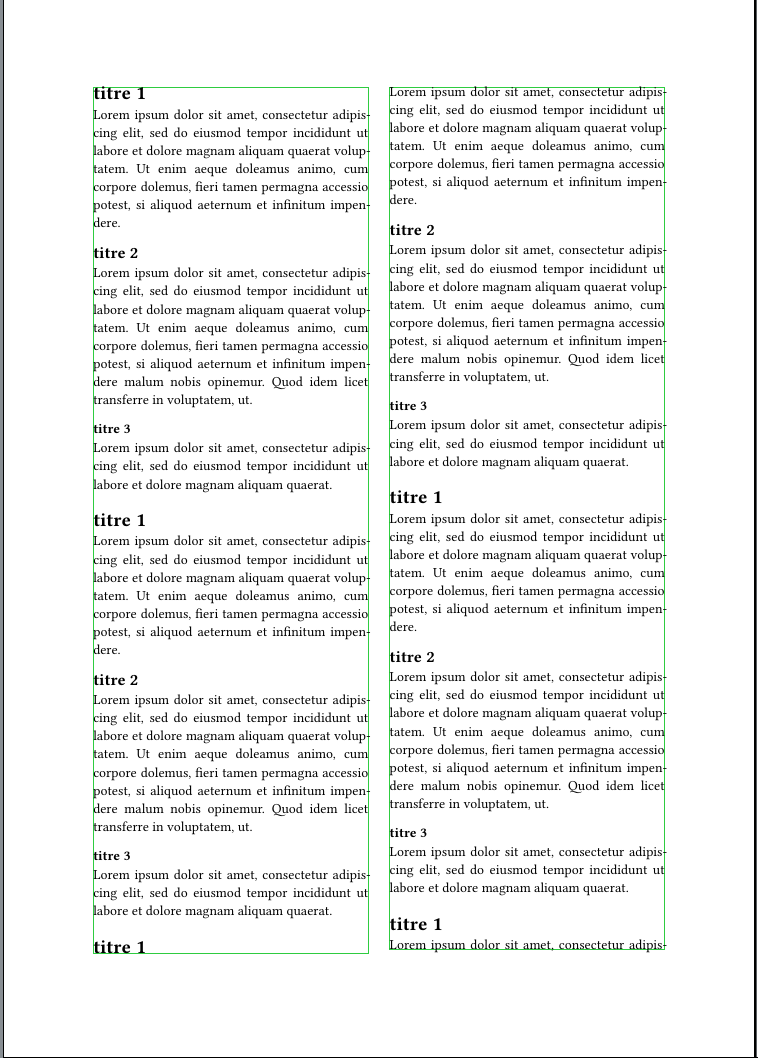
There’s an example of the bug.
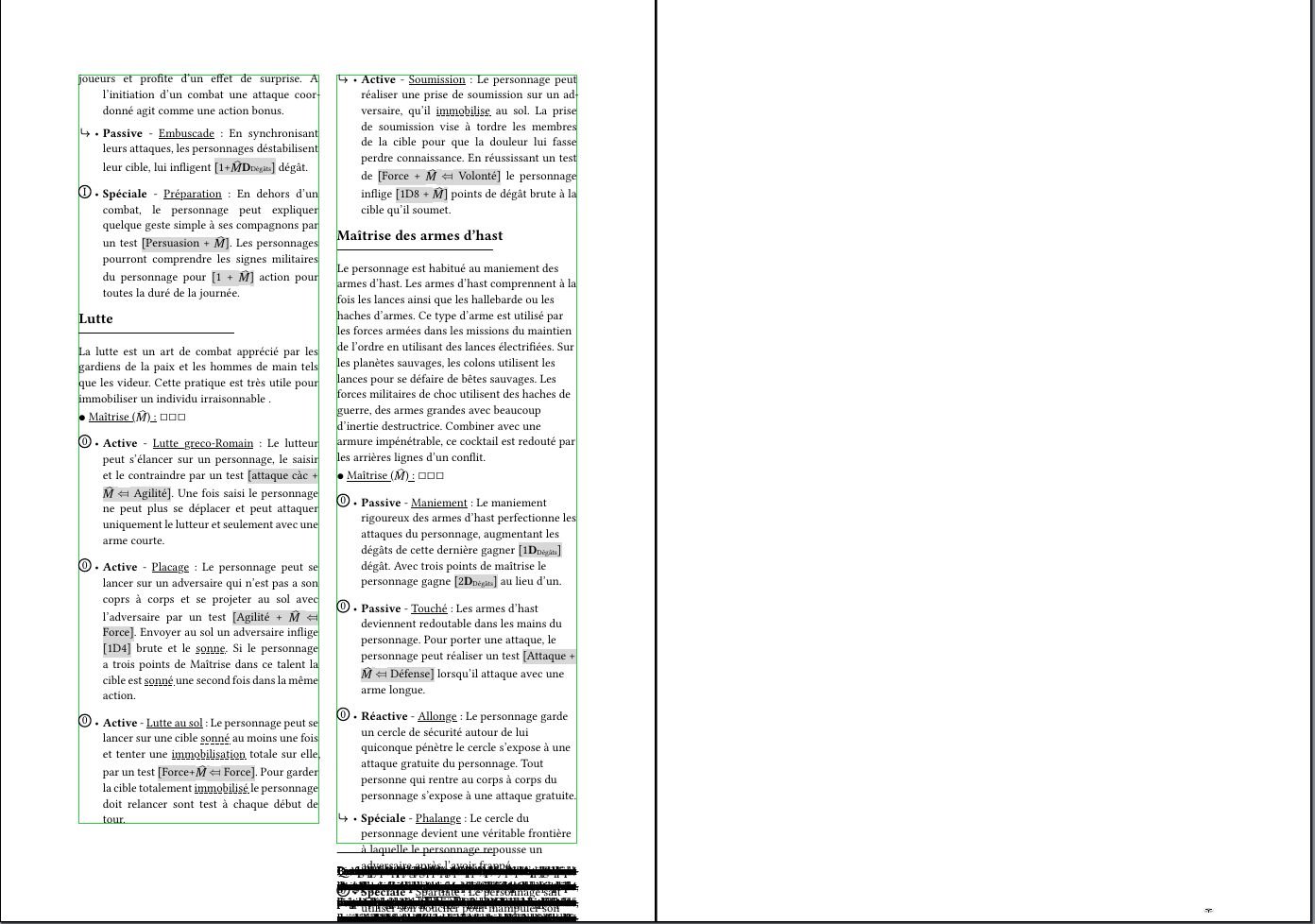
I do not understand why the issue happened at this page and why sometimes the problem does not happen and sometime it happen.
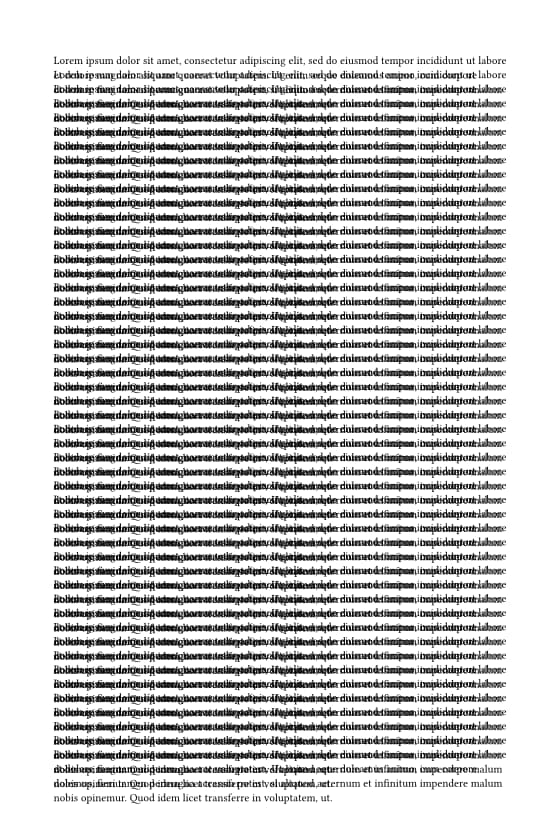
Hello, would it be possible for you to share some code snippets that replicate the bugged behavior? As far as I can tell, the shared example behaved as expected (?). I was not able to recreate the bug, and as such it is quite difficult to guess where the issue might be.

Also, are you sure the issue is with meander? The bug looks like it could be due to an overflowing grid/table, or something similar. For example, paste this code into a blank project:

#grid(
  rows: (1fr),
  ..range(50).map(it => lorem(50))
)

I prefer not to share the full code snippet because it’s important to me, but I investigated the issue and I think I found both the cause and a possible workaround.

My clue is that the issue happens when the box height becomes slightly larger than the page height. In that situation, the problem appears consistently.

I identified this by setting the container height to more than 100% :

#import "@preview/meander:0.4.2"
#let column(n-pages, last-page-height: 50%, placement: (), content) = {
  meander.reflow({
      // meander.opt.overflow.alert()
       meander.opt.debug.post-thread()

    for page in range(n-pages) {
      for p in placement {
        if p.page == page {
          p.obj
        }
      }
      if page != (n-pages - 1) {
        meander.container(
          width: 50% - 3mm,
          // here 
           height: 101%,
          margin: 6mm,
          //style: (text-fill: teal)
        )
        meander.container(
        // and here
          height: 101%,
          //style: (text-fill: purple)
        )
          meander.pagebreak()
          
      } else {
        meander.container(
          width: 50% - 3mm,
          margin: 6mm,
          height: last-page-height,
          //style: (text-fill: teal)
        )
        meander.container(
          height: last-page-height,
          //style: (text-fill: purple)
        )
      }
    }
    meander.content[
      #content
    ]
  })
}

My guess is that, for some reason, the computed height becomes slightly greater than 100% .

If the height is set exactly to 100% , the issue can still happen, possibly because of floating-point approximation. However, if I reduce it slightly (for example 99.99% ), the problem disappears.

I’ll try to create a minimal reproducible example for this issue.

i reproduce the issue here

https://typst.app/project/rHuRjFIyVrVbKkywVOZ30S

Use appropriate language in the info string, not Rust (rs) for Typst. See How to post in the Questions category.

Thanks for a reproduction URL. This indeed seems like a bug to me, I’ve opened a bug report on your behalf with some of my thoughts for the likely causes: [Bug] Content gets stuck at the end of a page · Issue #31 · Vanille-N/meander.typ · GitHub

Unfortunately, I don’t have a temporary workaround beyond copying the files locally and implementing one of the fixes I mention in the bug report.

1 Like

Hi again, meander 0.4.3 was just merged into the universe. The new version addresses the issue you were having, so resolving it should be fixed by simply changing the version you import (meander:0.4.2meander:0.4.3)