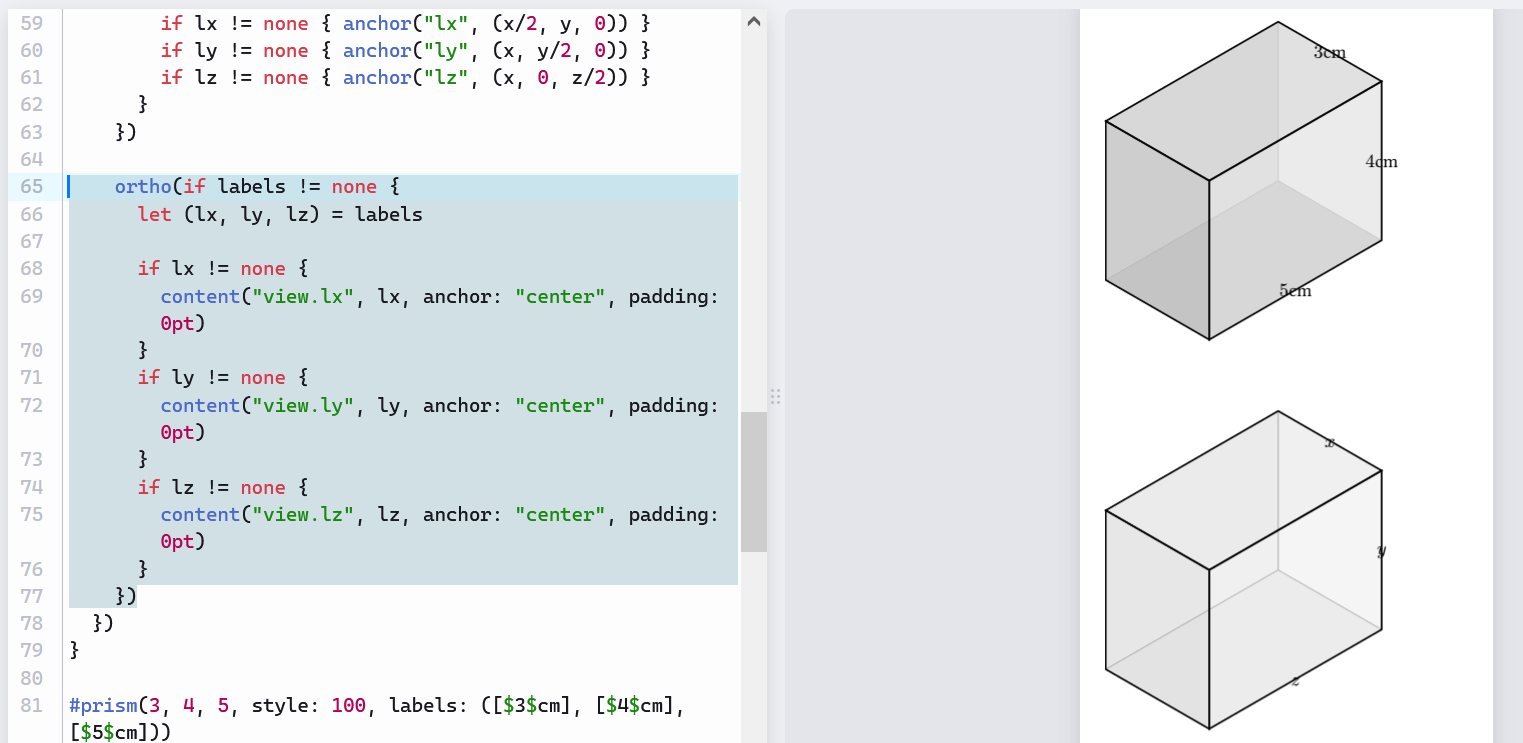
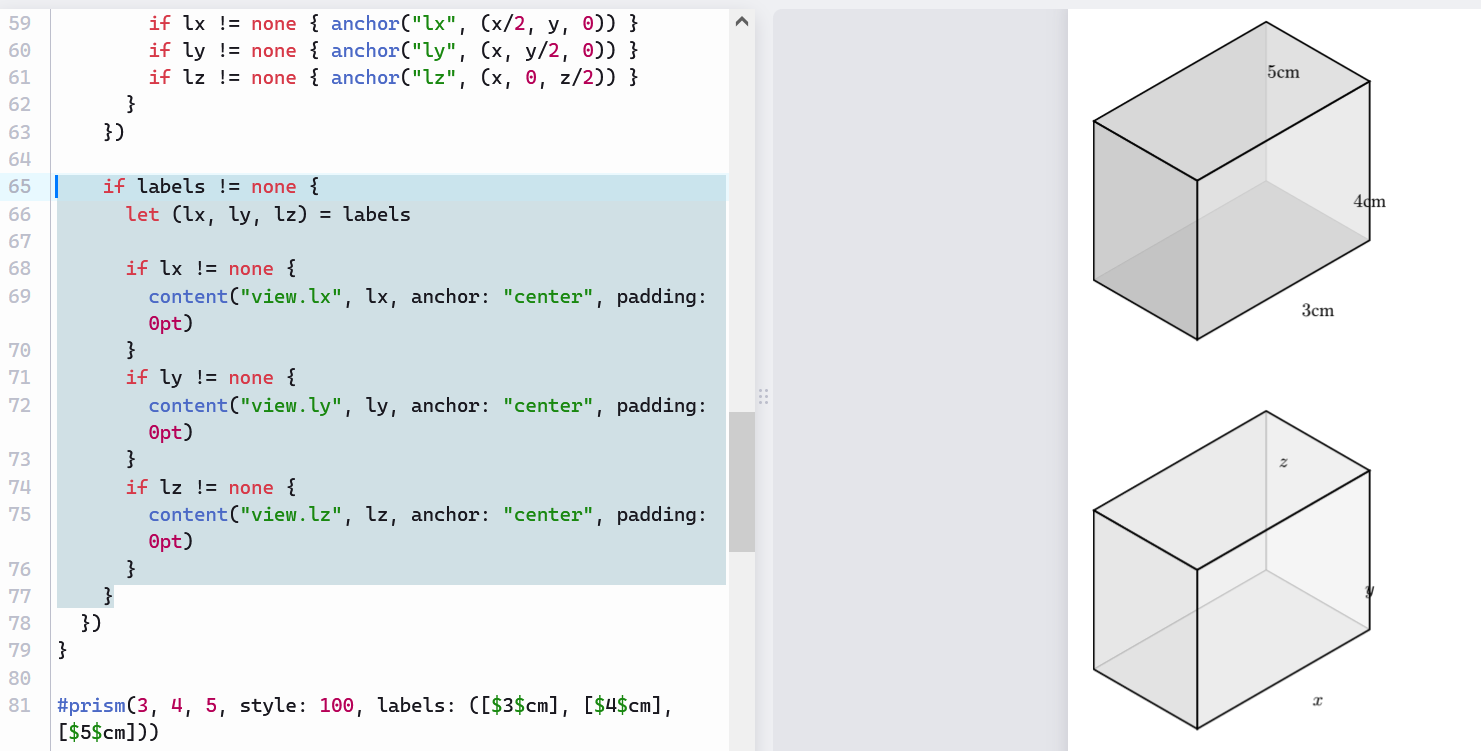
Hi all. I am a complete noob, so apologies for my ignorance in advance.
Regarding the code I’m trying to write, I can’t wrap my head around:
- Why the labels for z and x don’t match up with the lengths for z and x
- Why the labels don’t appear exactly on their lines - they are padded or offset
#import "@preview/cetz:0.4.2"

#let prism(x, y, z, style: 35, labels: none) = {
  cetz.canvas({
    import cetz.draw: *

    let s-clamped = calc.max(30, calc.min(100, style))
    let t-width = (100 - s-clamped) / 70
    let w-hidden = 0.1pt + (0.4pt * t-width)

    let hidden-pen = w-hidden + gray
    let visible-pen = 1pt + black

    let (fill-rear-1, fill-rear-2, fill-rear-3) = (none, none, none)
    let (fill-front-4, fill-front-5, fill-front-6) = (none, none, none)

    if style > 25 {
      let t = (style - 25) / 75
      let t1 = 100% - (4% * t)
      let t2 = 100% - (8% * t)
      let t3 = 100% - (12% * t)

      let base = black
      fill-rear-1 = base.transparentize(t1)
      fill-rear-2 = base.transparentize(t2)
      fill-rear-3 = base.transparentize(t3)
      fill-front-4 = base.transparentize(t1)
      fill-front-5 = base.transparentize(t2)
      fill-front-6 = base.transparentize(t3)

    } else {
      fill-rear-1 = none; fill-rear-2 = none; fill-rear-3 = none

      if style < 25 {
        let opacity = (25 - style) / 25
        let transp = 100% * (1 - opacity)
        let base = white
        fill-front-4 = base.transparentize(transp)
        fill-front-5 = base.transparentize(transp)
        fill-front-6 = base.transparentize(transp)
      } else {
        fill-front-4 = none; fill-front-5 = none; fill-front-6 = none
      }
    }

    ortho(name: "view", {
      line((0,0,0), (x,0,0), (x,y,0), (0,y,0), close: true, fill: fill-rear-1, stroke: hidden-pen)
      line((0,0,0), (0,y,0), (0,y,z), (0,0,z), close: true, fill: fill-rear-2, stroke: hidden-pen)
      line((0,0,0), (x,0,0), (x,0,z), (0,0,z), close: true, fill: fill-rear-3, stroke: hidden-pen)

      line((x,0,0), (x,y,0), (x,y,z), (x,0,z), close: true, fill: fill-front-4, stroke: visible-pen)
      line((0,y,0), (x,y,0), (x,y,z), (0,y,z), close: true, fill: fill-front-5, stroke: visible-pen)
      line((0,0,z), (x,0,z), (x,y,z), (0,y,z), close: true, fill: fill-front-6, stroke: visible-pen)

      if labels != none {
        let (lx, ly, lz) = labels
        if lx != none { anchor("lx", (x/2, y, 0)) }
        if ly != none { anchor("ly", (x, y/2, 0)) }
        if lz != none { anchor("lz", (x, 0, z/2)) }
      }
    })

    if labels != none {
      let (lx, ly, lz) = labels

      if lx != none {
        content("view.lx", lx, anchor: "center", padding: 0pt)
      }
      if ly != none {
        content("view.ly", ly, anchor: "center", padding: 0pt)
      }
      if lz != none {
        content("view.lz", lz, anchor: "center", padding: 0pt)
      }
    }
  })
}

#prism(3, 4, 5, style: 100, labels: ([$3$cm], [$4$cm], [$5$cm]))
#v(1cm)
#prism(3, 4, 5, style: 60, labels: ([$x$], [$y$], [$z$]))
#v(1cm)
#prism(3, 4, 5)
#v(1cm)
#prism(3, 4, 5, style: 25)
#v(1cm)
#prism(3, 4, 5, style: 0, labels: ([$3$cm], none, [$5$cm]))