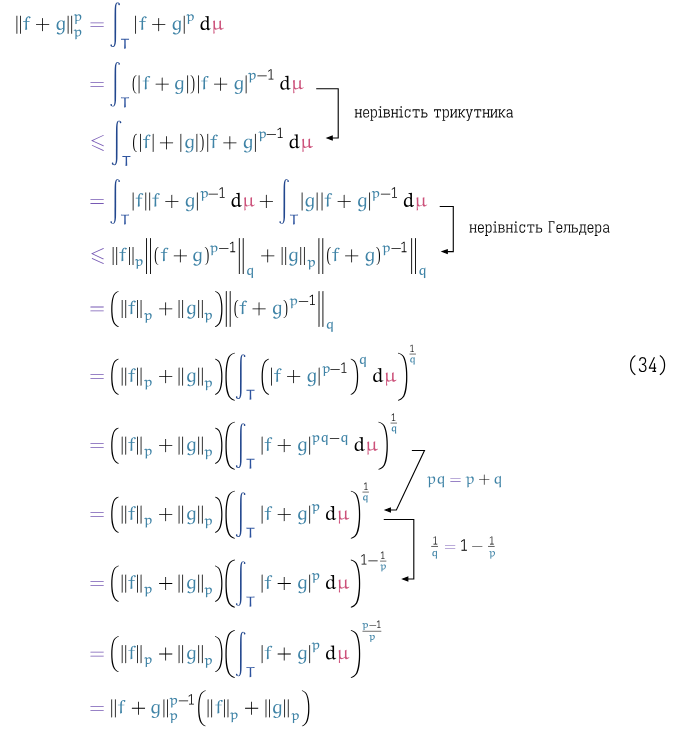
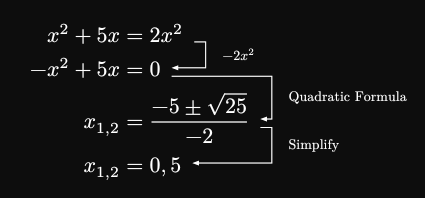
I tried to modify the @Andrew construction by using line instead of arc-through to make arrows “square” and going from first label to the second and focus only on two labels per function call:
#let logical_step(from, to, shift: 0.2, body) = {
  import "@preview/cetz:0.4.1"
  let elbow-arrow(beg, end, right, body) = {
    import cetz.draw: content, line, set-style

    let p1 = (rel: (0.2, 0), to: beg)
    let p2 = (rel: (right + 0.2 + shift, 0), to: beg)
    let p3 = (rel: (0.2 + shift, 0.15), to: end)
    let p4 = (rel: (0.2, 0.15), to: end)

    let mid = (rel: (0.1, 0), to: (p2, 50%, p3))
    set-style(mark: (end: ">", fill: black, scale: 0.4), stroke: 0.5pt)
    line(
      p1,
      p2,
      p3,
      p4,
    )
    content(mid, anchor: "west", pad(0.5em, body))
  }

  let mod-arrow(f, t, r, body) = elbow-arrow(f, t, r, text(
    size: 7pt,
  )[#set par(leading: 0.3em);#body])

  let arrow-coords(ctx, ..coords, shift: 0pt) = {
    let (_, ..coords) = cetz.coordinate.resolve(ctx, ..coords)
    let right-most = calc.max(..coords.map(v => v.first()))
    (coords, right-most)
  }

  return annot-cetz((from, to), cetz, cetz.draw.get-ctx(ctx => {
    let (beg, end) = arrow-coords(ctx, str(from), str(to)).at(0)
    let right = arrow-coords(ctx, str(from), str(to)).at(1)
    // let (beg, end) = arrow-coords(ctx, "f1", "f2")
    mod-arrow(beg, end, right)[#body]
  }))
}
which produce:
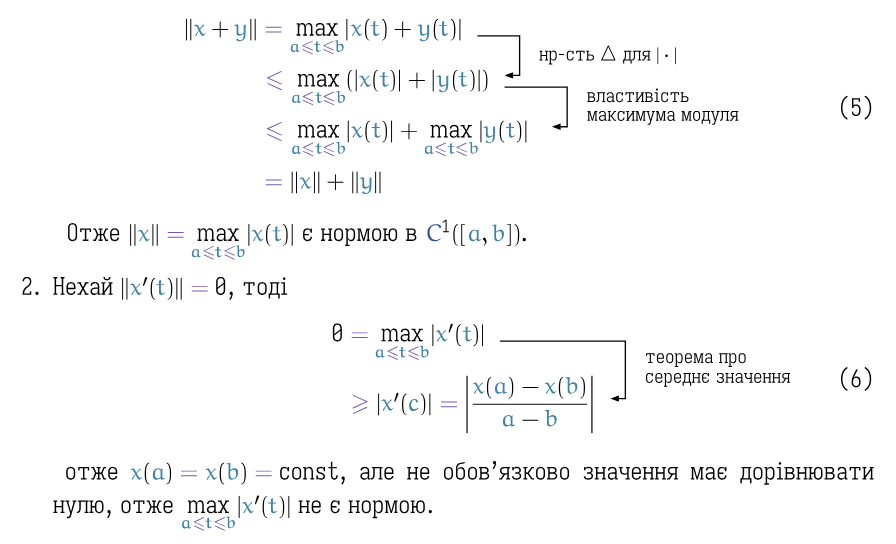
However, because I’m not so experience with
cetz I can’t figure out how to properly define the coordinates of auxiliary points. For example, the code above works “fine” when first line is shorter then the second one and breaks otherwise.