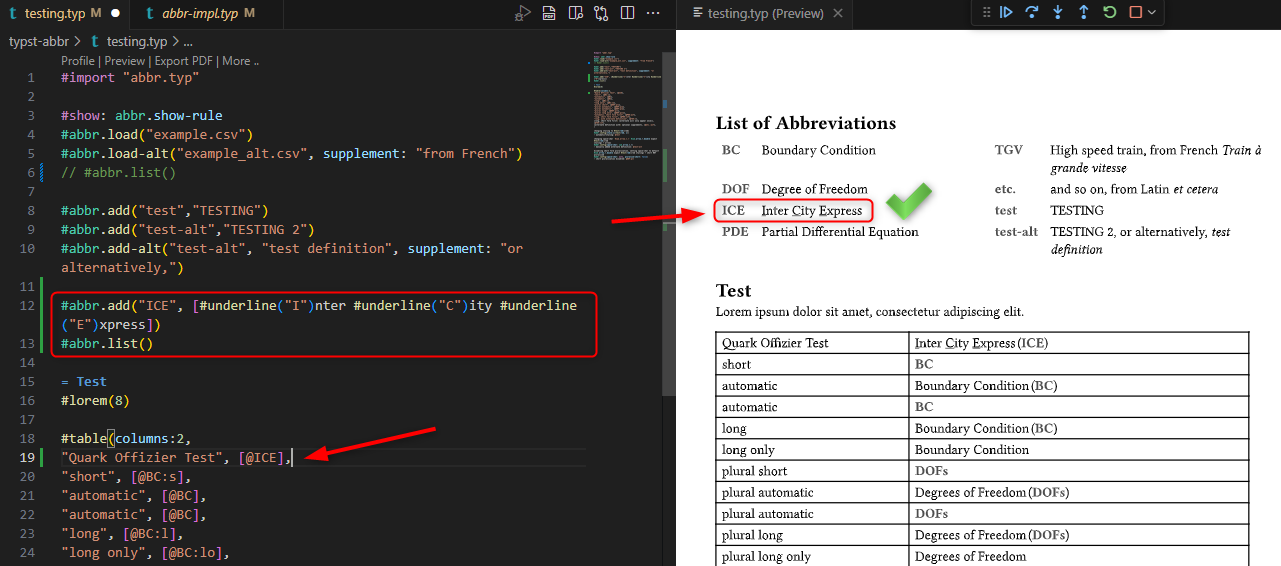
I am currently trying if usage of the package “abbr” Version 0.3.0 makes sense for my project and I like the simple use in the text in the form of @ABBR. This does not break the text flow.
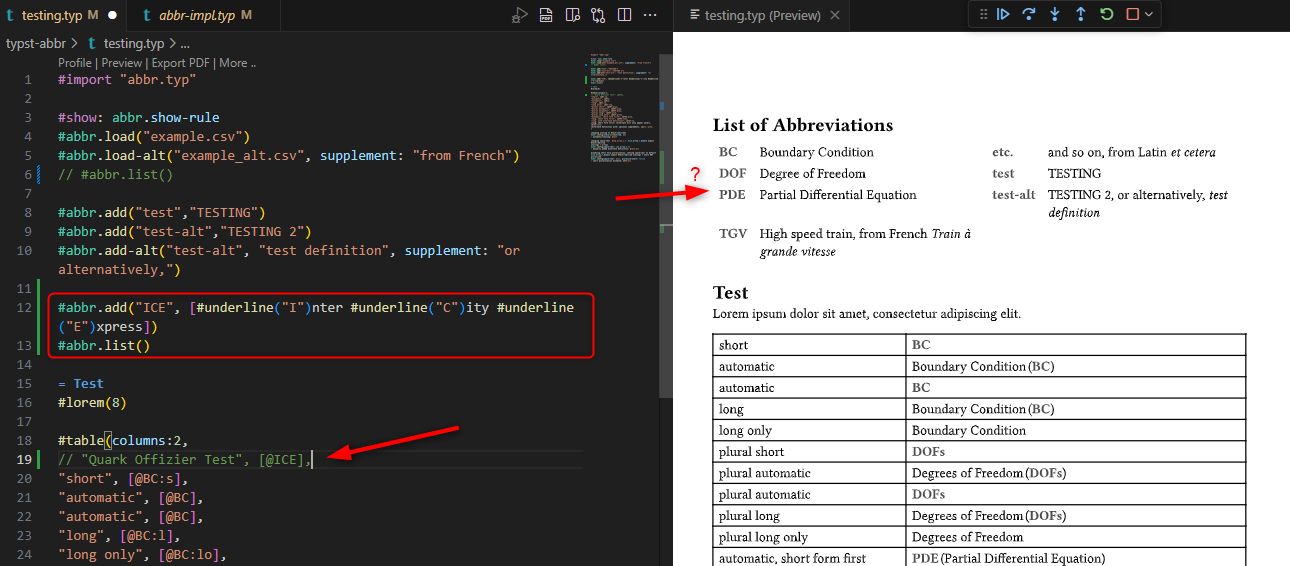
Now I noticed it does not support [Content] in the abbreviations dictionary.
Is there any reason for this? Generally, for dictionaries, I believe this works in typst.
Will this be supported at some time or is this supported in another abbreviations manager?
Hey, author of abbr here, thanks @vmartel08 for tagging me!
@Matze to quickly answer your question: the only reason this usecase is not supported is that nobody needed it until now, but I’m always open to suggestions!
If you’re willing to look into it, I’ll gladly take patches :)
Despite my so far little knowledge on typst code, I think about looking into this. Maybe in my free time. But I have no idea on how to commit something like this. Is there a starting point on package structure and local storage and how I can checkout, make local changes and so on?
The level of necessary instructions really depends on your background, but in a nutshell, the most straight-forward way would be to grab a copy of the code using git
git clone https://git.sr.ht/~slowjo/typst-abbr
and work on your changes directly in that folder, and checking everything works using the testing.typ file that uses a local import (i.e. import "abbr.typ" instead of import "@local/abbr:0.3.0" which would have to be set up first).
Your changes would go into the typst-impl.typ file where most of the implementation lives. Once you’re happy with the changes and everything works as you want it, you commit your changes, checking that you only add what’s actually needed
@Matze otherwise I could also look into it if you convince me that you’re unable to patch it yourself, but really need it anyways.
I’m busy with real life for now tho, so it’ll have to wait a few weeks at least
If the long part of the abbreviation is not added to the label, it works like charm.
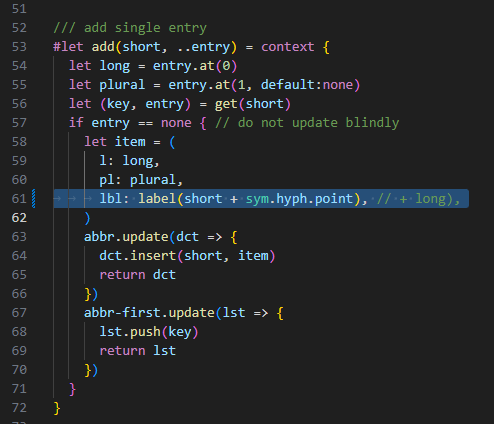
It makes some sense that formatted content may not be used as label. But I wonder what this label formatting “short + sym.hyph.point + long” is used at all.
If am not completely wrong, I am using only the short label, if I write @ECM in my normal content context. I would never dare to use @ECM#sym.hyph.pointElectronicallyCommutatedMotor
So I assume, this is for some completely different use that is broken like this or I didn’t understand the label here?
In fact, this could be helpful!
We have a relatively complex document which can be parametrized to need. So, depending on the parametrization, abbreviations make sense or they don’t.
If this is intended functionality, I could just add all Abbreviations and only the used ones are listed. This would make total sense.
so the label is only put into the document in the list function, so that every time you use an abbreviation it links to the point in the list where its long form is shown. the form short+'-'+long was only used as an attempt to make sure this will be unique in a document. it doesn’t actually matter what the string is, as long as it’s unique.
you do bring up a good point tho, it would make much more sense to have the label point to something akin to "abbr:" + short.
I’ll try to remember this next time I touch the code
The way I prefer to use the package is to have a textfile of all my abbreviations
#abbrevs.csv
BC, Boundary Condition
DOF, Degree of Freedom, Degrees of Freedom
...
and then just include that with abbr.load("abbrevs.csv") and not have to think about what I defined or didn’t define. If it’s used, it’ll show up, otherwise it won’t. Basically just like all your bibliography entries.
I have committed the change to the repo and tried to send the mail via git, but I get the error message “Unable to initialize SMTP properly.” I believe this, as git in my company is probably configured to work internally primarily. I am unsure which SMTP server is used to send this mail and I don’t believe I have access to external mail servers.
Anyway: You shall be notified that I committed the change.